
Overview
This article walks you through how to add your business ABN (Australian Business Number) or CAN (Company Number) to invoices generated in the Hapana Core system. Including these identifiers helps your business meet regulatory requirements and provide clients with complete billing documentation.
Prerequisites
- Admin access to Hapana Core.
- An active login for core.hapana.com.
- Your ABN or CAN number on hand.
Step 1: Log into Hapana Core
- Go to core.hapana.com/login.
- Enter your credentials and log into your account.
Step 2: Access the Payments Menu
- From the top navigation bar, click Payments.
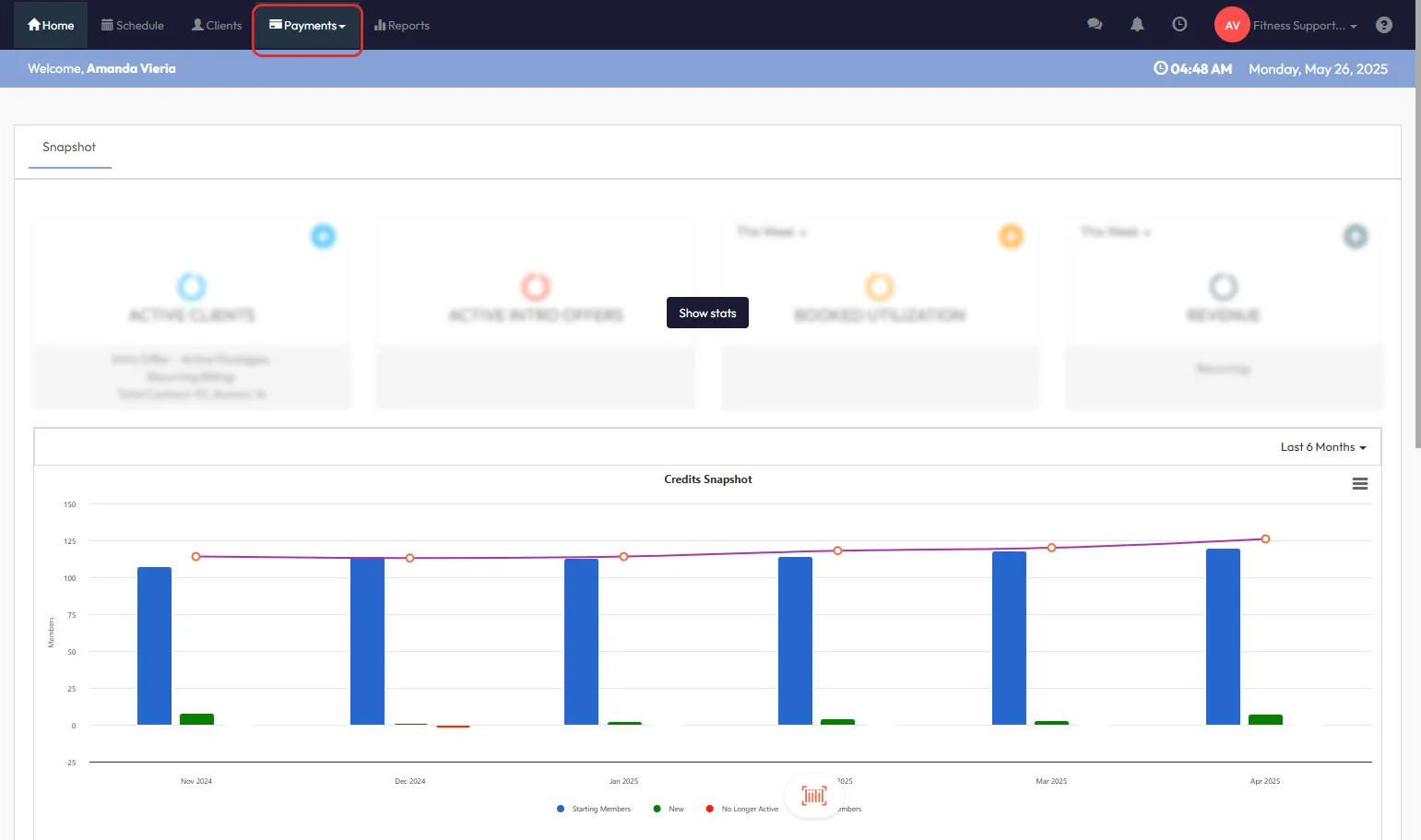
Step 3: Open Retail Configurations
- Hover over Payments.
- Select Retail Configurations from the dropdown.
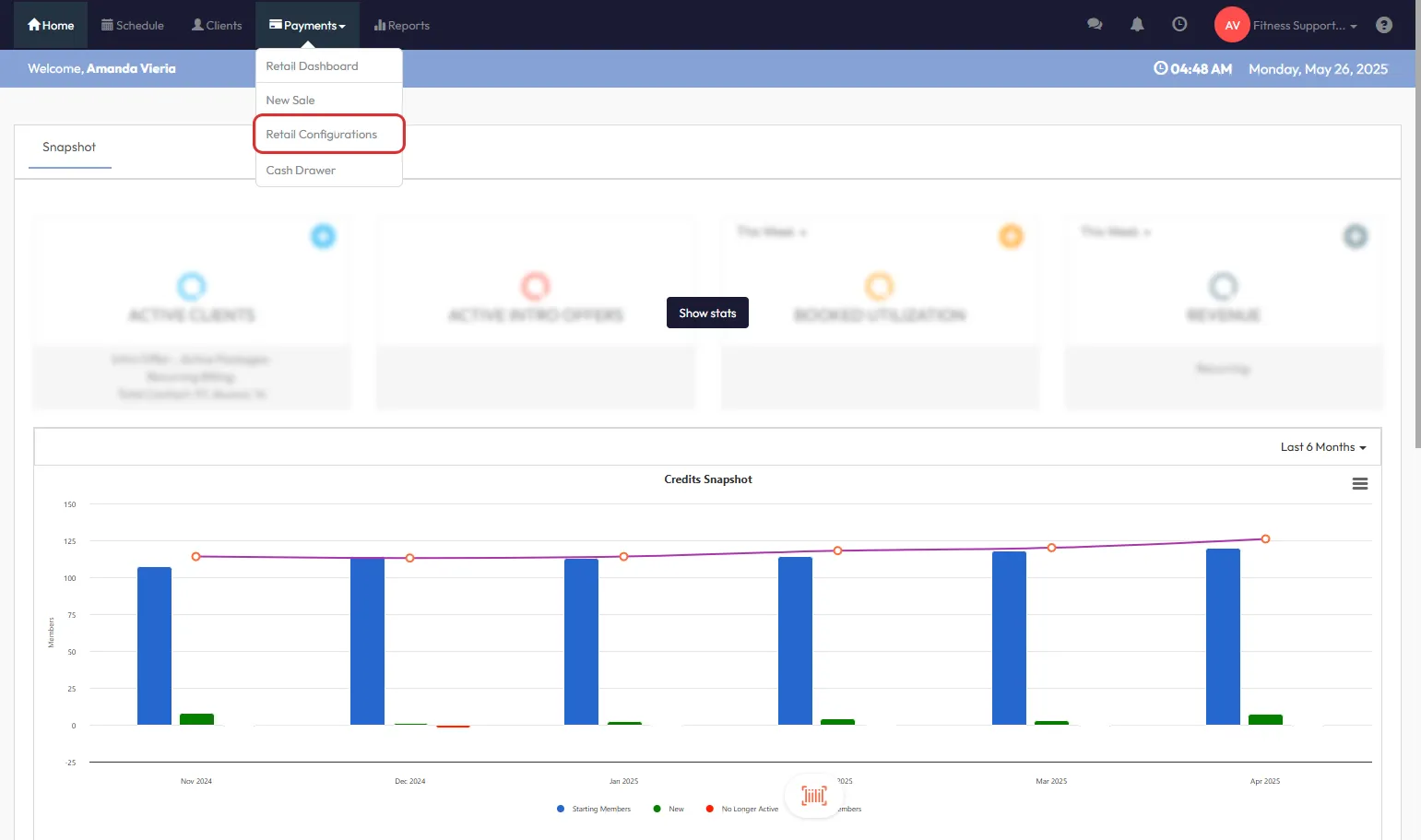
Step 4: Go to Retail Settings
- In the left-hand menu, click Retail Settings.
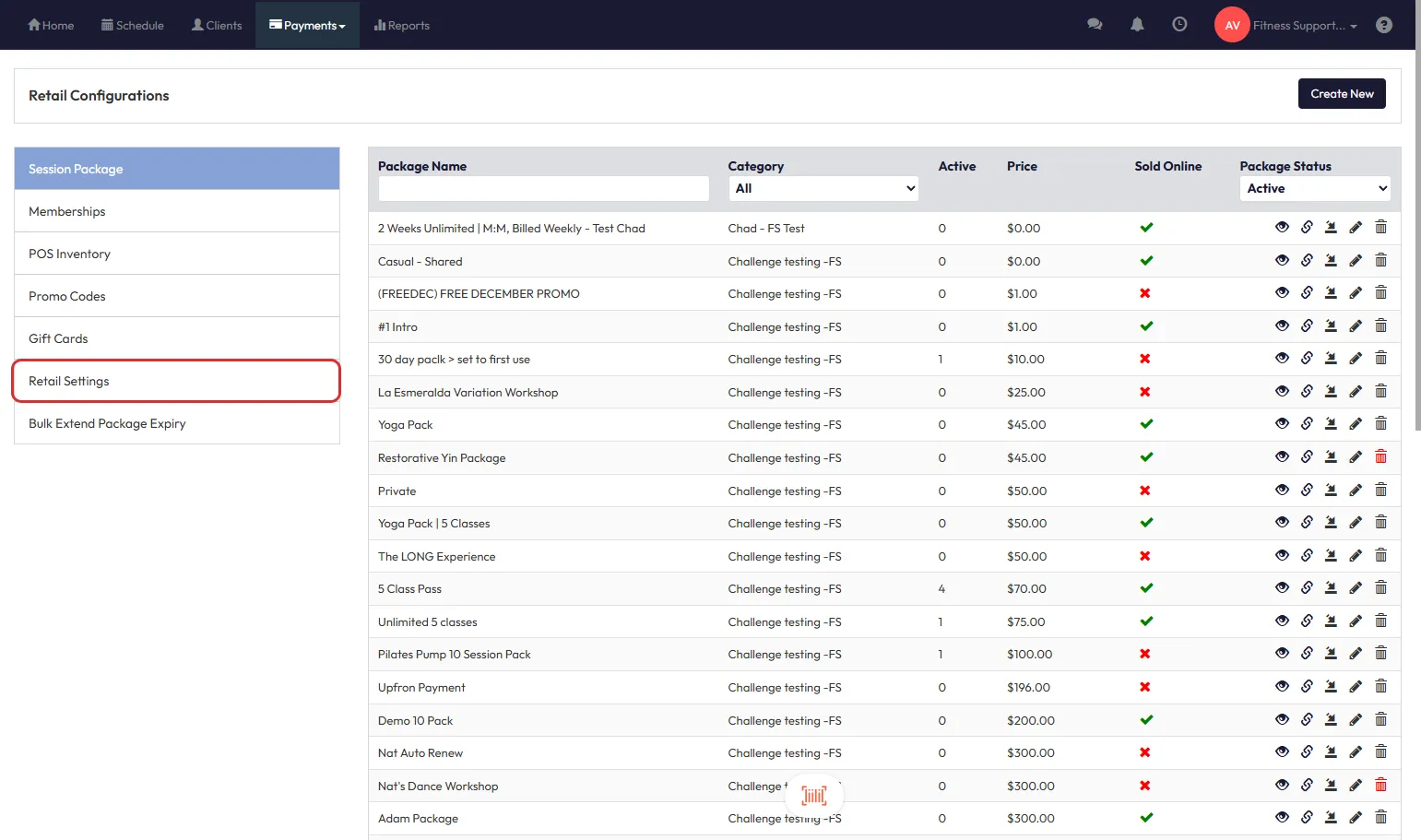
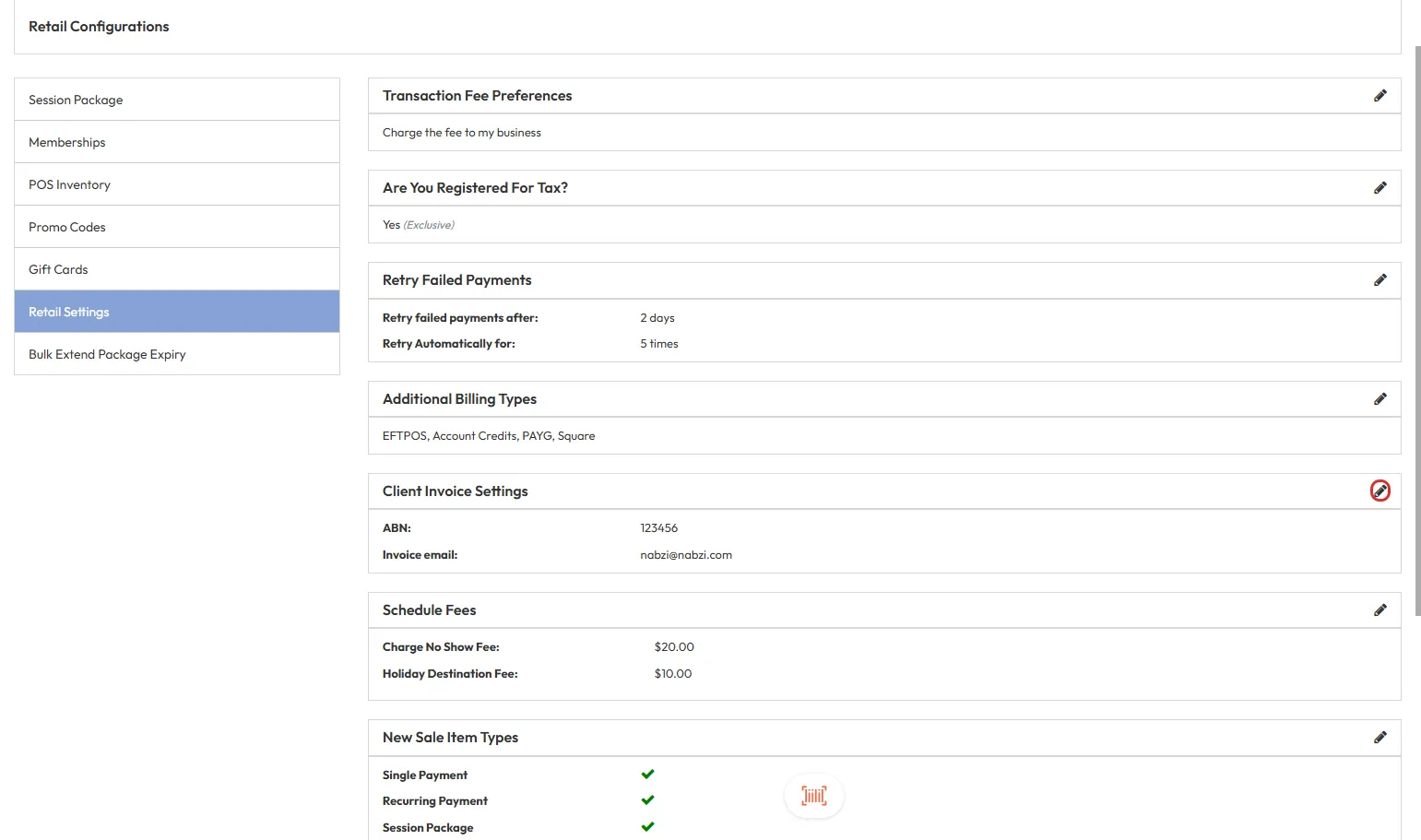
Step 5: Locate Client Invoice Settings
- Scroll down until you reach the Client Invoice Settings section.
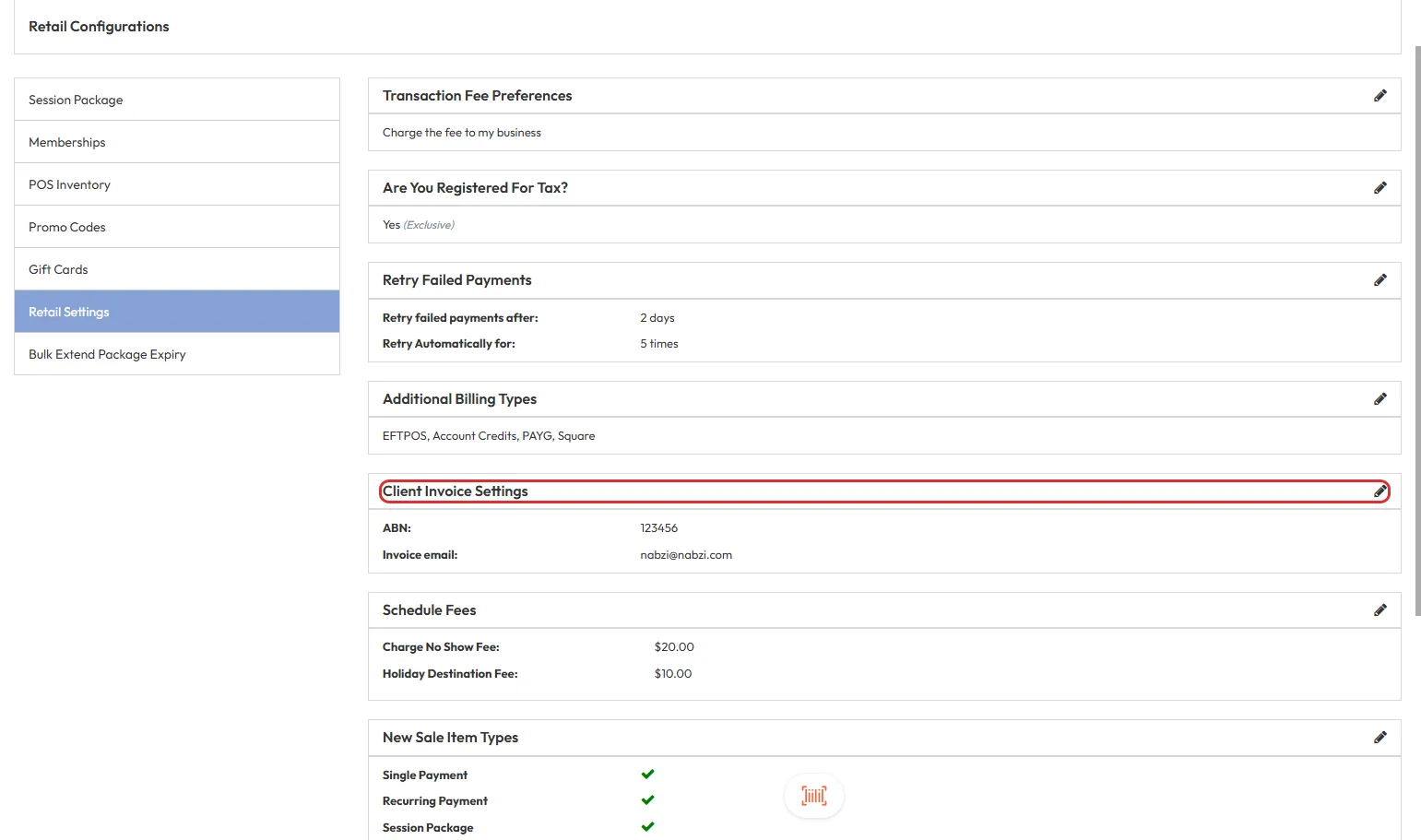
Step 6: Edit Invoice Settings
- Click the pencil icon next to the current invoice email field to open editing options.
Step 7: Enable ABN/CAN Field
- Check the first checkbox to enable the ABN/CAN entry fields.
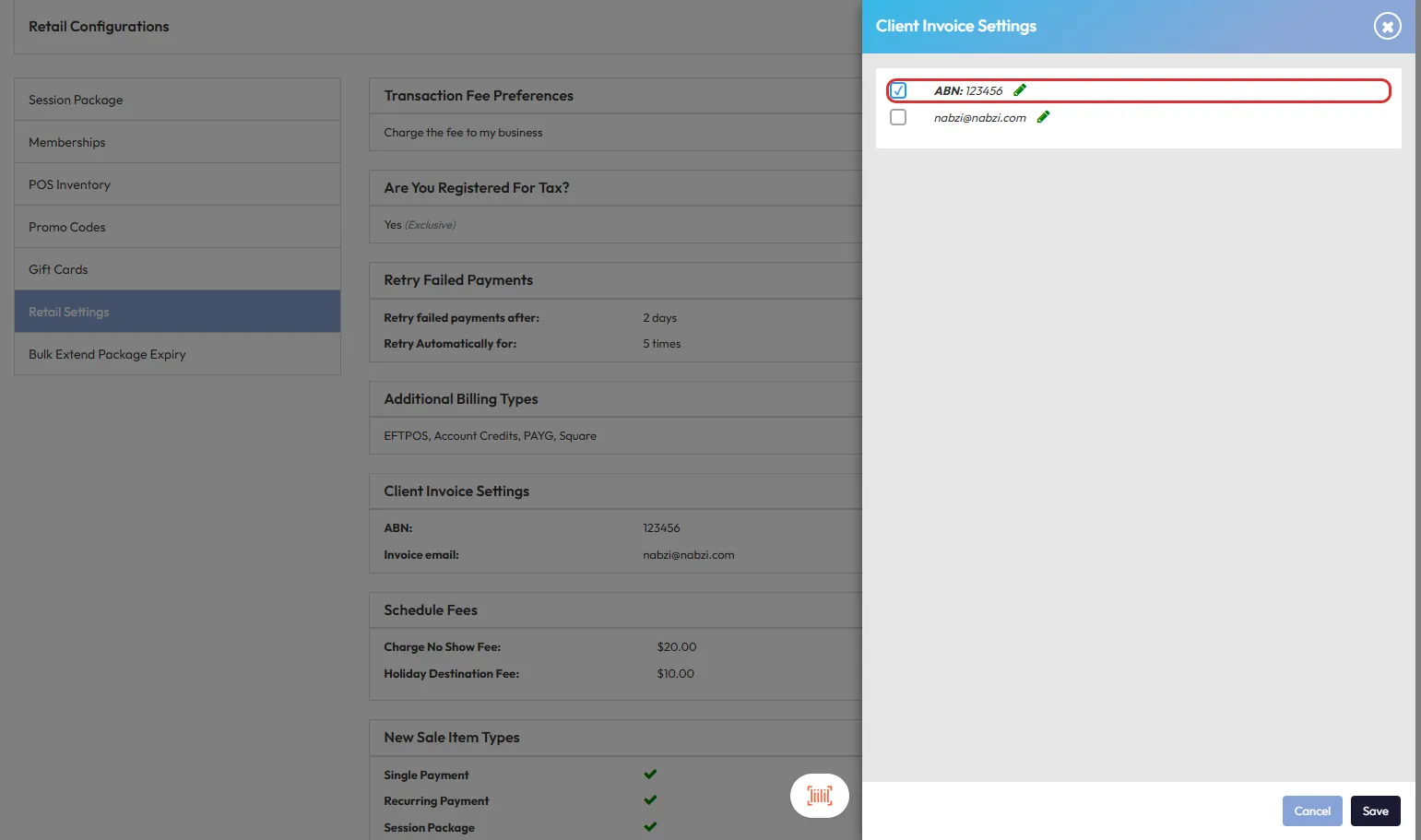
Tip: This enables the fields for both name and number entry.
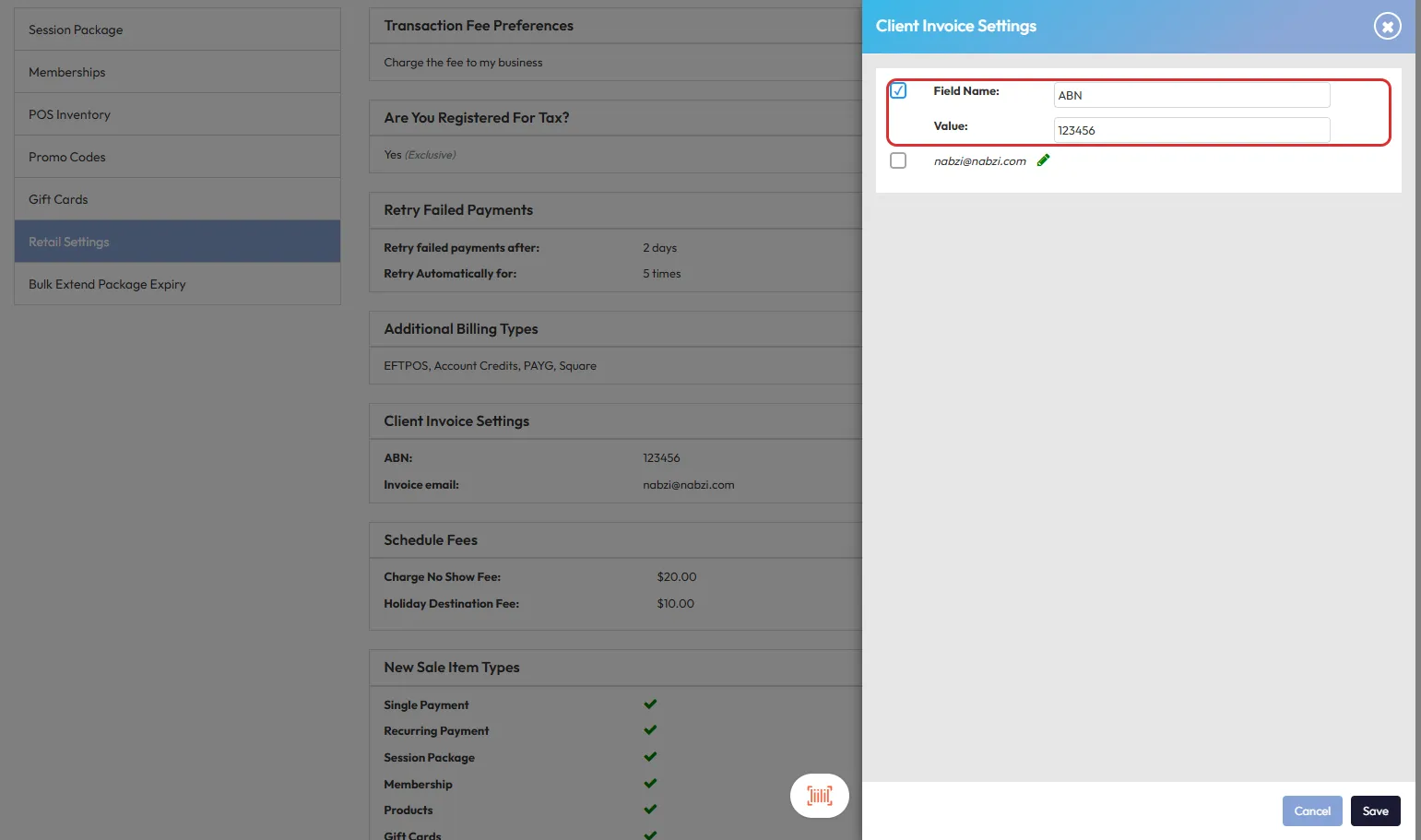
Step 8: Add ABN/CAN Details
- In the Field Name text box, enter a label like ABN.
- In the Value text box, type your ABN or CAN number.
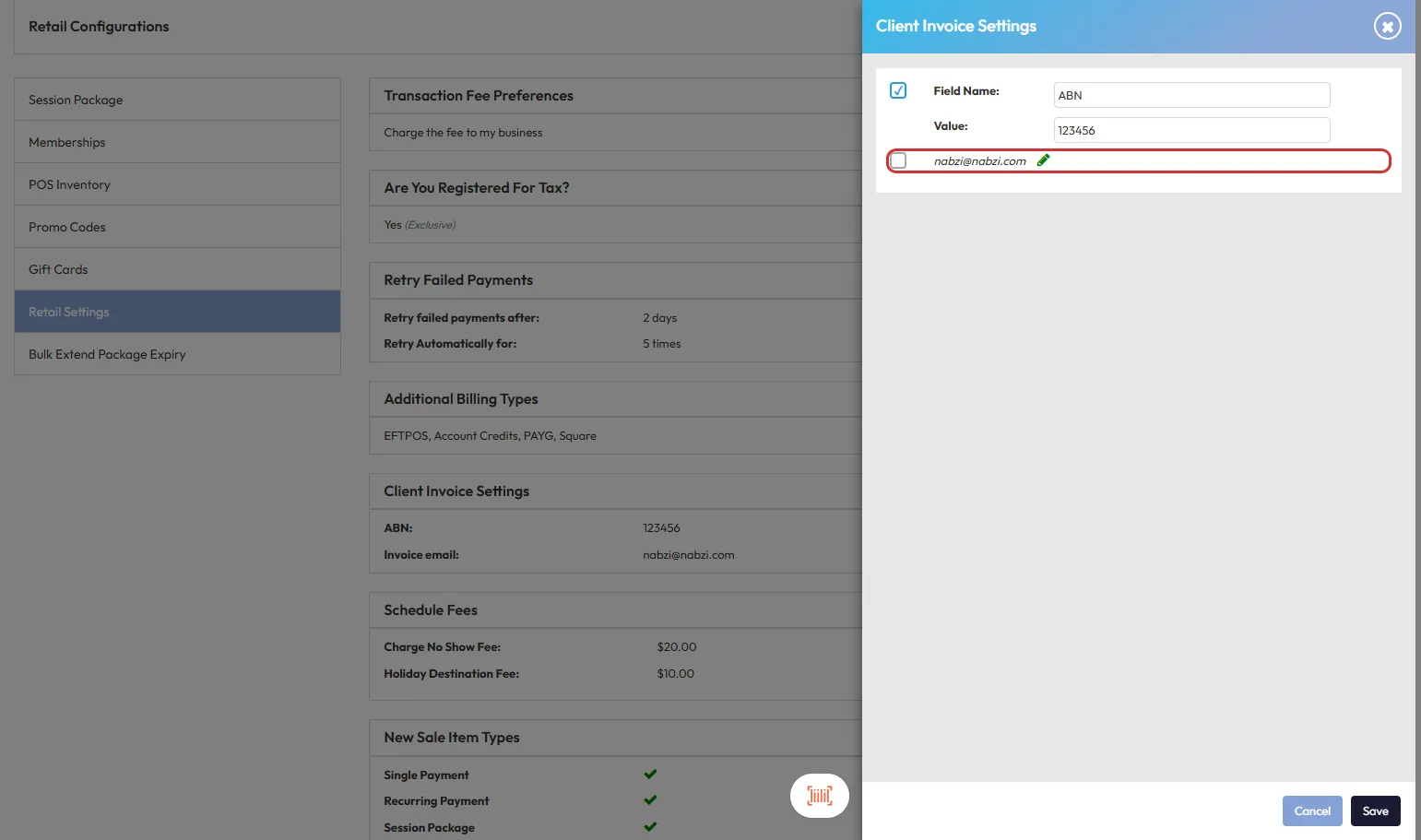
Step 9: (Optional) Edit Invoice Email
- If needed, click the pencil icon beside the email to update the email address shown on invoices.
Expected Outcome
Your ABN/CAN will now appear on all invoices generated through the system, ensuring legal compliance and complete client records.
FAQs
Can I add multiple identifiers?
No, currently only one ABN or CAN can be entered per invoice configuration.
Will this apply to historical invoices?
No, changes only affect invoices generated after this setting is updated.
Can I leave the Business No field blank?
Yes, but then no identifier will show on the invoice.