
Overview
This article walks you through how to enable and customize the payment receipt email in Hapana Core. This is important if you'd like your clients to automatically receive a confirmation email whenever a payment is successfully processed.
Prerequisites
- You must have access to your Hapana Core admin account.
- You must have permission to manage Account Settings and Email Configuration.
Step 1: Log into Hapana Core
- Go to core.hapana.com/login.
- Enter your login credentials to access your dashboard.
Step 2: Access Business Settings
- In the top-right corner, click on your Business Name.
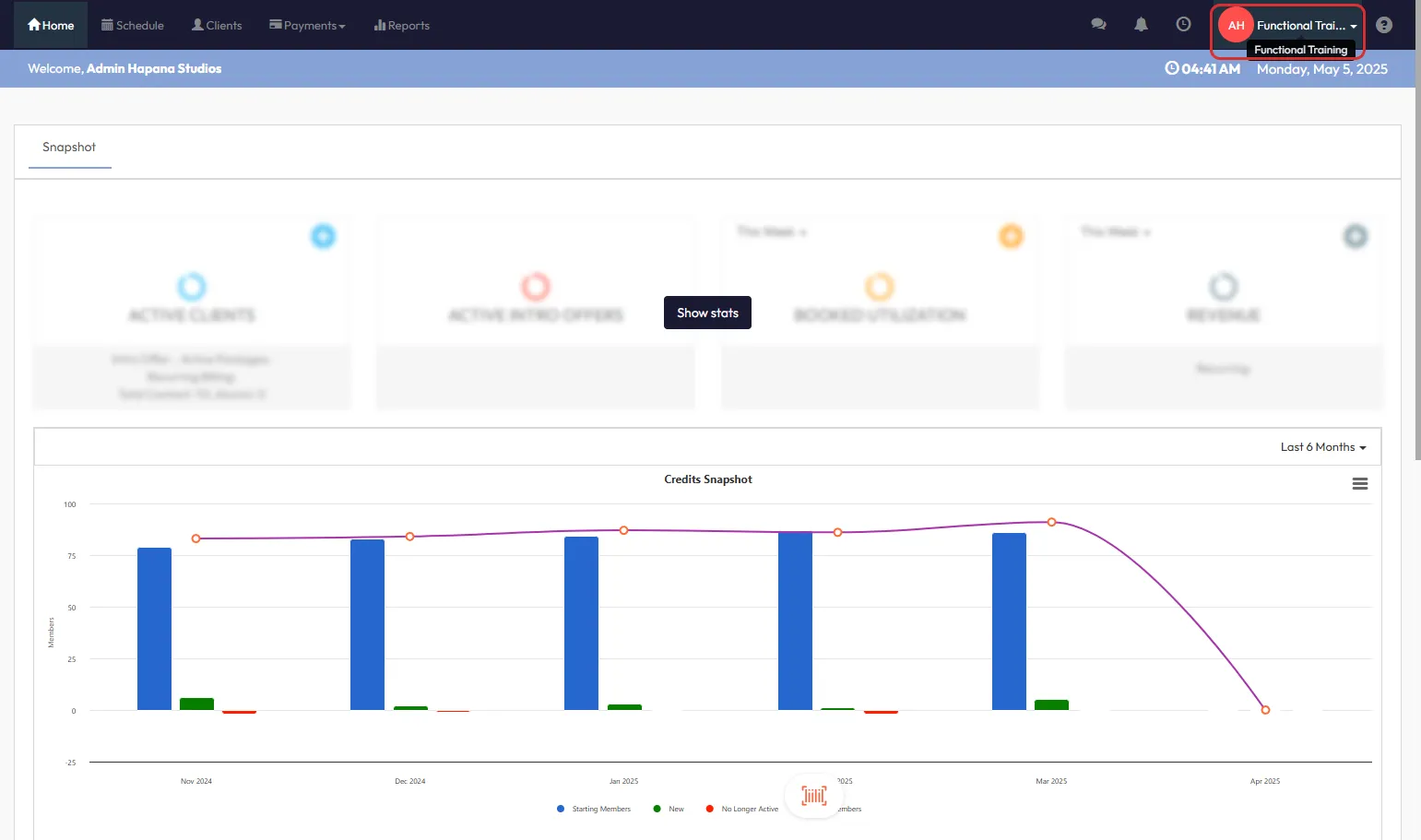
Step 3: Navigate to Account Settings
- From the dropdown menu, select Account Settings.
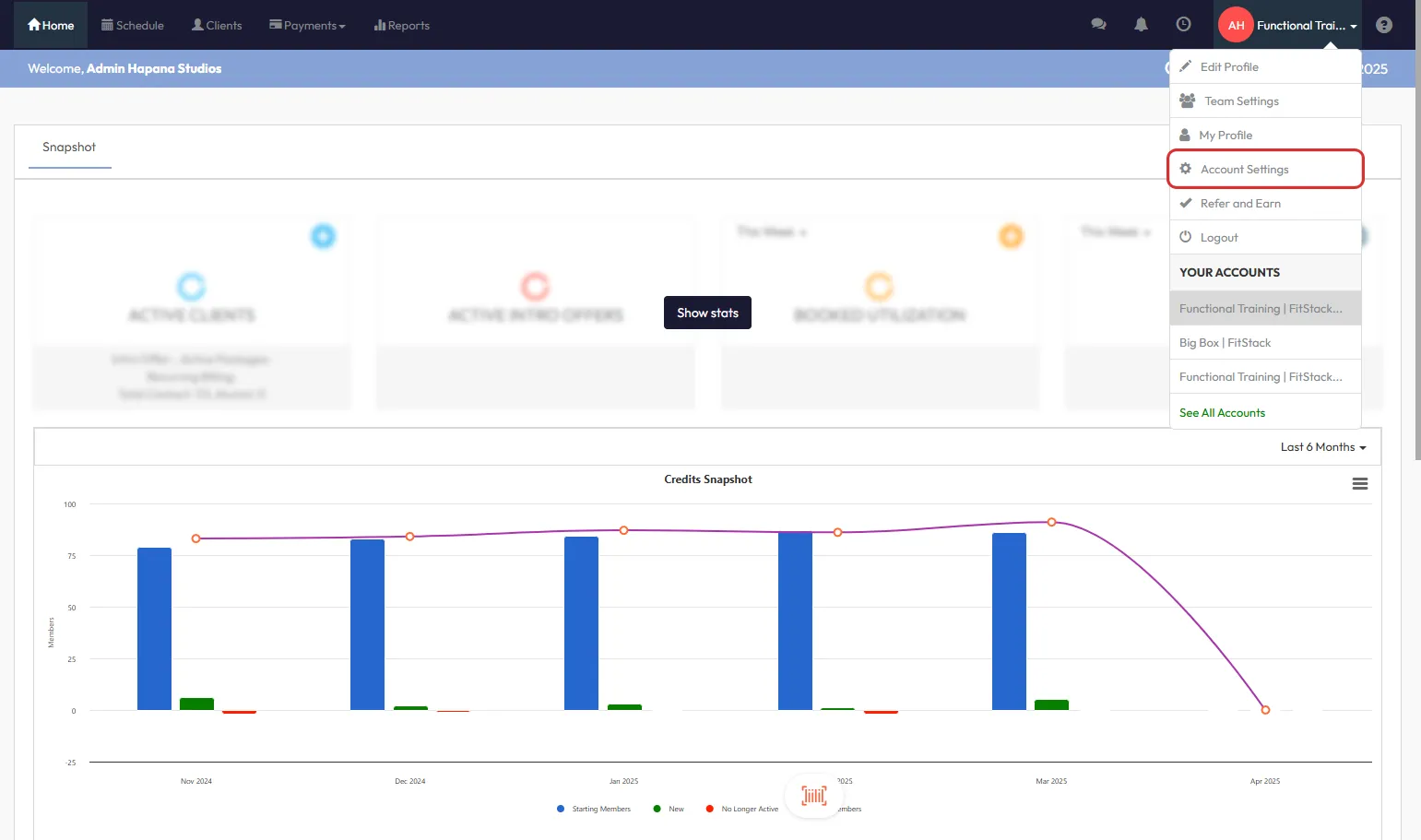
Step 4: Go to Configuration
- Click the Configuration tab in the Account Settings section.
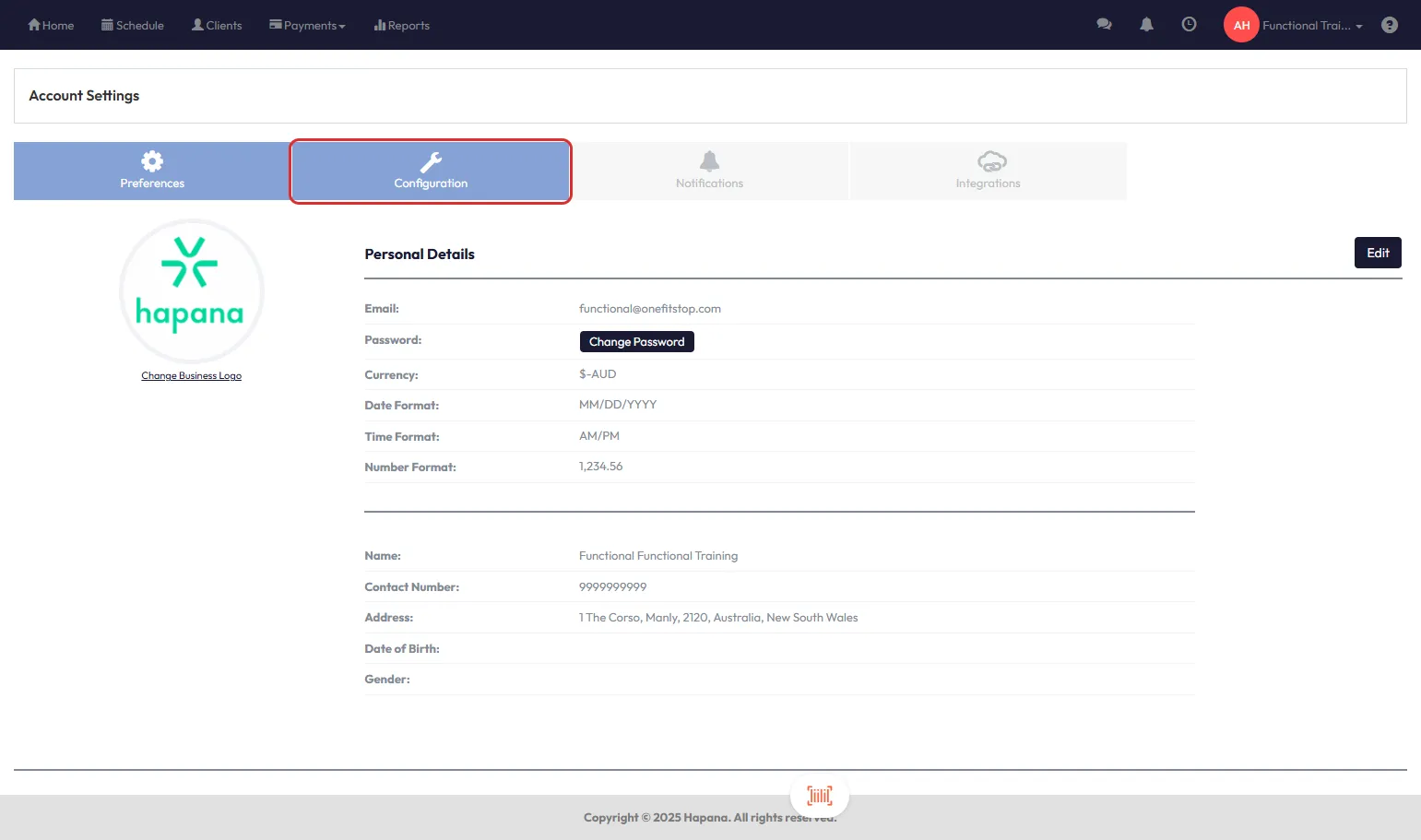
Step 5: Locate Email Settings
- Scroll down to the Customize Emails triggered by Hapana section.
Step 6: Click Edit
- On the right-hand side of the section, click Edit.
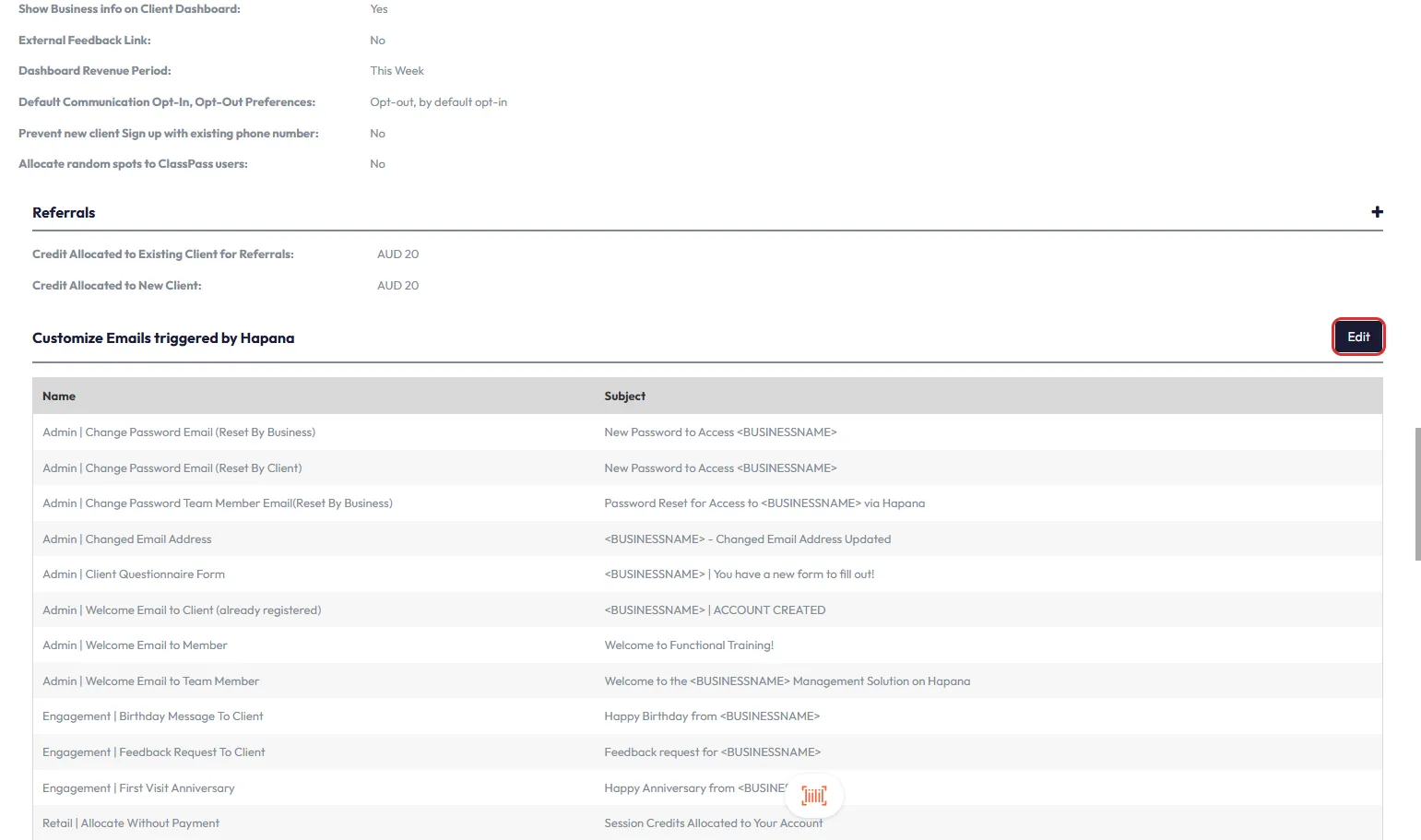
Step 7: Locate Payment Receipt Template
- In the list, scroll until you find Retail | Payment Receipt.
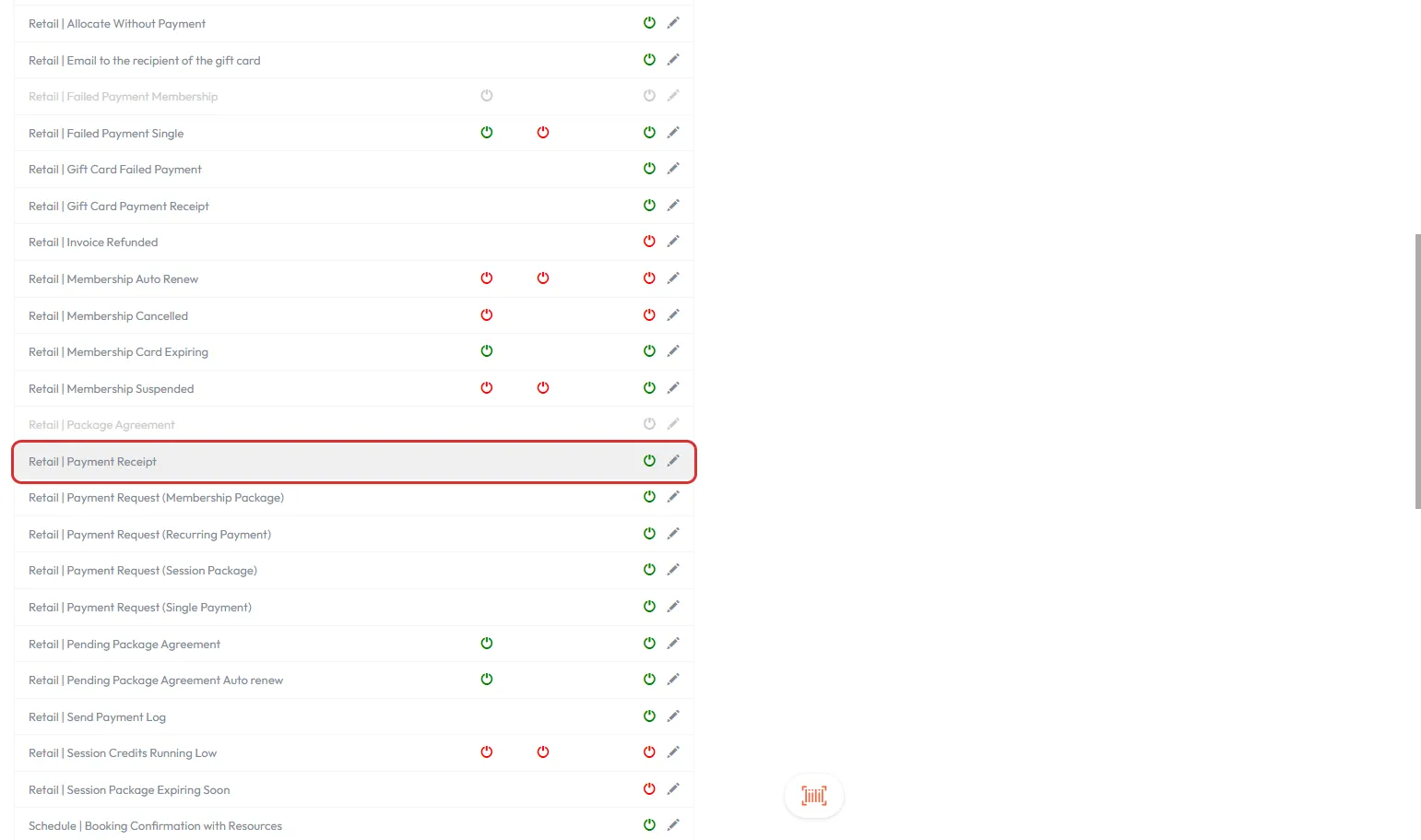
Step 8: Enable and Customize the Template
- Ensure the Retail | Payment Receipt row displays a green power icon.
- If it's red, click it once to enable (turn green).
- To modify the email content, click the pencil icon on the right-hand side.
- This allows you to update the subject line, message body, reply address, and more.
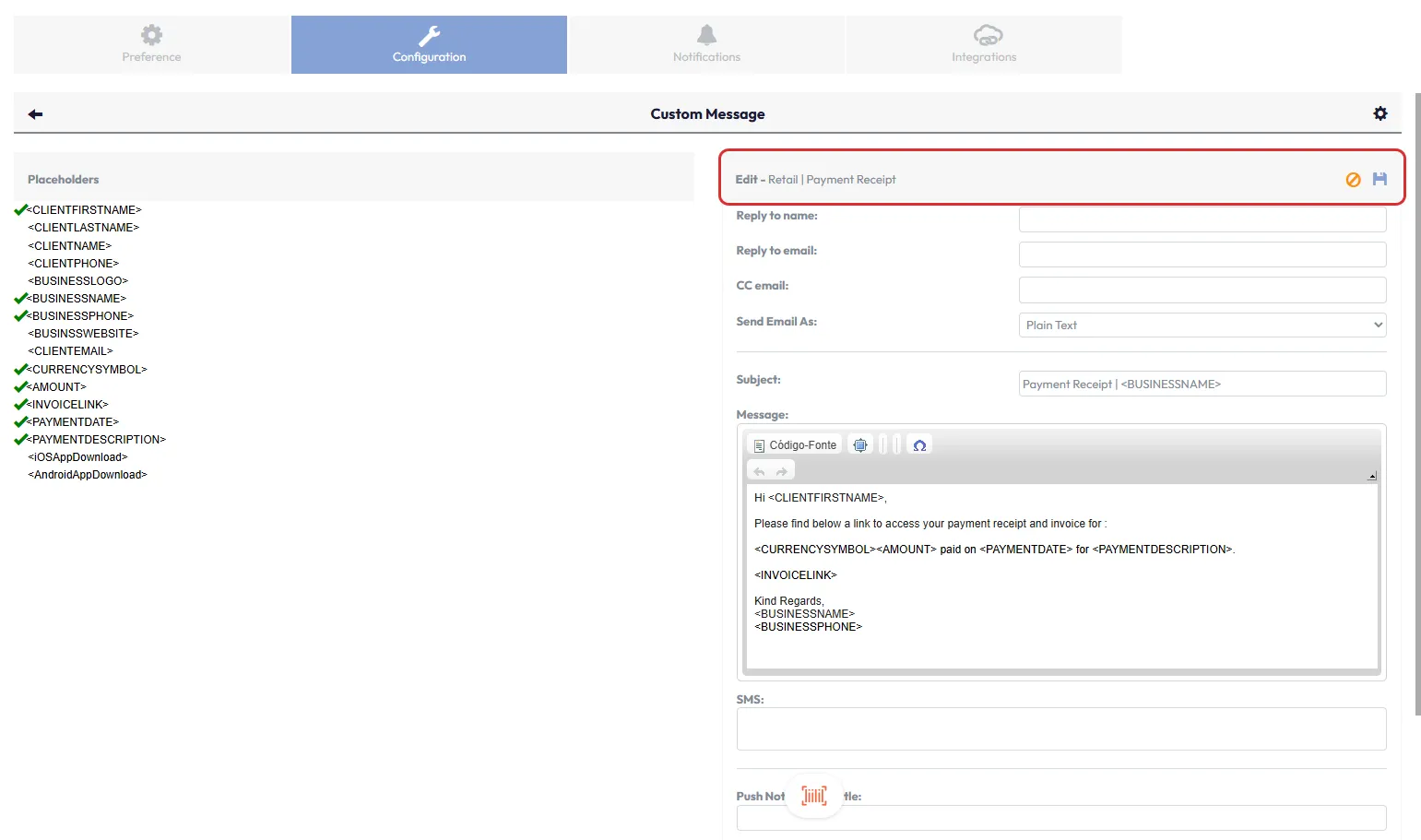
Tip: Use personalization tokens like
and to auto-fill dynamic content.
Expected Outcome
Clients will automatically receive a confirmation email with their payment details after every successful transaction.
Frequently Asked Questions
Q: Can I send the payment receipt email manually?
A: No. This setting only enables automatic sending upon successful payment.
Q: Can I include my logo or branding in the receipt email?
A: Yes. The email editor supports customizing branding, including logos and colors.
Q: Will the receipt email include tax and payment method?
A: Yes. Standard receipts include tax, amount, and payment method details.
Need help? Reach out to our support team via support@hapana.com.