Overview
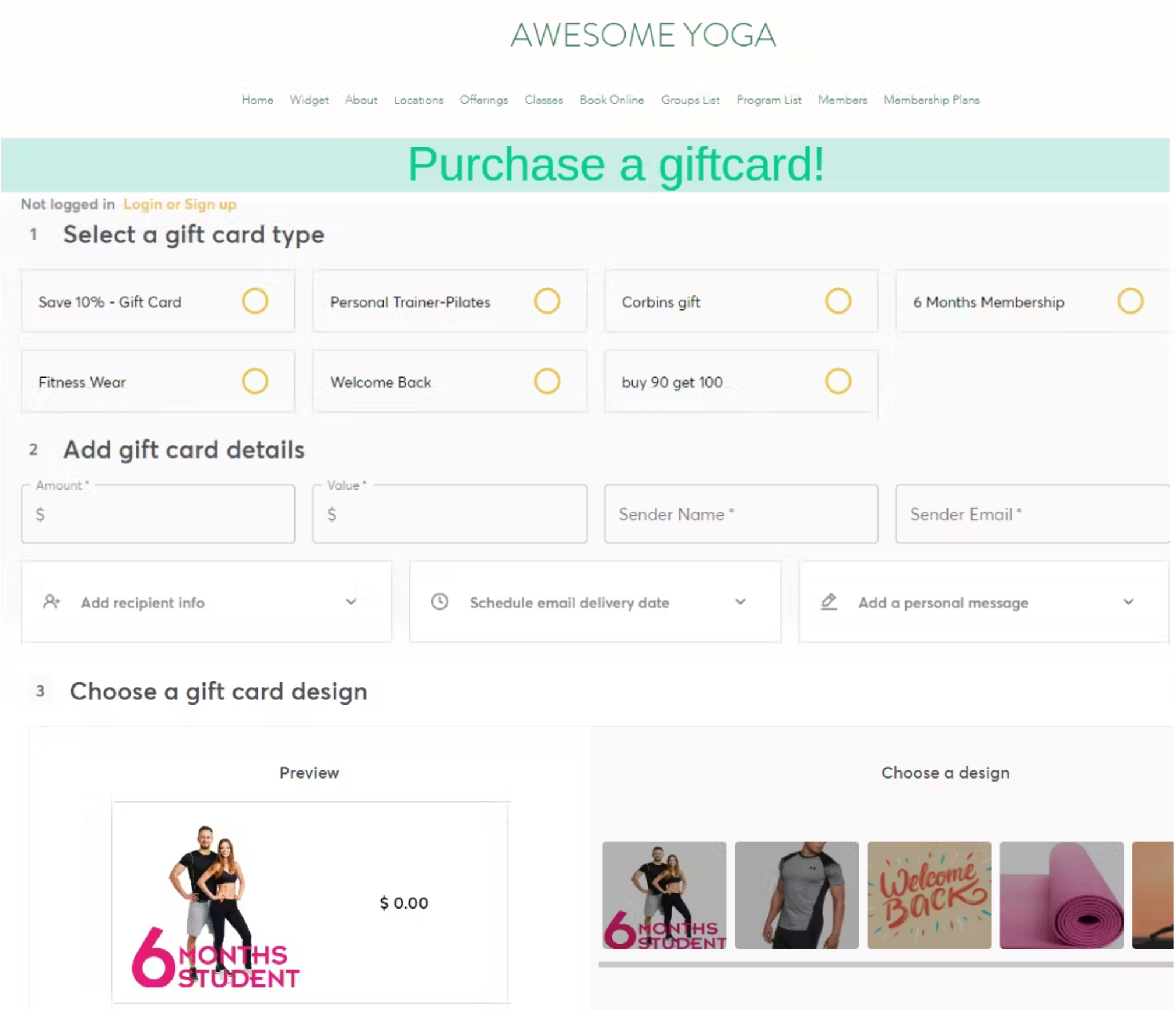
To highlight the ability to purchase gift cards on your website, embed them as a widget. This allows your customers to effortlessly purchase gift cards without having to leave your website.
Setup Guide:
Step 1:
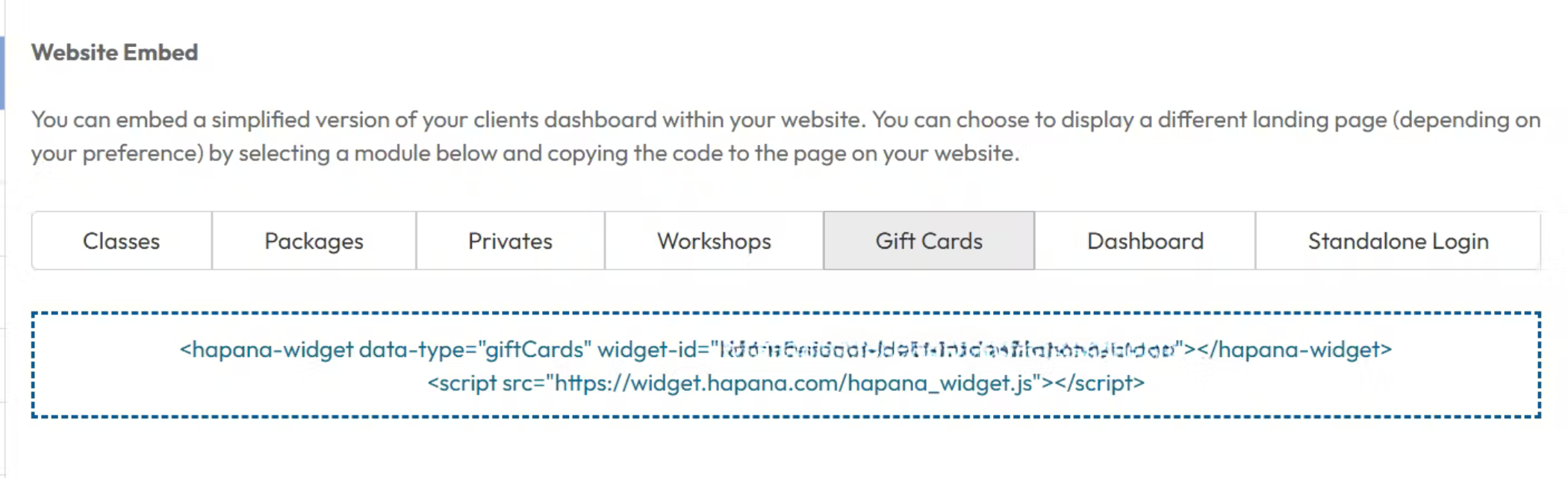
Log in to your Hapana Core account and navigate to the top, right menu > Edit profile > Website Embed and select the Gift Cards tab.
Step 2:
Copy and paste the displayed widget ID code into your website builder.
If you are utilzing WIX as your website platform click here for a WIX specific ‘how to’ guide.
Expected Outcome
After embedding the code into your website, the widget will be displayed in your website, similar to the image below: