Overview
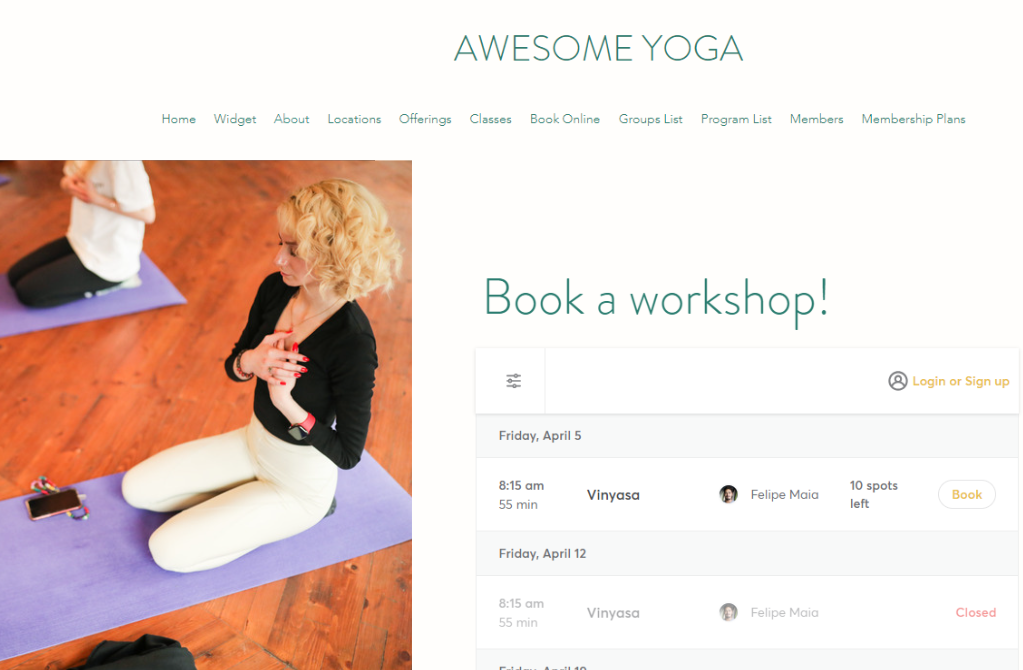
Highlight specific workshops on your website by adding them as a widget! This allows your customers to effortlessly book into upcoming workshops, without having to leave your website.
Setup Guide:
Step 1:
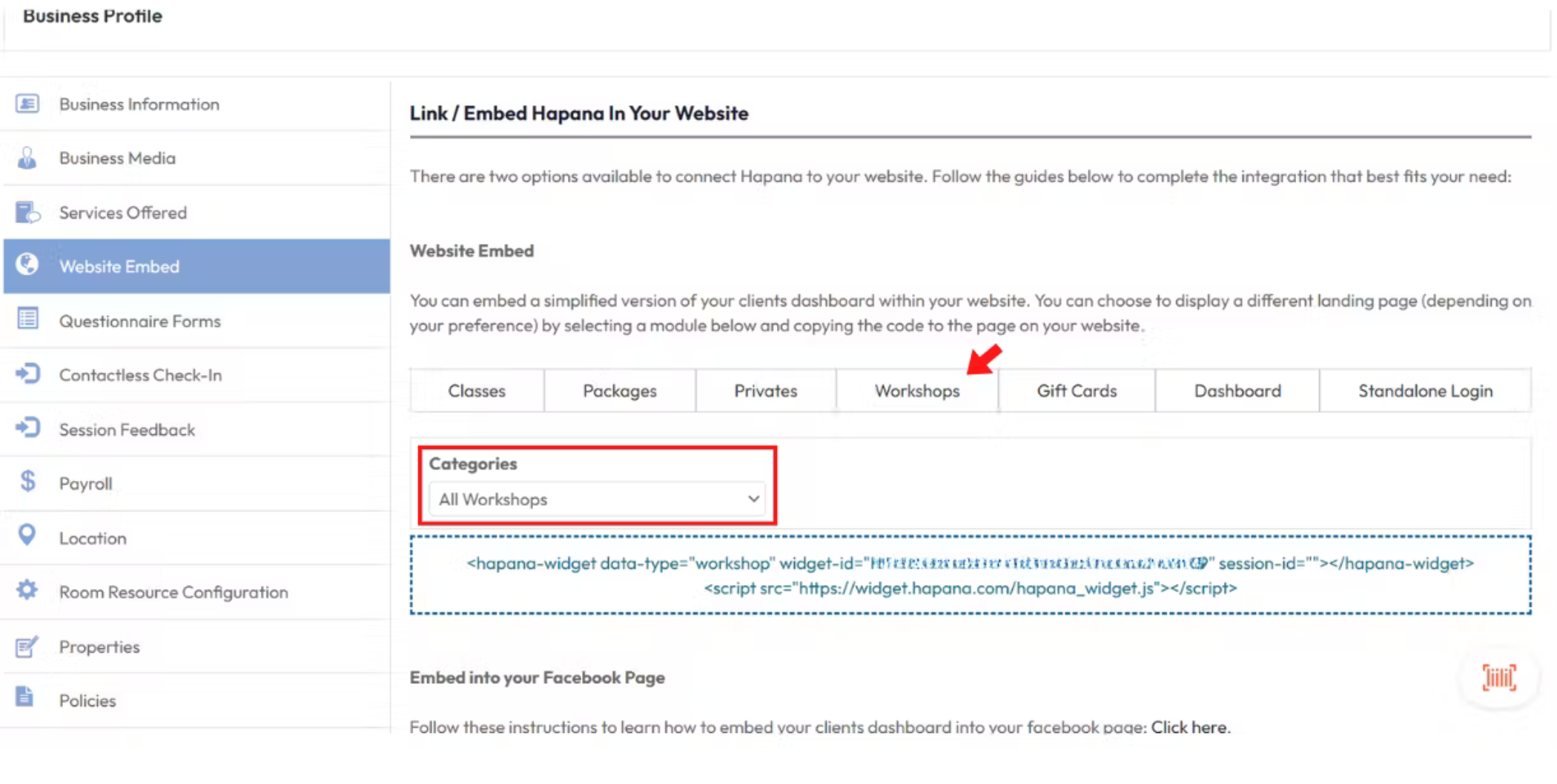
Log in to your your Hapana Core account and navigate to the top right menu > Edit Profile > Website Embed and select the Workshops tab. The ‘Categories’ dropdown menu allows you to either add a widget for all workshops or for individual workshops.
Step 2:
After selecting the desired workshop category, the system will display the widget ID code that can be copied into your website builder.
Important Notes:
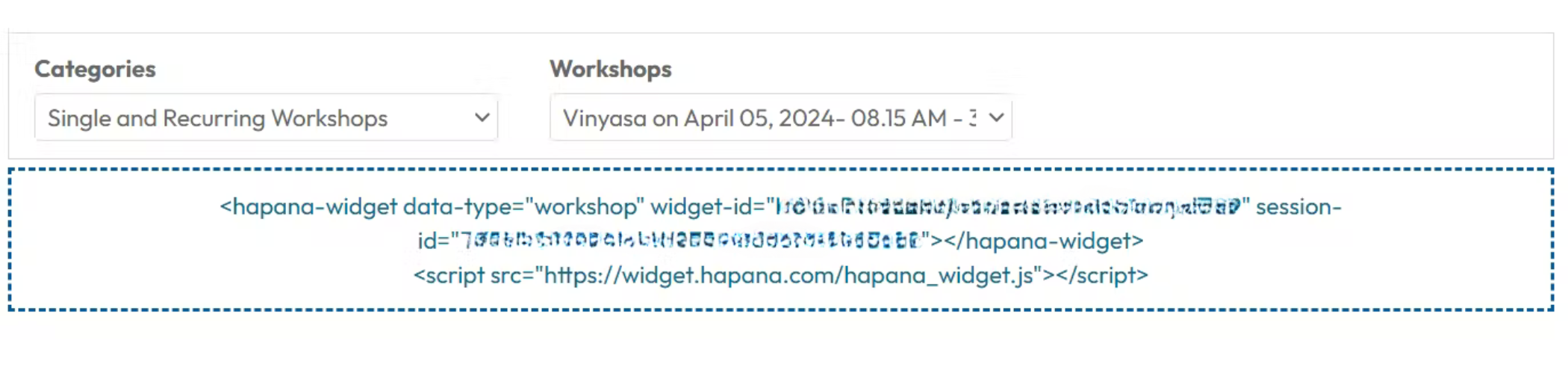
- The code will change when a different workshop category is selected.
- If you select a workshop category, a new dropdown will appear for you to select a specific workshop within the selected category.
Expected Outcome
After adding the code to your website, the workshop widget will look similar to the below image.