
Overview
Understanding how a client’s credits are used is key to managing bookings, check-ins, and overall account health. In Core, you can now see a detailed breakdown of client credits—categorized by Available, Booked, and Used—right from the client’s profile.
This enhancement gives you a clearer view of how session credits are allocated between future bookings, past attended sessions, and unused credits.
Prerequisites
- Admin or staff access to Hapana Core
- The client must have an active package or membership with credits
- Familiarity with navigating the Clients and Payments sections
Step-by-Step Instructions
Step 1: Log in to your Core account
Go to core.hapana.com and log in.
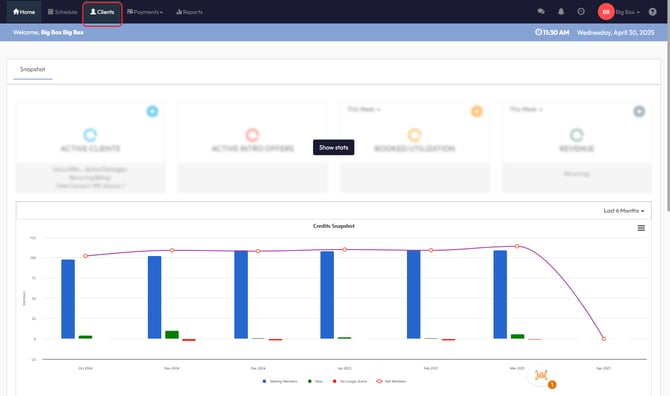
Step 2: Navigate to the Clients tab
Click on Clients in the top menu bar of the dashboard.
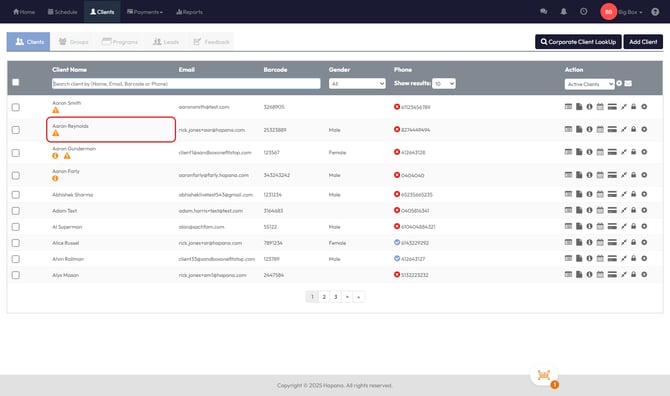
Step 3: Find the client
Use the search bar to locate the client by name, email, or phone number. Click on the client’s name to open their profile.
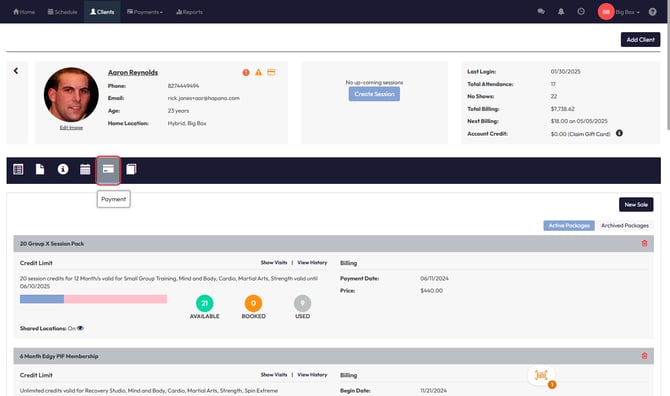
Step 4: Open the Payments section
Click the Payment icon (credit card symbol) on the client’s profile.
Step 5: View the Credit Categorization
Under the client’s active packages, you’ll now see a progress bar with credits categorized into:
- Available: Credits not tied to any past or future bookings
- Booked: Credits allocated to future bookings
- Used: Credits associated with past sessions (attended, no-show, late cancel) or General Check-ins
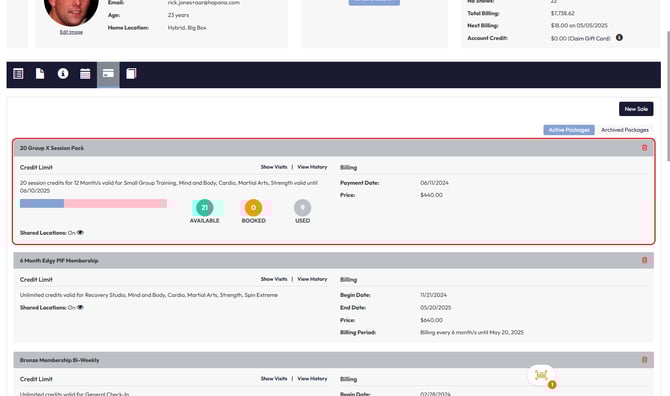
Tip: Hovering over each section will show exact credit numbers for better clarity.
Credit Status Definitions
| Credit Status | Description |
|---|---|
| Available | Credits available for booking |
| Booked | Credits reserved for upcoming sessions |
| Used | Credits consumed by past sessions or check-ins |
Expected Outcome
You’ll have an immediate, visual breakdown of a client’s credit usage, helping you and your clients better understand their package status and make decisions about rebooking, upgrading, or account management.
FAQs
Q: Are General Check-ins counted in Used credits?
Yes. Any check-in or past session counts as a Used credit.
Q: Can clients view this breakdown in the app?
Clients see their remaining credits in the app, but full categorization is currently only available in Core for business users.
Q: What happens if a booking is canceled?
Canceled sessions (without penalty) returns the credit to the Available status.
Need help?
Reach out to our support team via support@hapana.com