
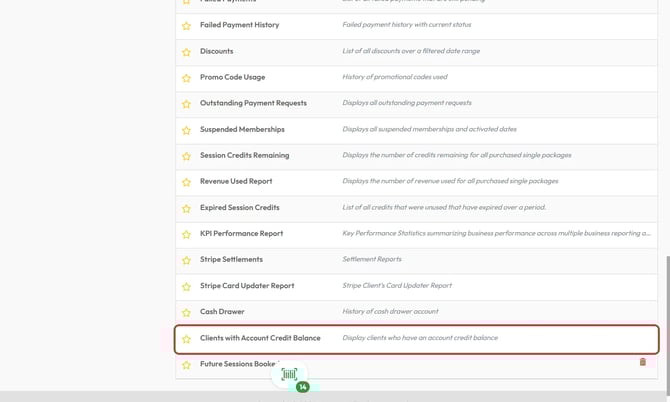
The Clients with Account Credit Balance report helps business users identify clients who have unused account credits. This report is essential for financial tracking, client follow-ups, and promotional planning—ensuring that credits are actively monitored and not left unused.
Whether you're reconciling outstanding balances or preparing for client outreach, this report gives you a clear picture of available credit across your client base.
Prerequisites
- Admin or reporting access to Core
- Access to Reports > Financial > Clients with Account Credit Balance
- (Optional) Access to Corp Dash > Exports for brand-wide credit reporting
How to Access the Report
- Log into your Core account at core.hapana.com
- Navigate to Reports > Financial > Clients with Account Credit Balance
Key Data Displayed
The report shows a list of clients with outstanding account credits and includes the following fields:
| Column | Description |
|---|---|
| Full Name | Client's full name |
| First Name / Last Name | Individually separated name fields for sorting |
| Email / Phone | Contact information |
| Account Credit Balance | Total unused account credit |
| Join Date | Date the client joined your business |
Tip: Use this report for targeted re-engagement campaigns and refunds or balance rollovers.
Filtering and Exporting
- Reports can be filtered and sorted by any visible column
- You can export the data to CSV and include only the fields you need
- Sorting options allow you to organize data by credit amount, join date, or client name

Corporate Dashboard Export Option
For multi-location or brand-level analysis:
- Navigate to Corp Dash > Exports
- Choose the Clients with Account Credit Balance export
- Select to pull data for All Locations or filter by specific sites
- Customize which columns are included before export
Tip: Use this export to consolidate credits across multiple studios or franchises.
Expected Outcome
You’ll have a clear view of all clients with available credit balances. This helps your team manage financial obligations, trigger outreach for unused balances, and maintain accurate credit reconciliation.
FAQs
Q: Can I see which services the credits are tied to?
A: This report tracks account-level credit, not service-specific session credits. For session tracking, use the Session Credits Remaining report.
Q: Can I filter by location within the report?
A: Yes, both the report in Core and the export from Corp Dash allow you to select specific brand locations.
Q: Will this report include expired credits?
A: No. This report only shows active, unused account credit balances.
Need help? Reach out to our support team via support@hapana.com