
Overview
Credit validity determines how long a client can use their session credits after they’ve been allocated. Whether it’s a membership or a package, being able to check and adjust these dates helps ensure clients can book sessions within their allowed timeframe—and avoids confusion if their credits expire sooner than expected.
Prerequisites
- Admin access to Core
- A client with an active membership or package
- Understanding of how credit allocation works for your offerings
Step 1 – Navigate to the Client Profile
- Log in to Core at core.hapana.com
- Click on the Clients tab
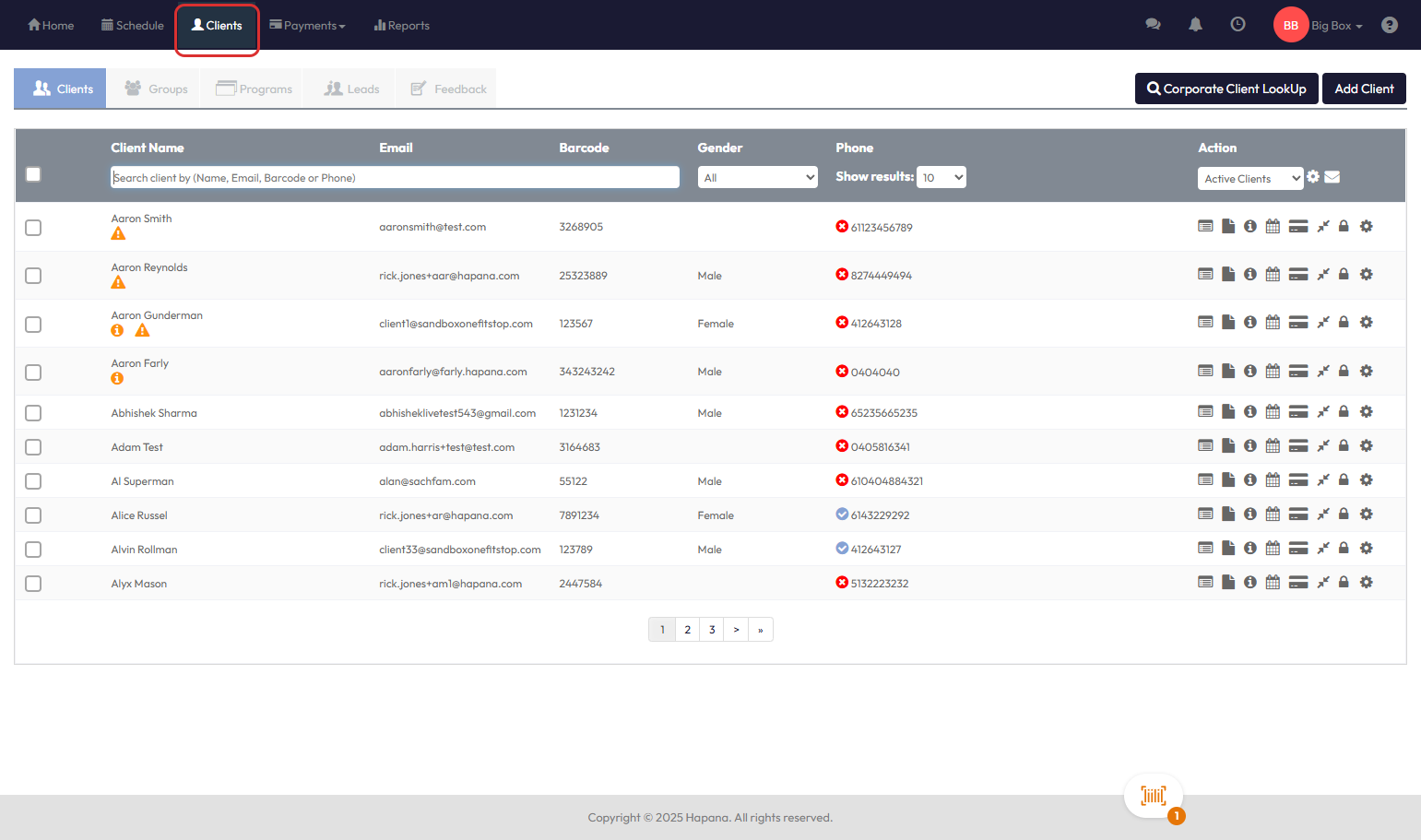
- Search for the client using their name, email, or phone number
- Click the client’s name to open their profile
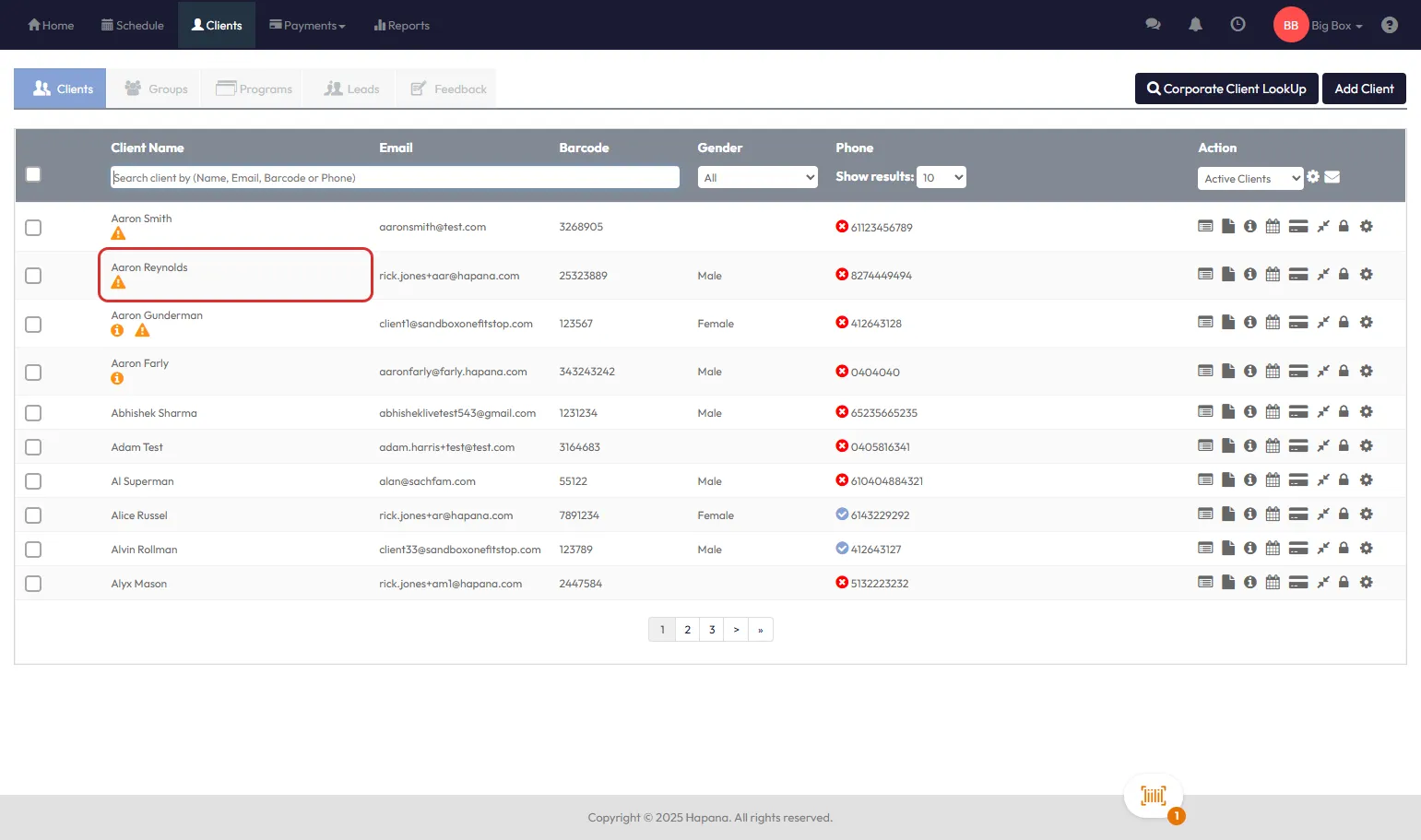
Step 2 – Go to the Payments Tab
- Inside the client profile, click the Payments tab
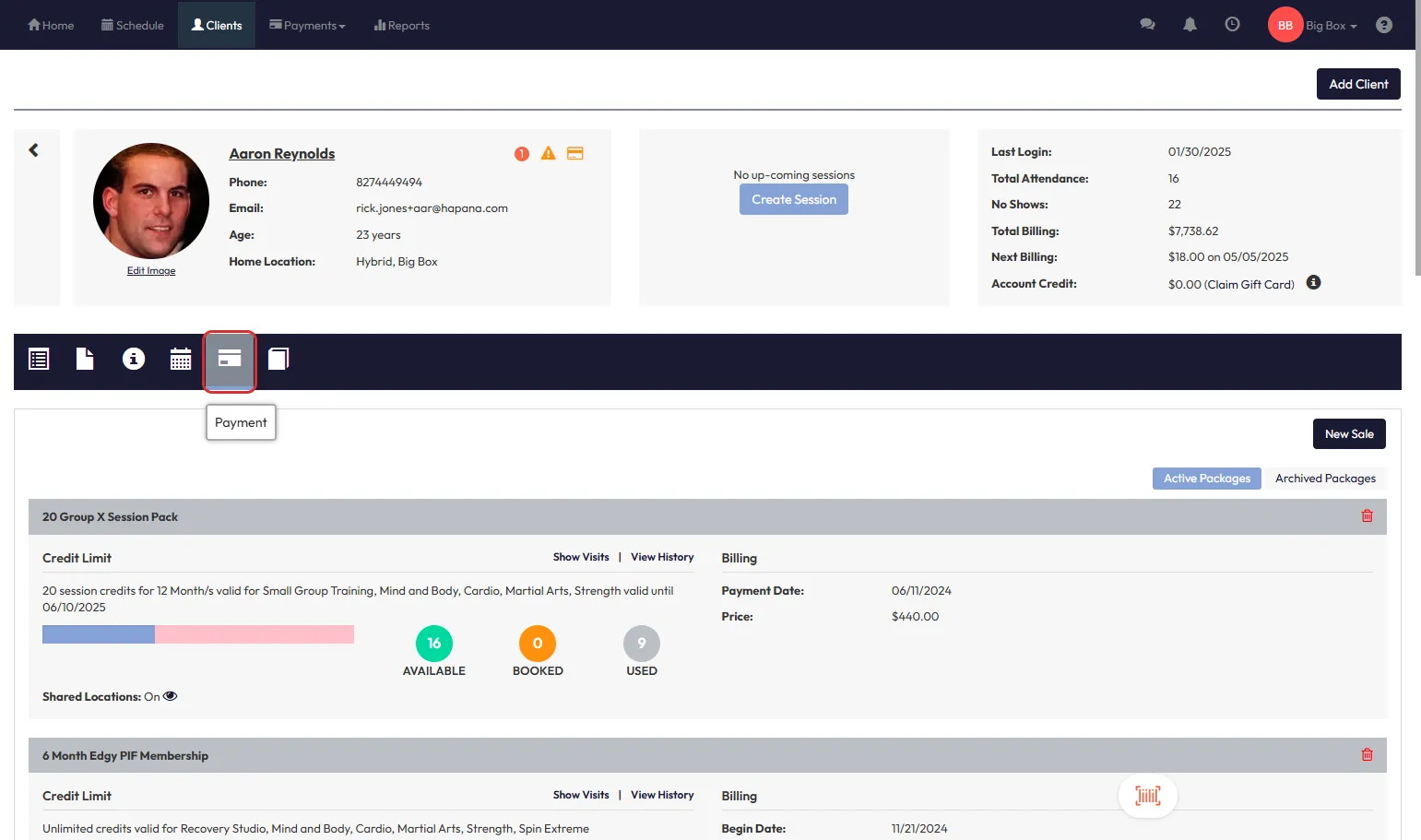
- Find the membership or package in question
- Click View History to open the transaction details
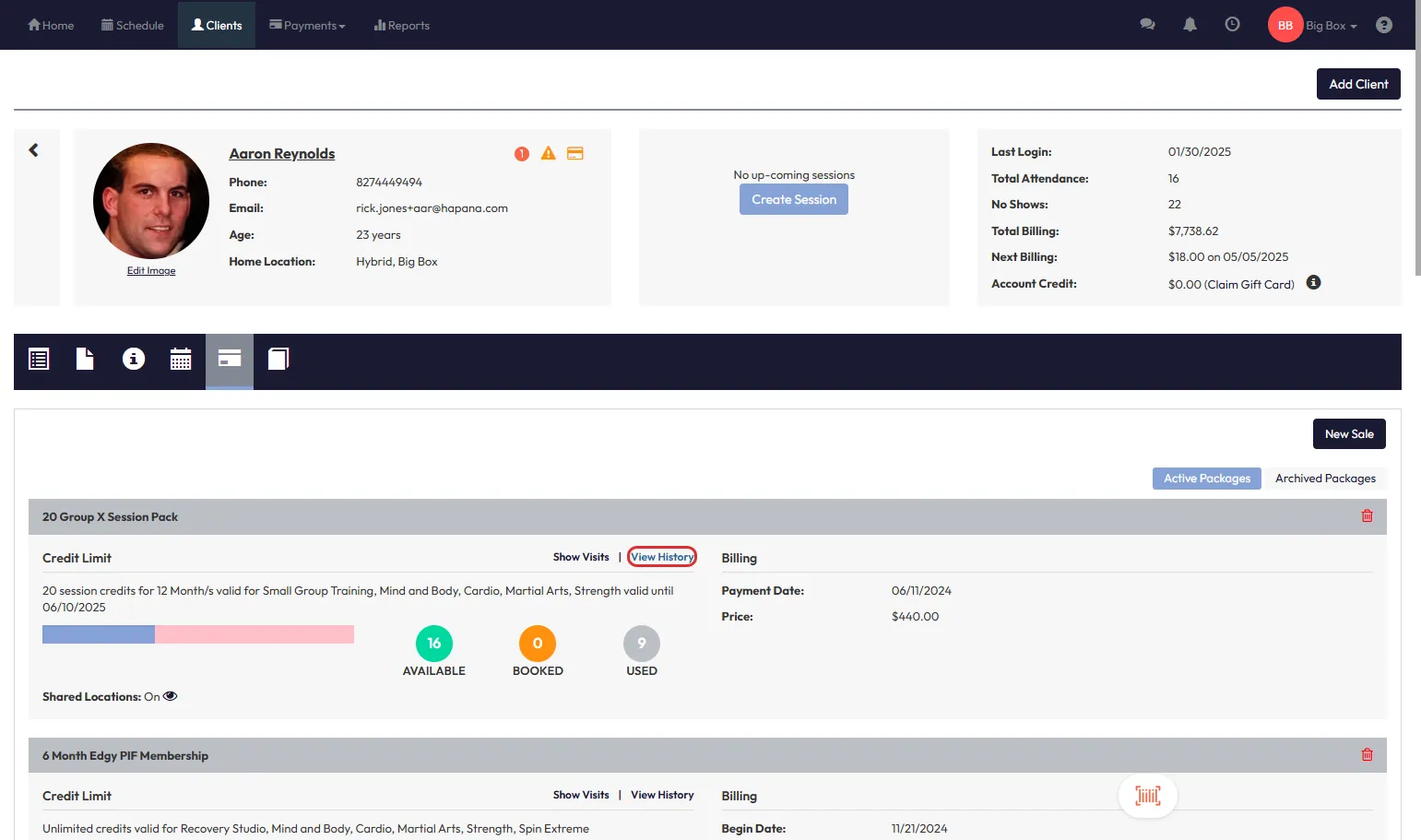
Step 3 – Review Credit Validity Dates
- In the history view, locate the Period Dates for the credits
- These dates show the Start Date and End Date of when the credits are valid
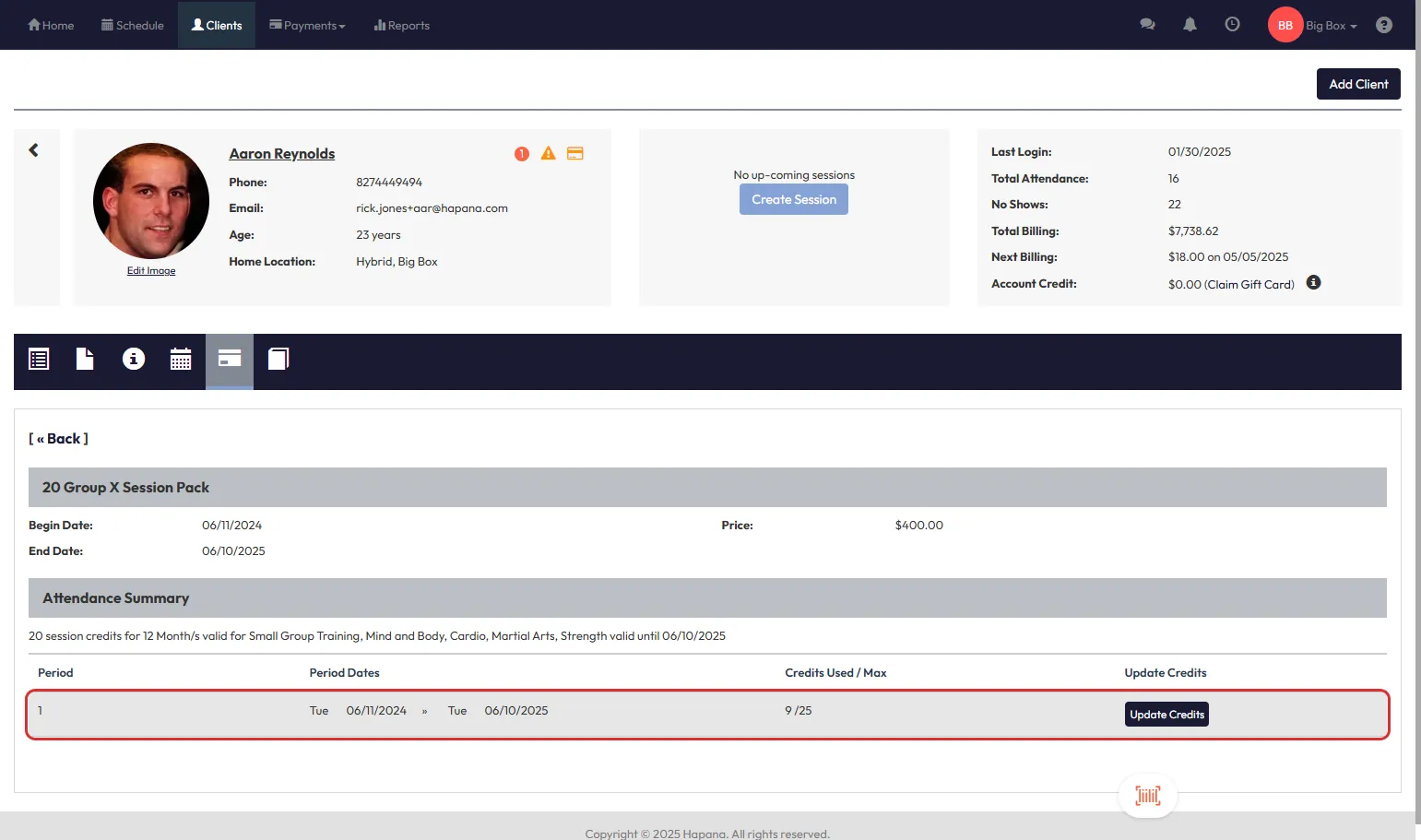
Tip: Clients can only book sessions within this window
Step 4 – Amend the Credit Validity (If Needed)
- Click Update Credits
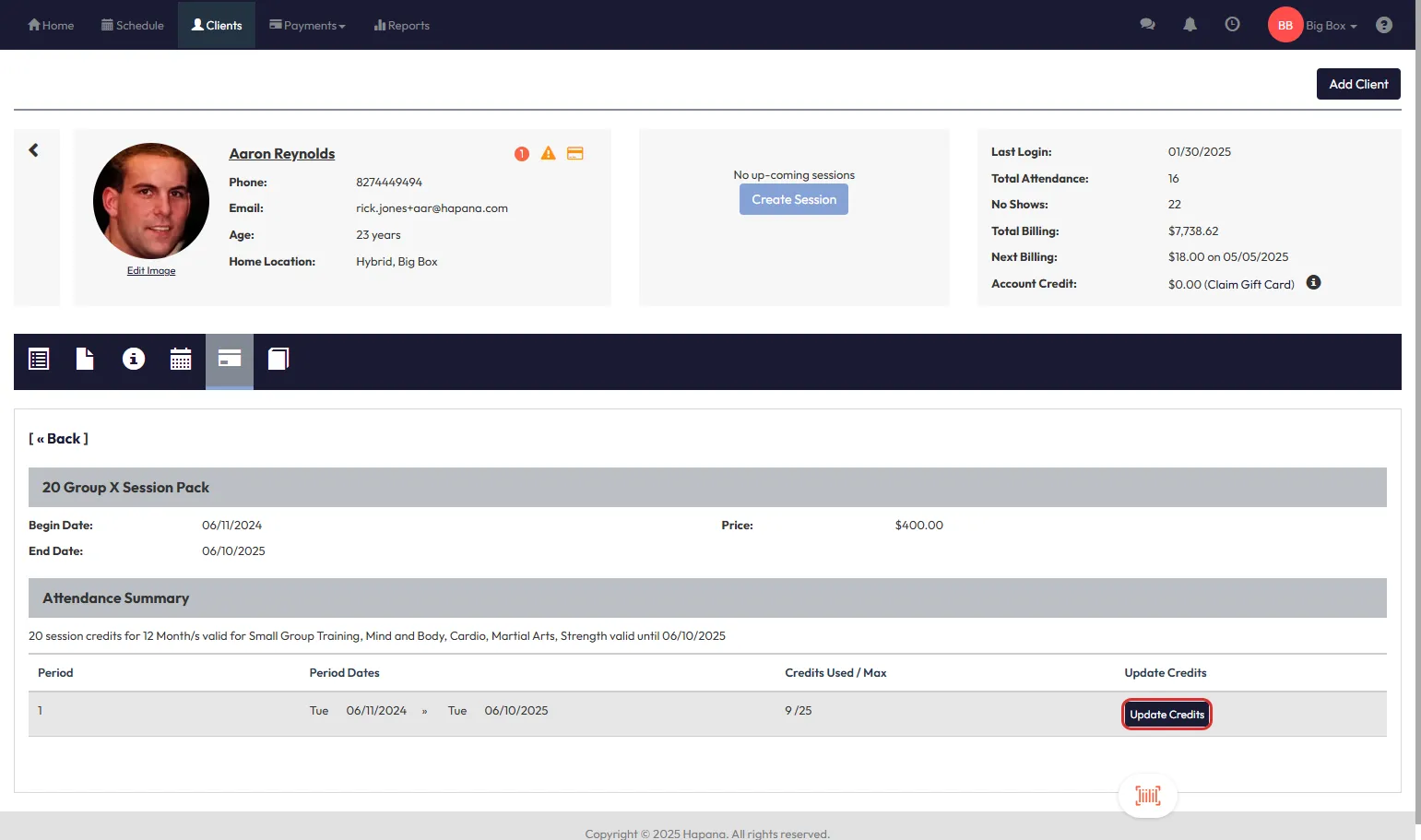
- Toggle Edit Credit Validity to ON
- Use the calendar icons to update the Start Date and End Date
- Click Save to apply the changes
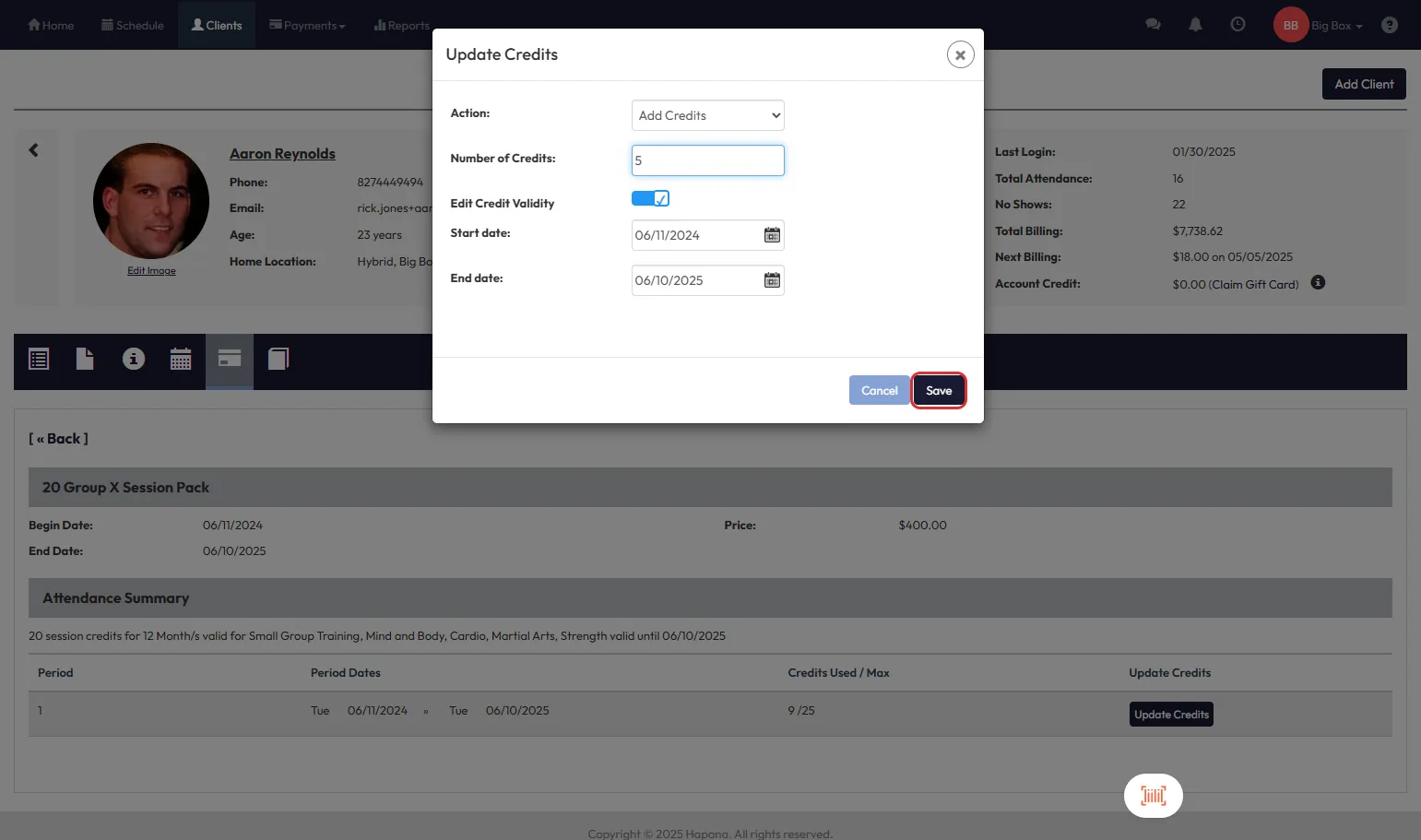
Tip: Extending the end date may be helpful for clients who couldn’t use their credits due to illness, travel, or other valid reasons.
Please note:
- When editing a credit allocation period for a membership, you can not edit the validity beyond when the membership is scheduled to end if it has an end date.
Expected Outcome
The updated validity period will take effect immediately, giving the client additional time (or a corrected window) to use their credits. This helps reduce booking issues and support requests related to expired credits.
FAQs
Q: Will this affect future allocations or billing?
No, this only adjusts the current credit batch. Future allocations will follow the membership’s default settings.
Q: Can I edit validity for expired credits?
Yes—if the credits are still visible in the history tab, you can extend the end date to make them usable again.
Q: What happens if I shorten the validity period?
Clients will lose access to any sessions that fall outside the new end date. Be sure to communicate changes clearly.
Need help? Reach out to our support team via support@hapana.com