Overview
The Package Purchase Webhook is triggered whenever a client purchases a package or membership. This webhook provides real-time updates on purchase details, ensuring that your financial and inventory systems are immediately informed and up-to-date.
Important note: Webhooks are currently only available for brand-level data (all locations).
Trigger Event:
-
Triggered when a client purchases a package or membership.
Event Type:
-
packagePurchased
Payload Details:
-
clientID: Unique identifier for the client.
-
siteID: Identifier for the site where the purchase occurred.
-
firstName: Client’s first name.
-
lastName: Client’s last name.
-
email: Client’s email address.
-
packageName: Name of the purchased package.
-
packageType: Type of the package (e.g., sessionpackage, membership).
-
packageCategory: Category of the package (e.g., Awesome Packages).
-
packageID: Unique identifier for the package.
-
amount: Amount paid for the package.
Usage Example:
-
Integrate with financial systems to record purchases in real-time.
-
Trigger inventory adjustments based on package sales or automatically send receipts to clients.
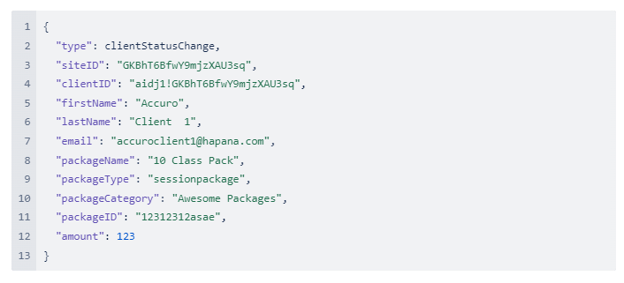
Payload response example:
Below is an example of the JSON payload that might be received when the Package Purchase Webhook is triggered: