
Overview
This guide explains how to enable a new global setting that ensures all memberships purchased online can be cancelled by members through self-service, regardless of how individual membership settings are configured. This makes it easy to comply with the FTC’s “Click-to-Cancel” rule and reduces manual work for your team.
Prerequisites
• Access to Payments Settings in CORE
• Memberships actively sold online.
Step-by-Sep Instructions
Step 1: Navigate to Payment Settings
- Login to Core
- Navigate to Payments > Retail Configurations
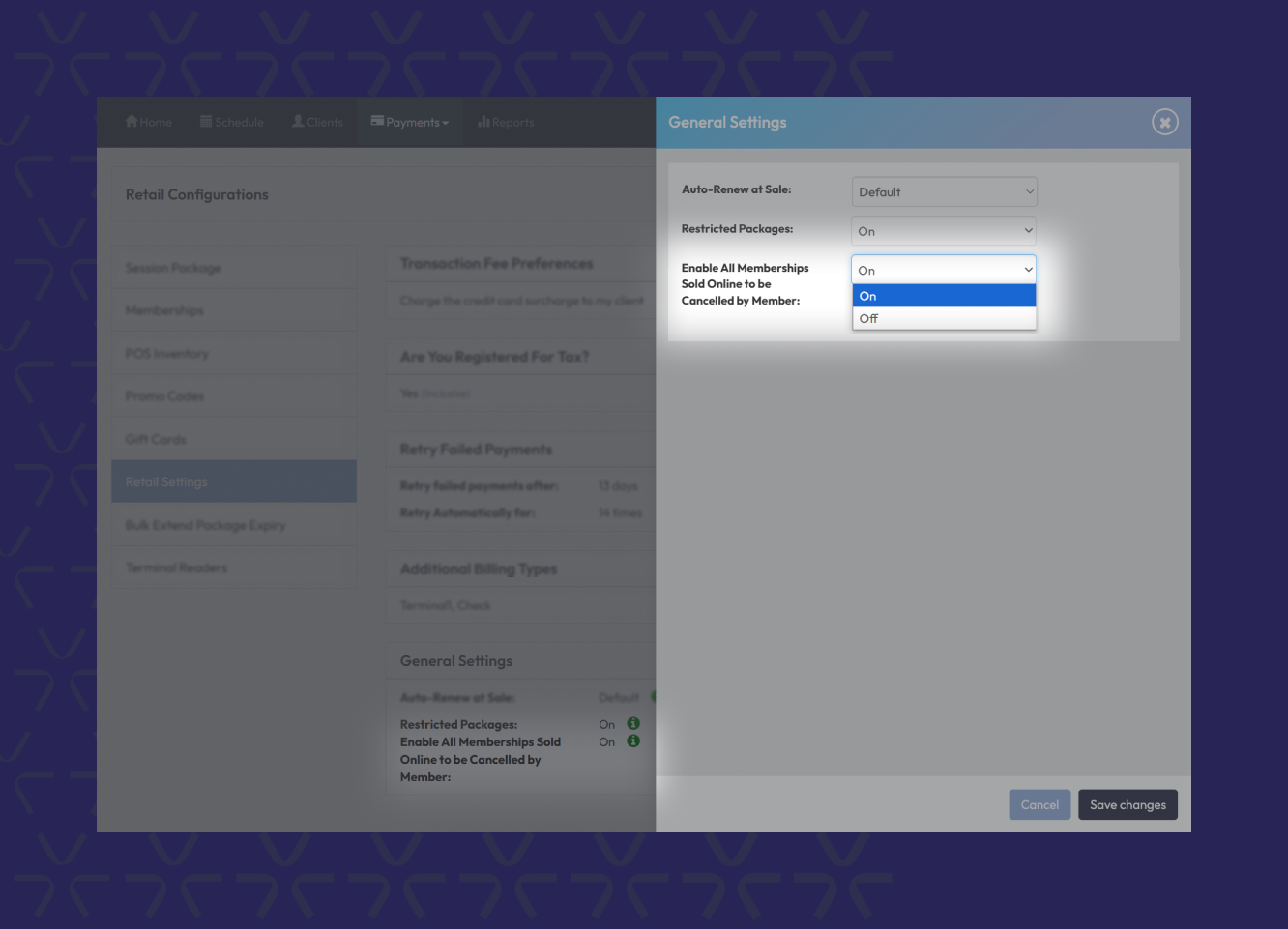
- Click Retail Settings and scroll down to General Settings.
Step 2: Find the New Cancellation Setting
- Click the Pencil Icon to commence editing.
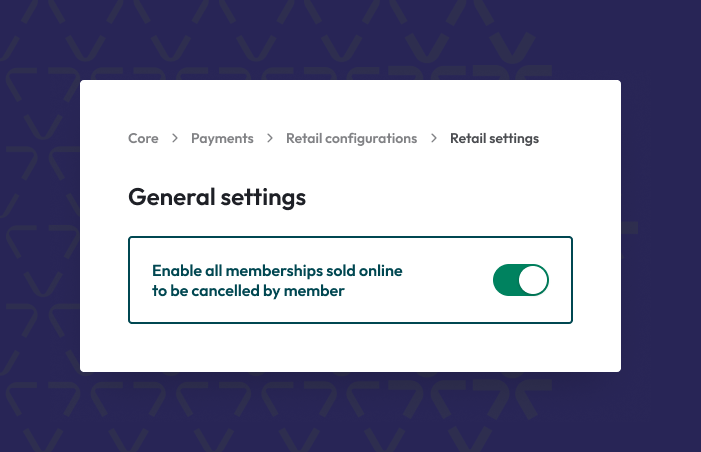
- Change the setting Enable All Memberships Sold Online to be Cancelled by Member to On to activate.
- Ensure you Save Changes
Important Notes
- Turning this setting on will override the membership-level configurations for enabling clients to cancel the membership self-service, if a membership was originally purchased online.
- When OFF (default): Each membership’s individual cancellation settings are respected.
- When ON: All memberships purchased online become cancellable by the client through the app or web, no matter their original settings.
Troubleshooting / FAQs
Q: Does this affect memberships purchased in-person?
A: No. This global setting only applies to memberships bought online via API, App, or Embed.
Q: What happens if the toggle is turned OFF?
A: The system will fall back to the existing behavior, using each membership’s individual self-cancellation settings.
Q: Is the client experience immediate once I turn it ON?
A: Yes. Members will immediately see cancellation options if their membership qualifies under this setting.
Still need help?
Reach out to our support team via support@hapana.com