
Overview
Finding names and tiers just got faster. We’ve added alphabetical sorting to two key dropdowns — Sales Referred By and Payroll Tier — so you can scroll less and select faster. This small change makes a big difference for anyone managing sales or staff payroll updates.
Prerequisites
• Access to the New Sale screen in Core
• Access to the Edit Profile > Payroll section in Core
• Sales or staff data already added to your system
Step-by-Step Instructions
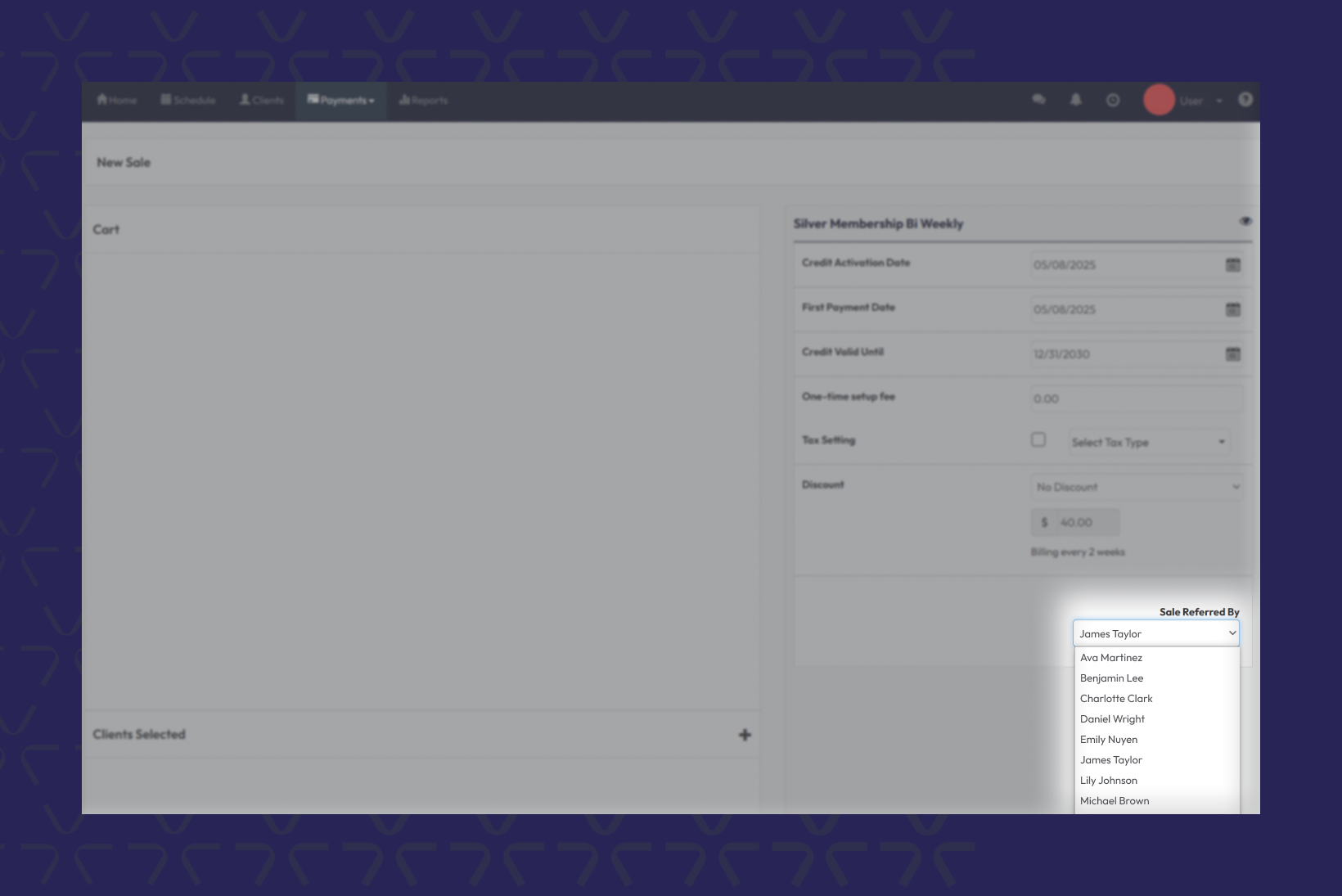
Use alphabetical sorting in “Sales Referred By” dropdown
- Login to Core
- Navigate to Payments > New Sale
- Within the New Sales screen, click the Sales Referred By dropdown
- Scroll or start typing to find the referral name — the list is now sorted A to Z
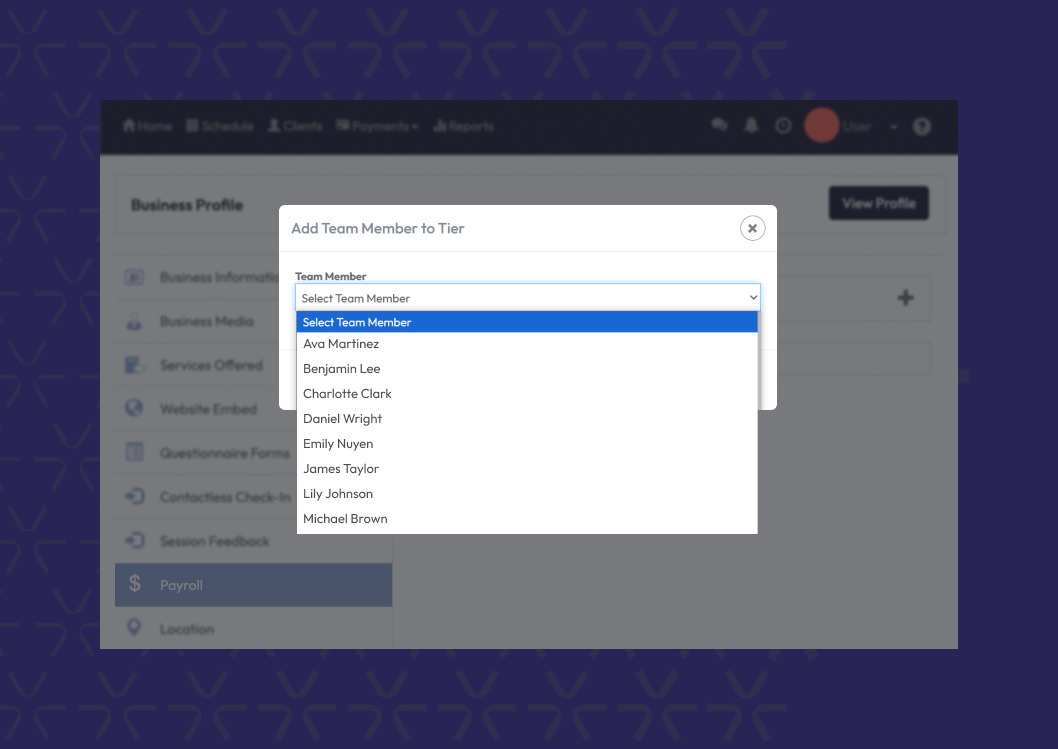
Use alphabetical sorting in “Payroll Tier” dropdown
1. Go to Core > Edit Profile > Payroll
2. Click the Add Team Member to Tier dropdown
3. Select the correct tier — now easier to scan with A to Z sorting
Expected outcome
You’ll quickly find the right referral name or payroll tier without scrolling through a messy, unordered list. The dropdowns are still searchable and scrollable, just easier to use.
Still need help?
Reach out to our support team via support@hapana.com