
Overview
This article explains how to view and manage whether a client’s account credits are applied to their recurring membership payments. This functionality is accessible directly from the Client Profile in Core, giving you quick visibility and control without needing to navigate to a separate billing area.
Whether you're adjusting a client’s billing setup or troubleshooting a missed payment, this tool streamlines account credit management and improves billing transparency.
Prerequisites
- Access to Core
- Permissions to view and edit Client Profiles
- The client must have an active recurring membership and Account Credits
Step-by-Step Instructions
Step 1: Log into your Core account
Go to core.hapana.com and log in using your admin credentials.
Step 2: Navigate to the Clients tab
From the dashboard, click the Clients tab to access the client list.
Step 3: Search for the client
Use the search bar to find the client by name, phone number, or email.
Step 4: Open the client profile
Click on the client’s name to open their full profile.
Step 5: Locate the account credit setting
On the profile screen, look for the setting labeled “Apply account balance to recurring fee.”
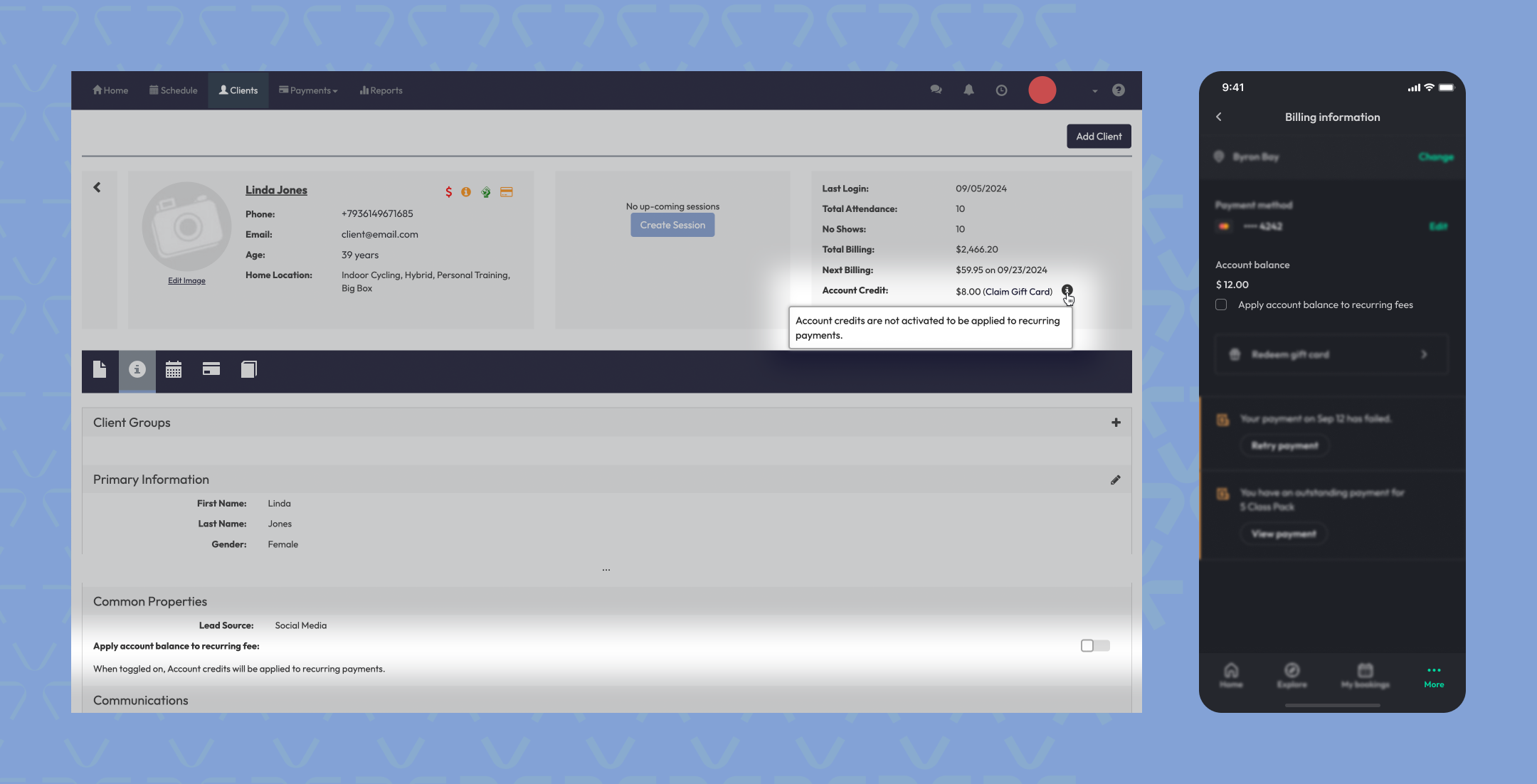
Step 6: Toggle ON or OFF as needed
- Toggle ON to allow account credit to automatically apply to recurring payments.
- Toggle OFF to stop account credit from being applied.
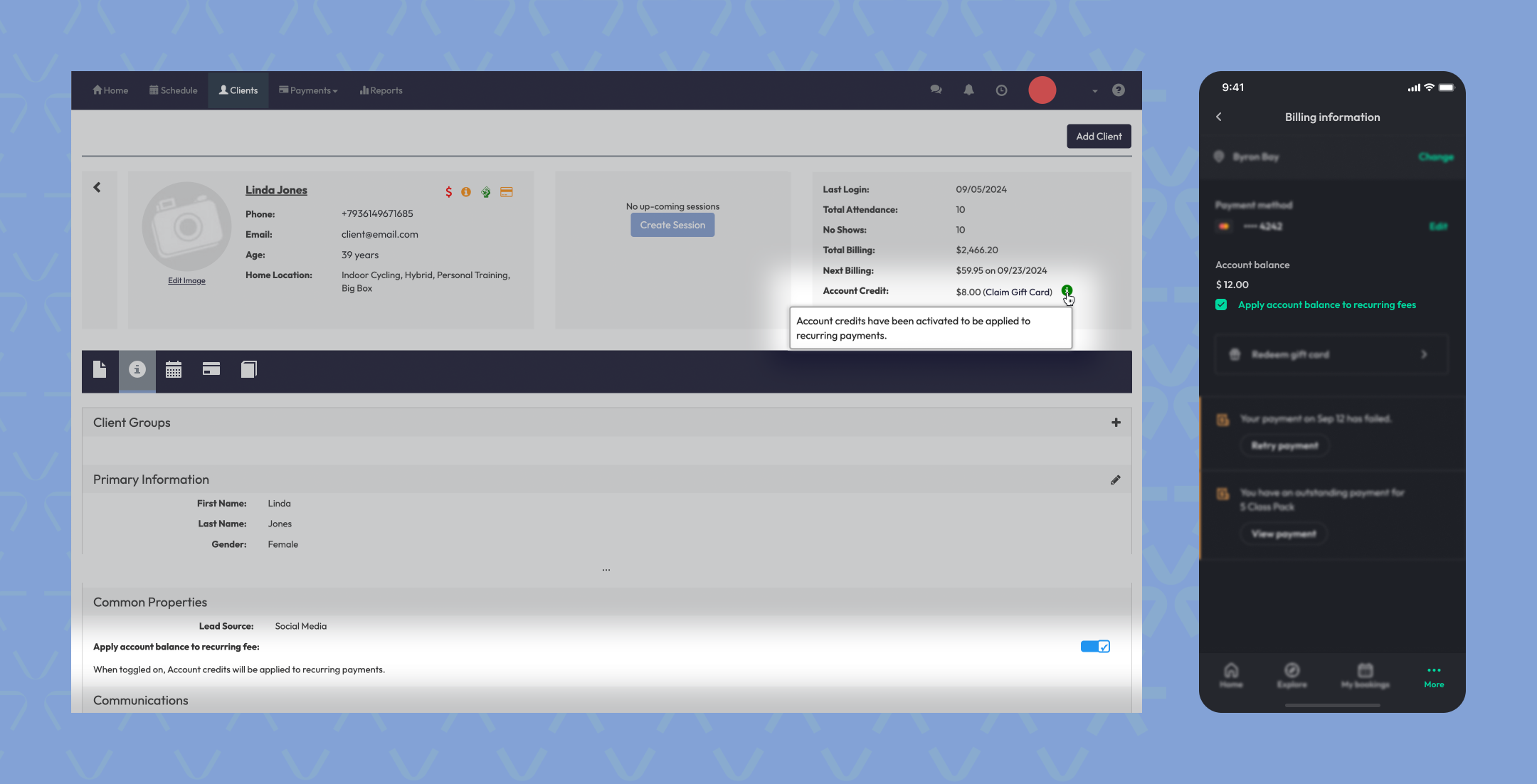
Tip: This setting is useful when clients want to save credits for one-off purchases rather than have them automatically applied to memberships.
Expected Outcome
You’ll be able to quickly confirm and change whether a client’s available account credits are used for their recurring membership payments, helping ensure accurate billing and client satisfaction.
FAQs
Q: Will this apply to all payment types?
No, this setting only applies to recurring payments like memberships.
Q: Can I change this setting during a billing cycle?
Yes, the change takes effect immediately for future recurring charges.
Q: Will the client be notified of this change?
No automatic notification is sent. You may choose to communicate this to the client directly.
Need help? Reach out to our support team at support@hapana.com