
Overview
Need to block clients from using session credits when they haven’t paid? This guide explains how to automatically put credits on hold for clients with failed or outstanding payments, helping your team maintain control over session access and billing compliance.
Prerequisites
- You must have access to your Hapana Core Account.
- You need permission to manage Account Settings and Business Profile Configuration.
Step 1: Log in to Your Hapana Core Account
- Go to core.hapana.com/login.
- Enter your credentials and click Login.
Step 2: Access Your Business Profile Settings
- In the top-right corner, click your Business Name.
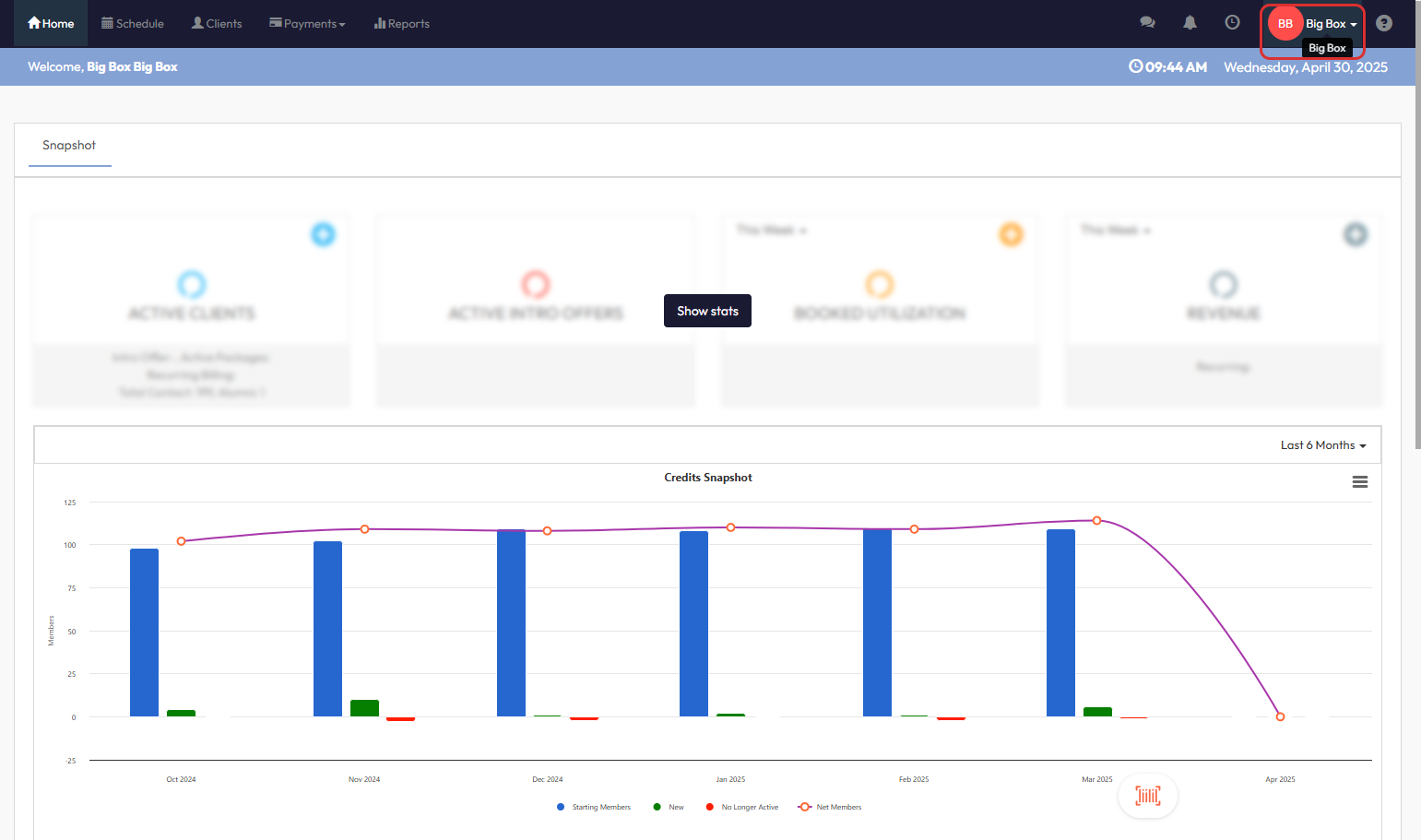
Step 3: Open Account Settings
- From the dropdown, click Account Settings.
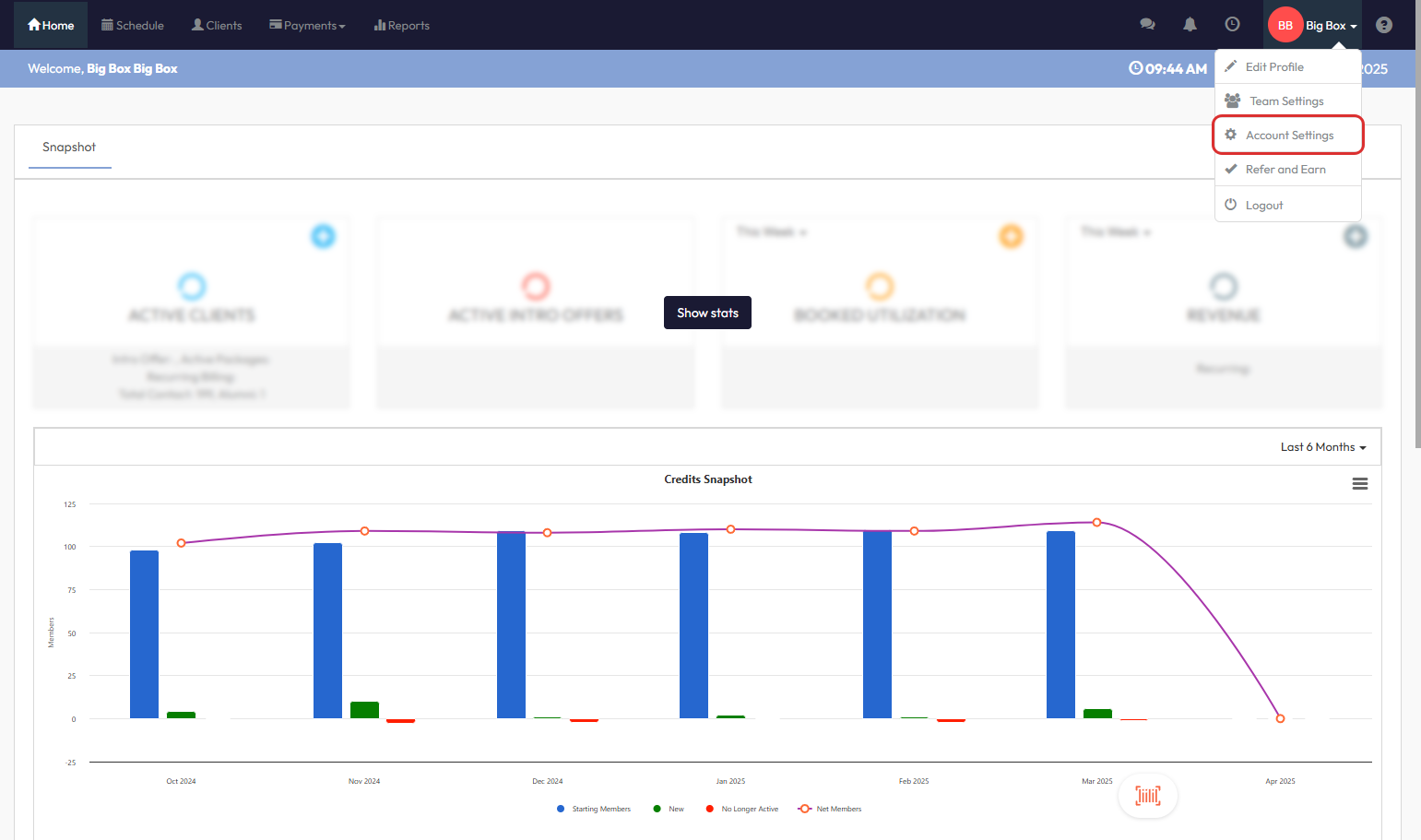
Step 4: Go to the Configuration Tab
- Click the Configuration tab at the top of the screen.
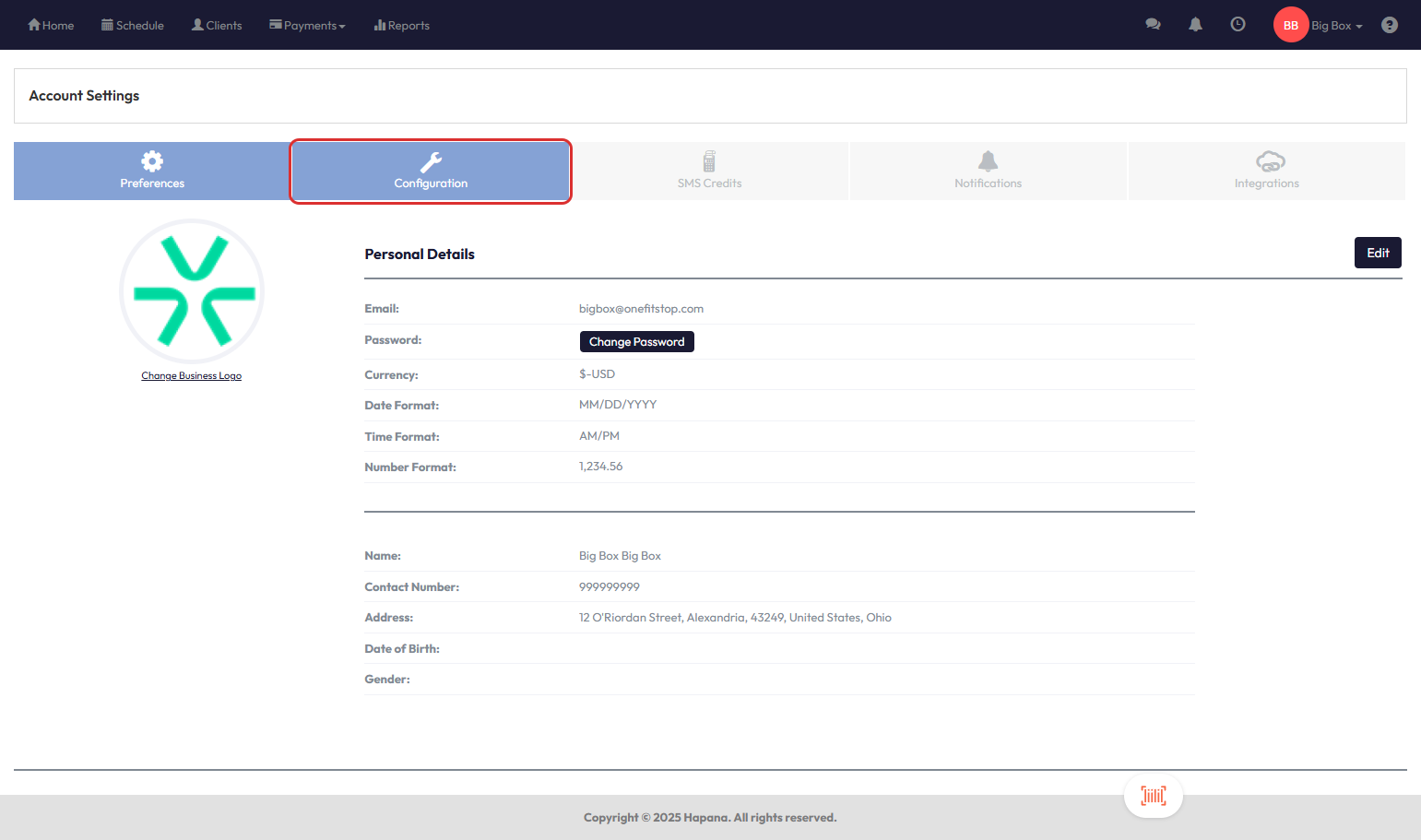
Step 5: Scroll to the Business Profile Section
- Scroll down the page until you see Business Profile.
Step 6: Edit Business Profile Settings
- On the right-hand side of the section, click Edit.
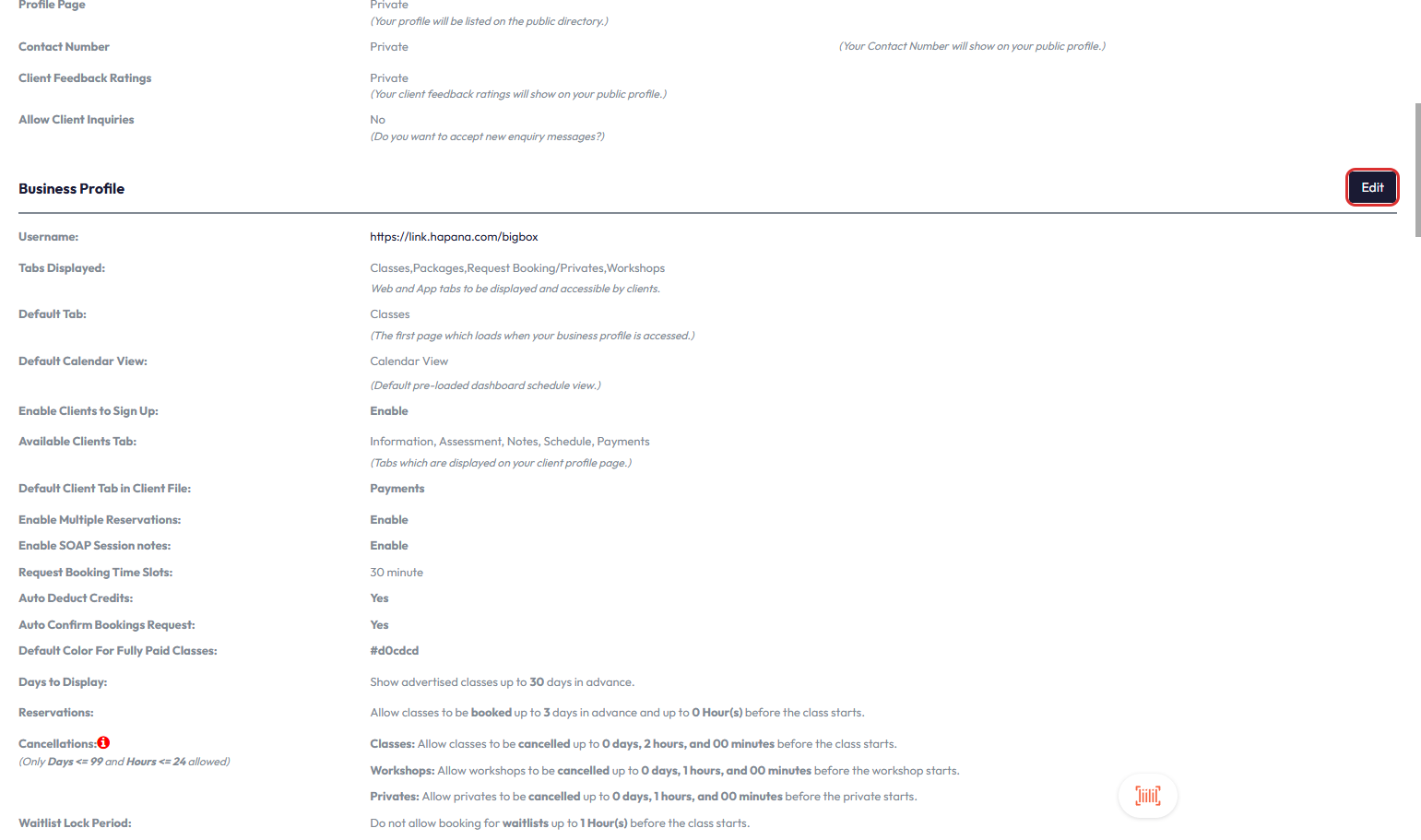
Step 7: Enable Credit Suspension for Failed Payments
- Scroll down to find the setting Credits ON HOLD if Client has Failed Payment.
- From the dropdown menu, select Yes.
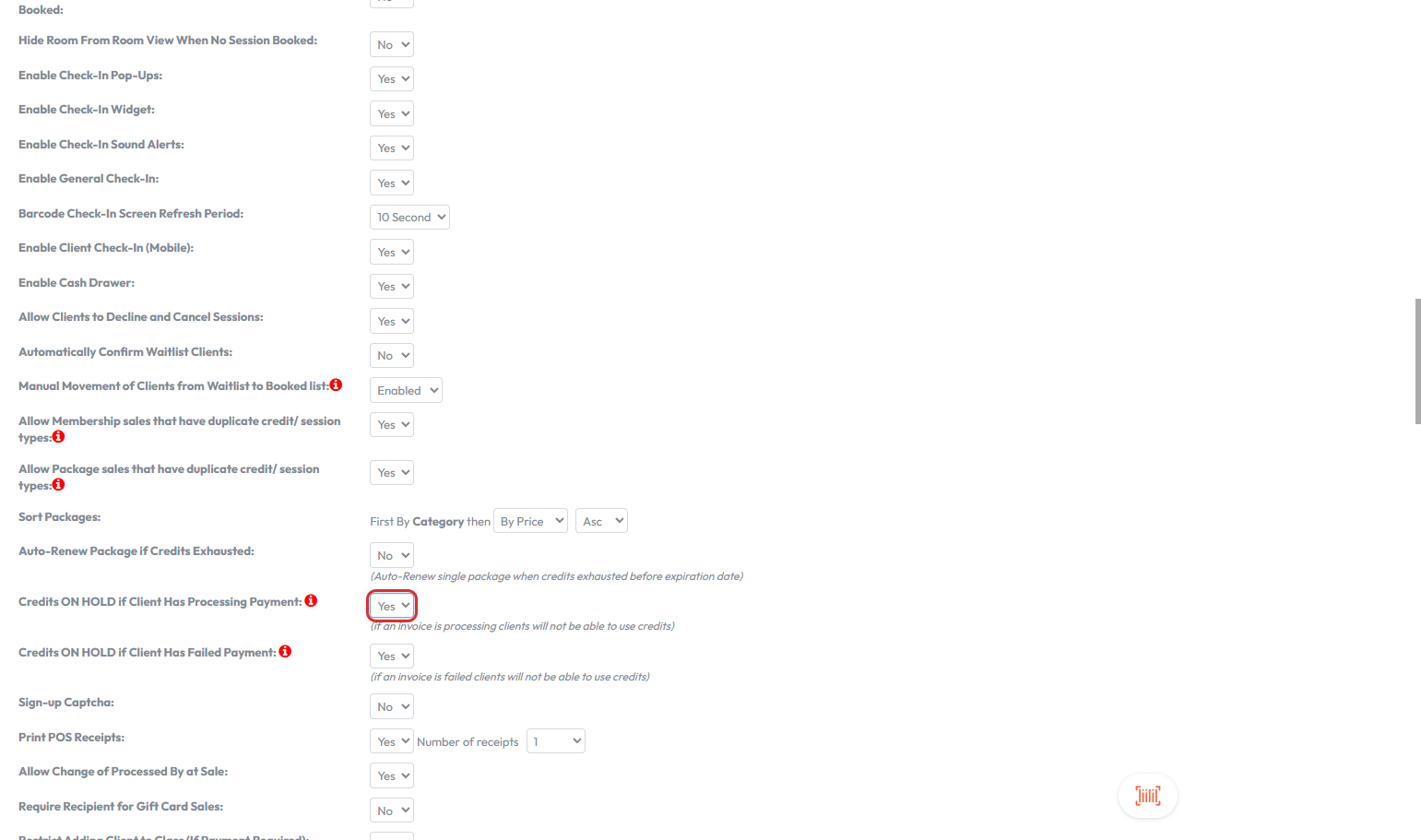
Tip: When enabled, clients with unpaid invoices will have their credits blocked automatically until payment is received.
Step 8: Save Your Settings
- Scroll back to the top of the Business Profile section.
- Click Save to apply changes.

Expected Outcome
Clients with overdue payments will no longer be able to consume session credits until all outstanding invoices are cleared, helping protect your revenue and simplify payment enforcement.
Frequently Asked Questions
Q: What happens to upcoming booked sessions if credits are on hold?
Clients won’t be able to attend those sessions unless payment is made and credits become available again.
Q: Will staff get notified if a client’s credits are put on hold?
There is no direct notification, but staff can view the client's payment status and credit balance from their profile. You can also view the Failed payments from the Retail Dashboard to confirm which members may be on hold.
Q: Can I reverse this setting for one client?
No, this is a global setting. To override it, you would need to turn the setting off temporarily or manage the client's credits manually.
Need help? Reach out to our support team via support@hapana.com.