
Overview
Accidentally deleted the wrong contact or cleared a whole list you didn’t mean to? No worries — this guide shows you how to recover deleted contacts or undo a bulk deletion in GROW.
This is especially helpful if you're cleaning up your database, managing Smart Lists, or running bulk actions and need to roll something back quickly.
Prerequisites
Before you begin, make sure:
- You have admin or manager access to Contacts
- The deletion happened in the last 30 days (only recent deletions are recoverable)
- You know roughly when or which contacts were deleted
Step 1: Open your Contact Restore Screen
-
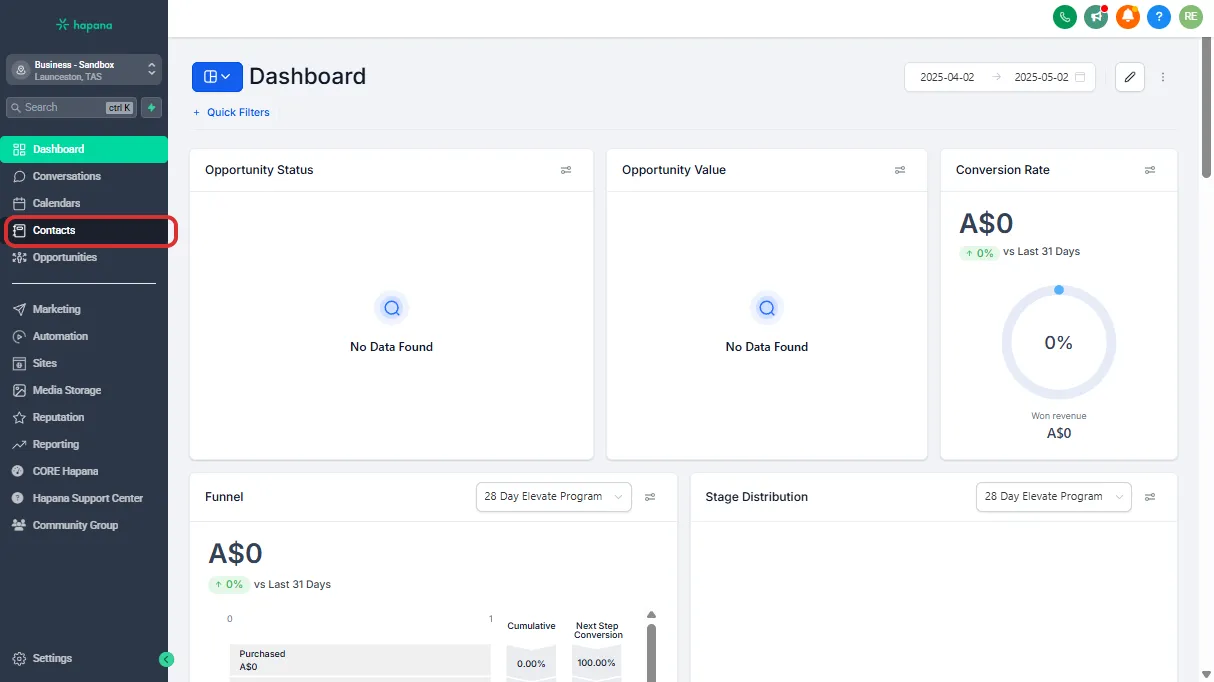
Go to the Contacts section in the left-hand menu.
-
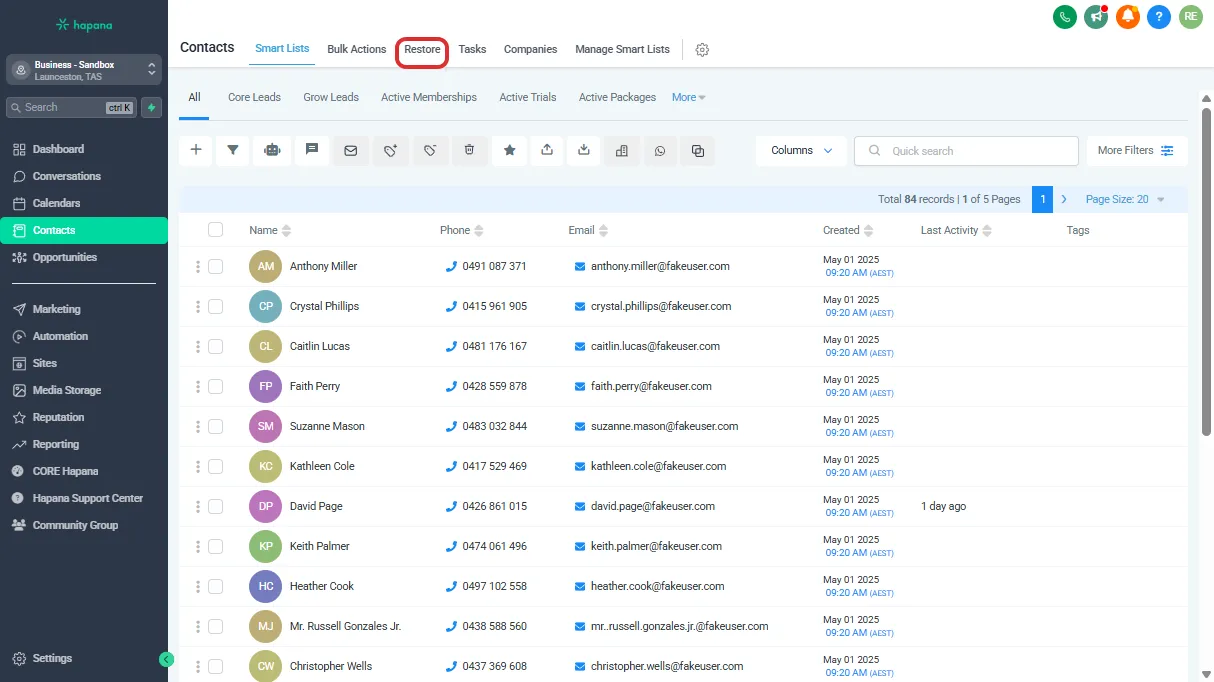
Click Restore along the top of the contact screen.
Step 2: Review deleted contacts
- The Restore Screen will display contacts deleted in the last 30 days.
Tip: Deleted contacts stay here for 30 days before being permanently removed.
Step 3: Restore contacts
-
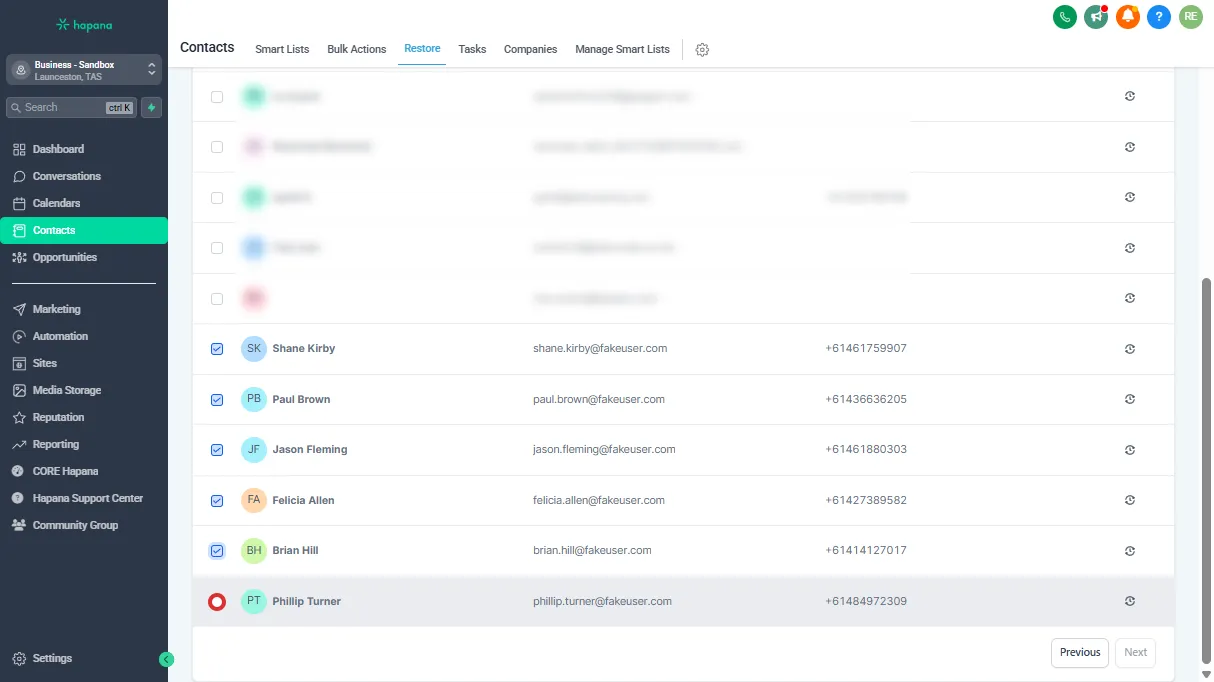
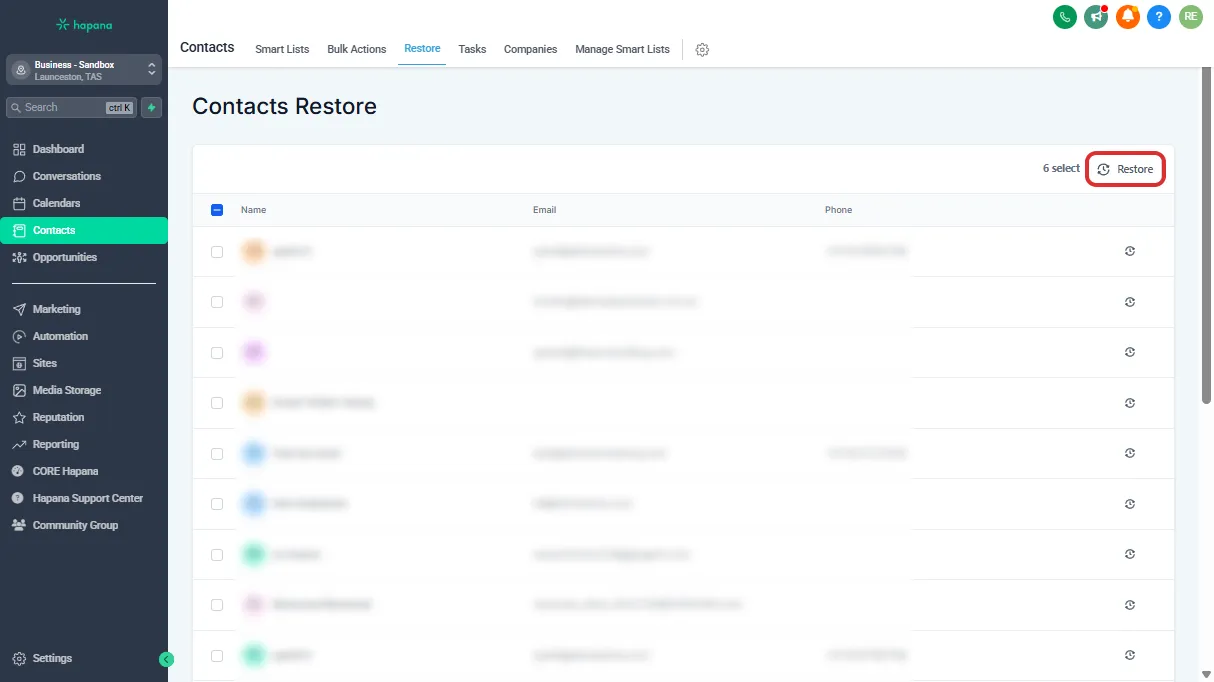
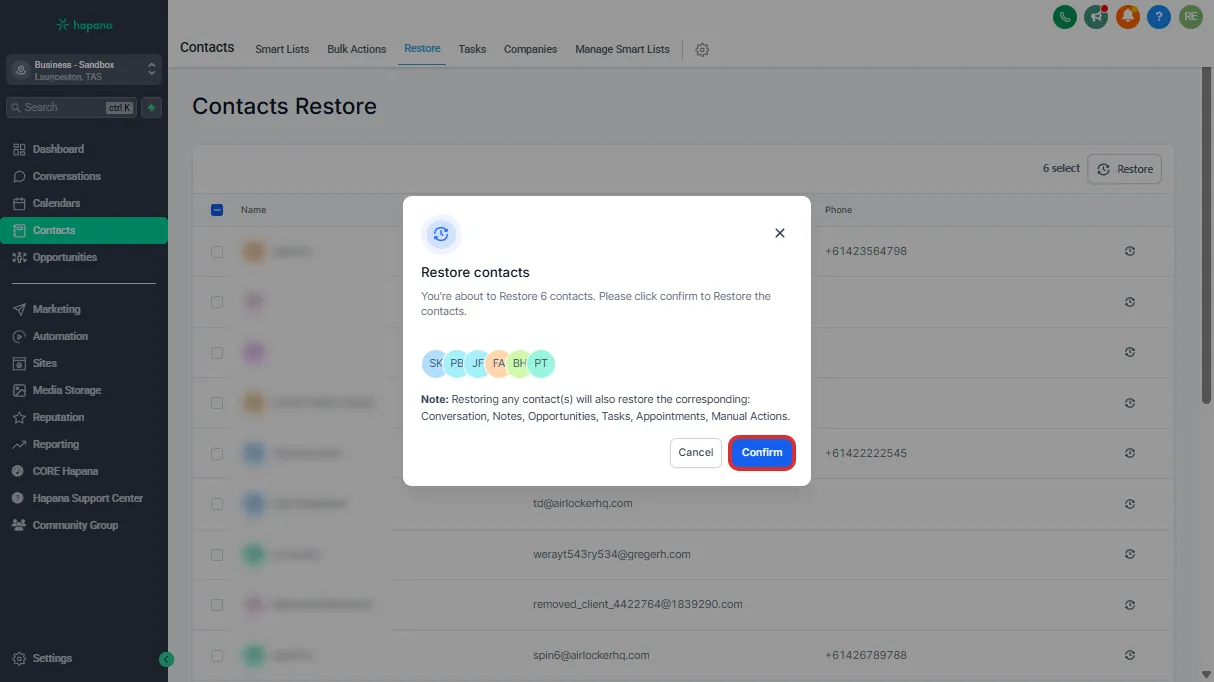
Click the Restore button to the right of a contact you would like to restore, or for multiples select the checkboxes and select restore in the top right of the screen.
-
Contacts will reappear in your main Contacts list with all their original details.
Step 4: Reverse a bulk deletion
-
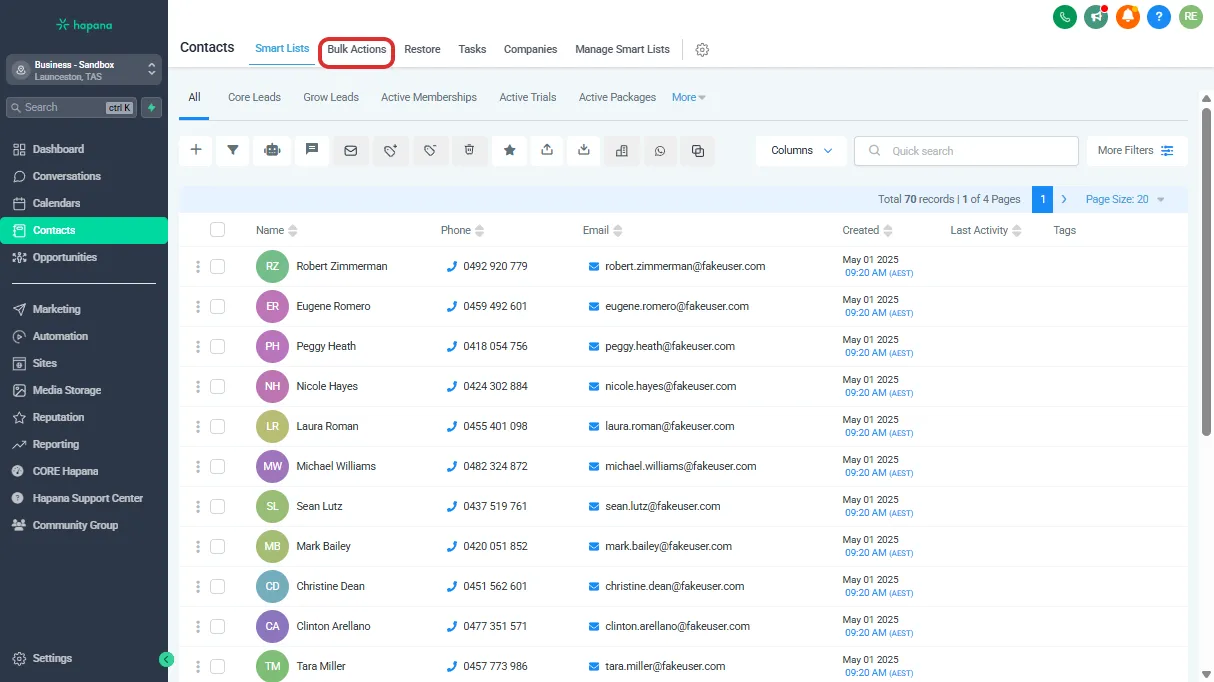
Go to the Contacts section and click on Bulk Actions in the navigation menu. The Bulk Actions page shows a history of all bulk operations performed in your account, including bulk deletes.
-
Scroll through the list of bulk actions to locate the specific bulk delete operation you wish to reverse.
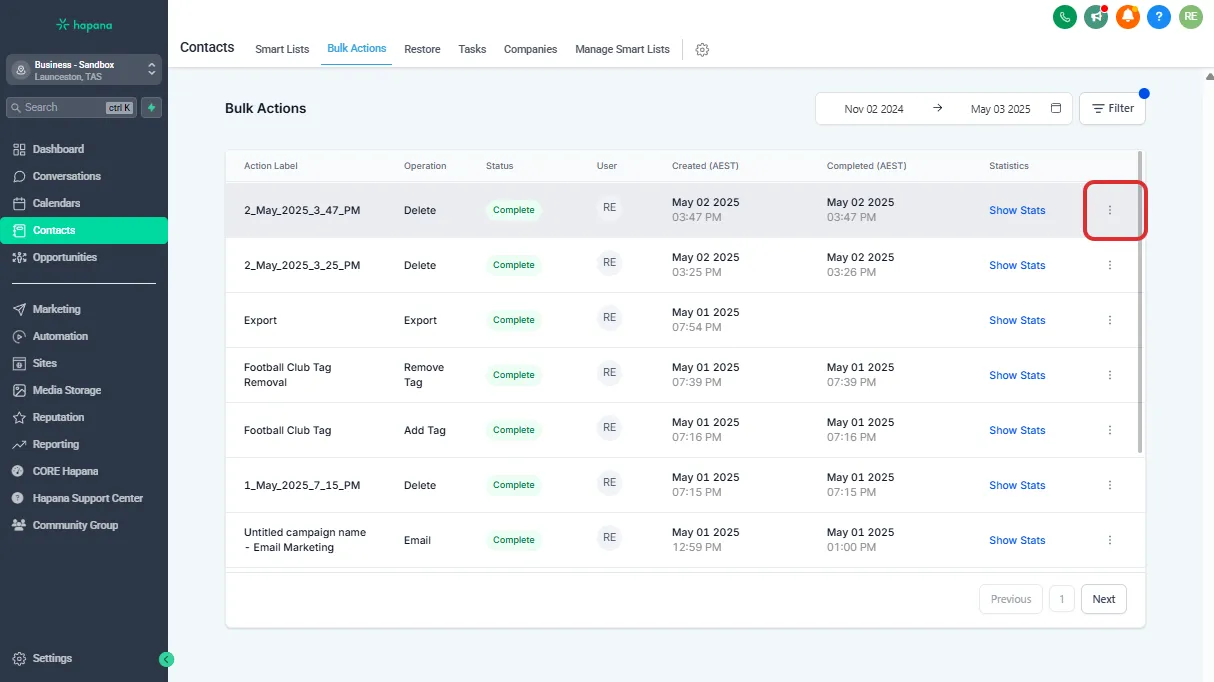
-
Select Restore from the dropdown menu
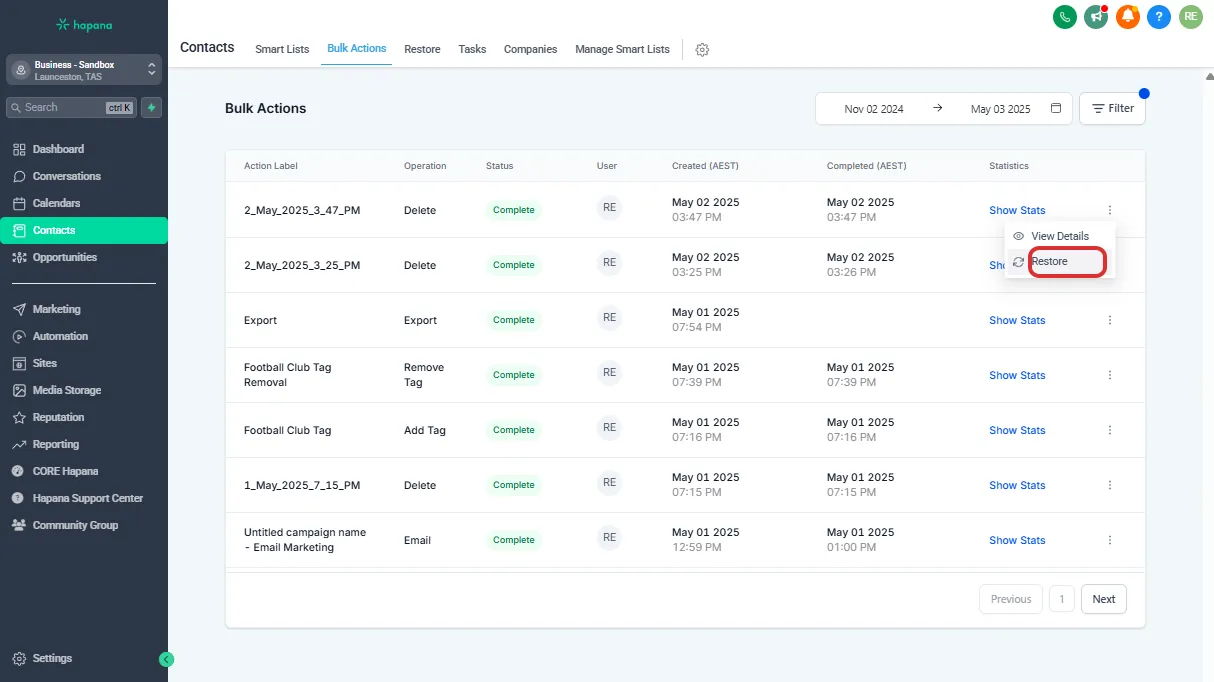
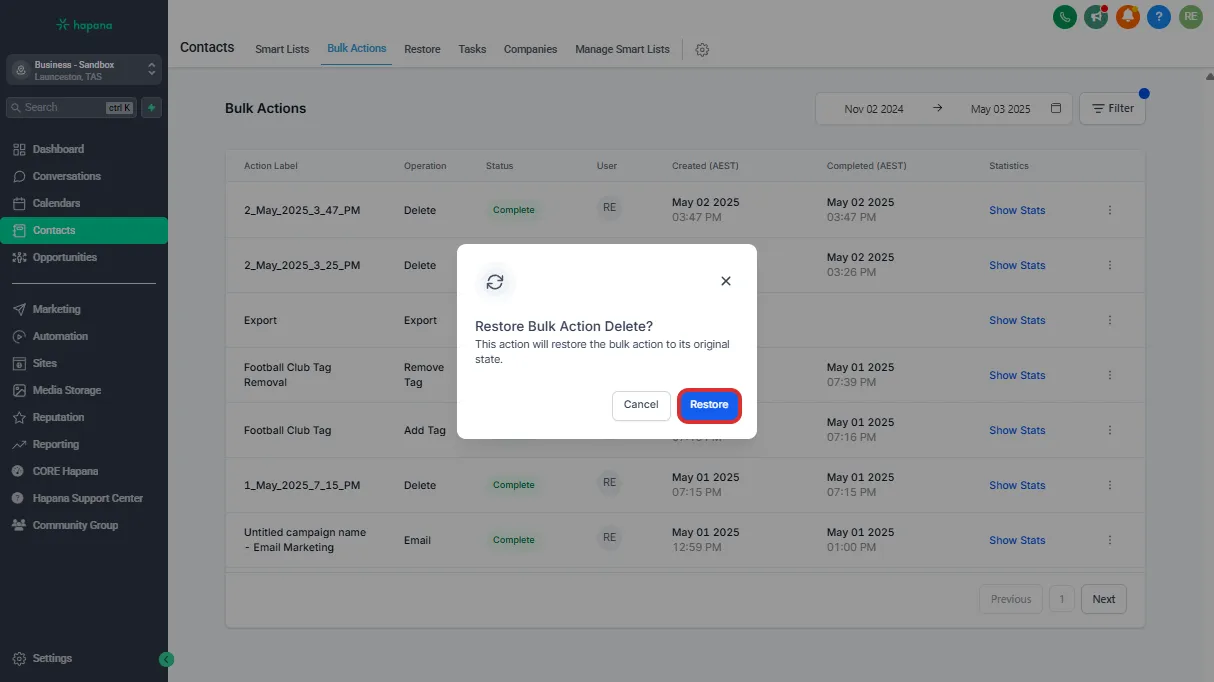
Tip: Restoring does not re-enroll contacts into campaigns or workflows — you’ll need to do that manually if needed.
Expected outcome
Your deleted contacts will return to the main Contacts view with all previous data intact — including tags, notes, and history. You’ll be back on track in minutes.
Troubleshooting / FAQs
Q: Can I recover contacts deleted more than 30 days ago?
A: Unfortunately, no. Deleted contacts are permanently removed after 30 days.
Q: Will restored contacts be re-added to Smart Lists or campaigns?
A: Smart Lists will update automatically if the contact still matches the filters. Campaigns and automations won’t restart unless you manually re-enroll the contact.
Still need help?
Reach out to our support team via support@hapana.com