
Overview
Need to update your studio’s contact number, name, or address? You can quickly update your business profile and location settings in CORE to keep your public-facing and internal details accurate.
🎥 Watch the walkthrough:
Or preview it below:
Prerequisites
Before you begin:
- You must have admin access to studio settings
- Have your updated studio name, address, or phone number ready
- Do not edit unrelated settings unless directed by support
Step-by-step instructions
Step 1: Update your studio business details
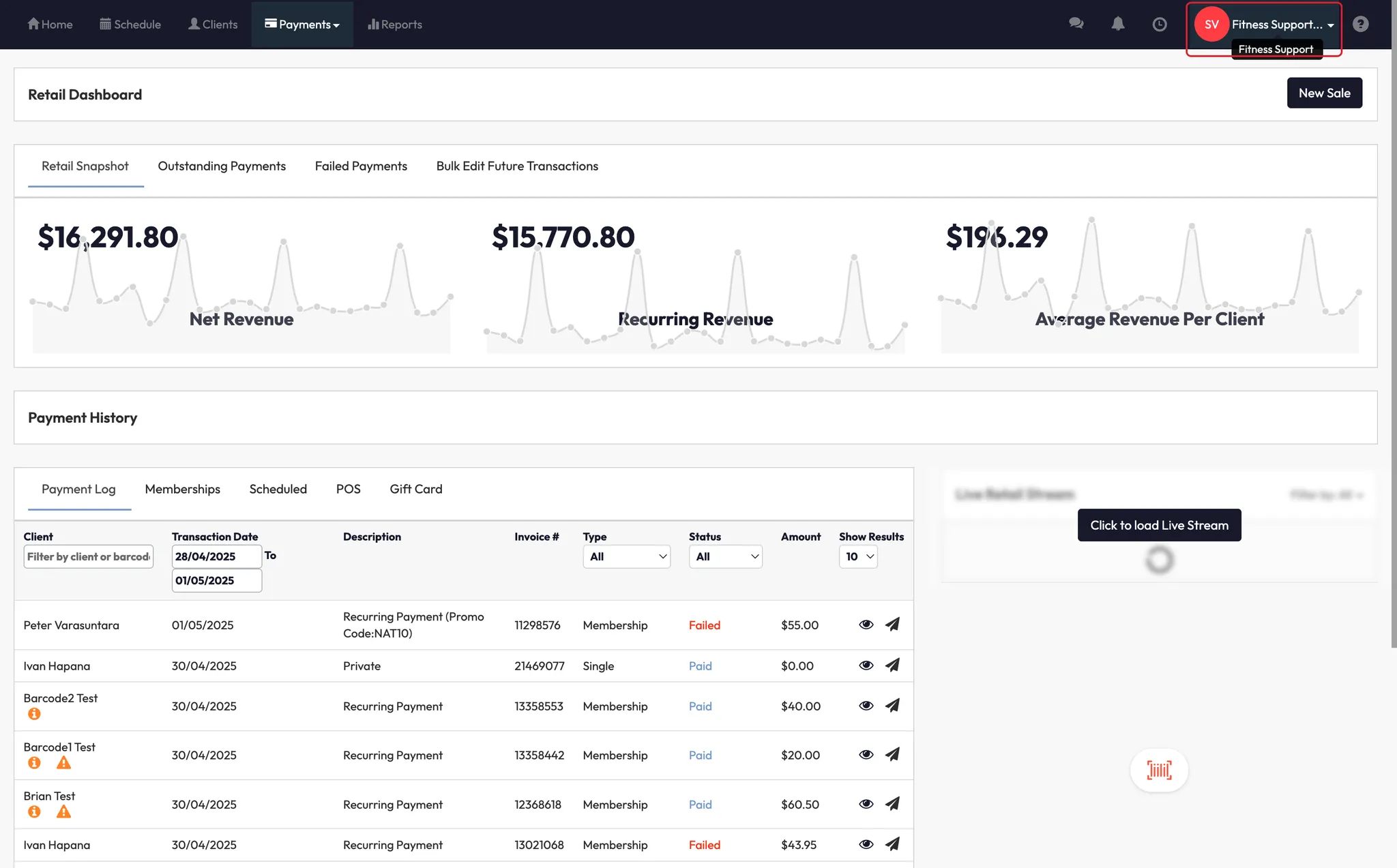
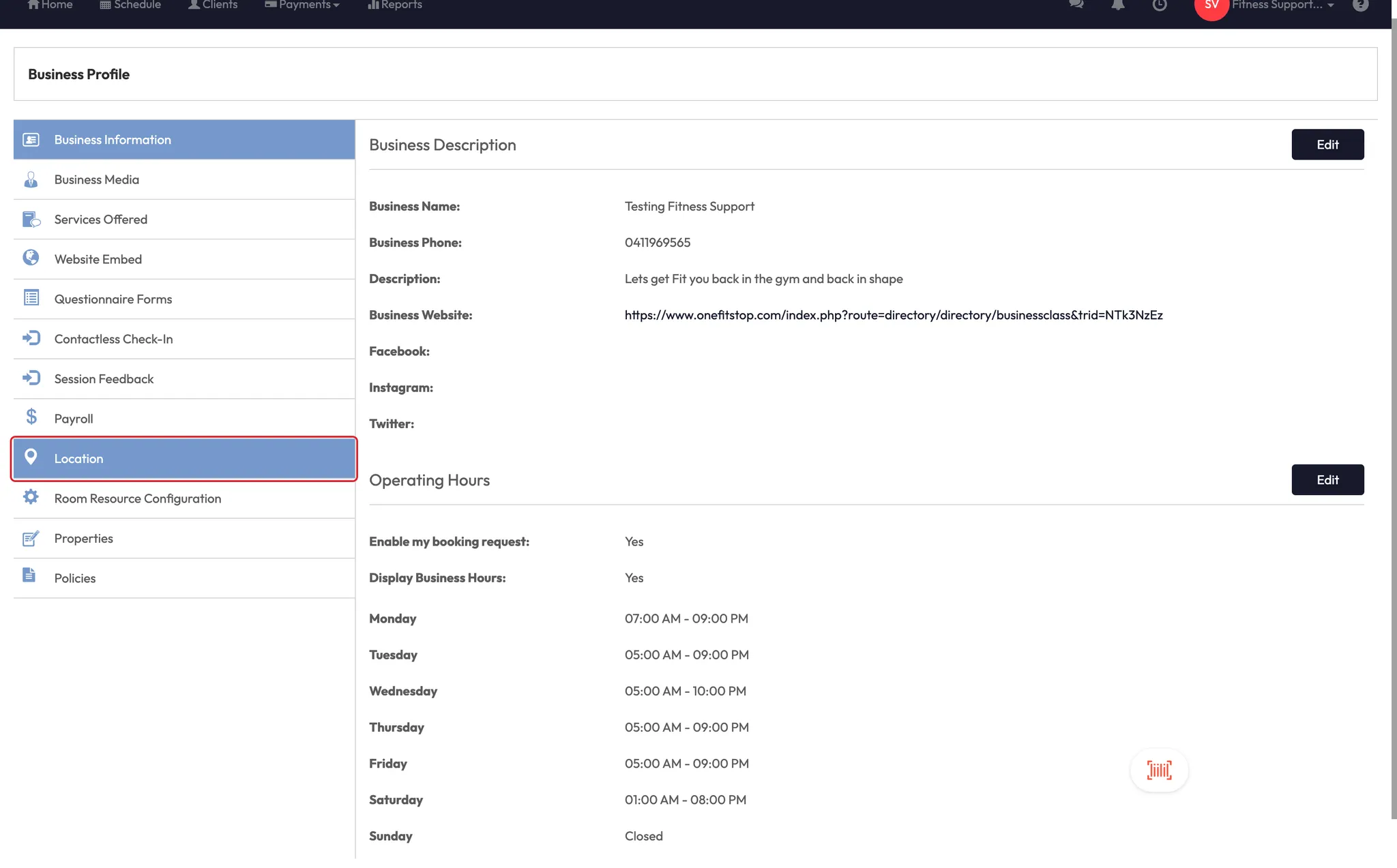
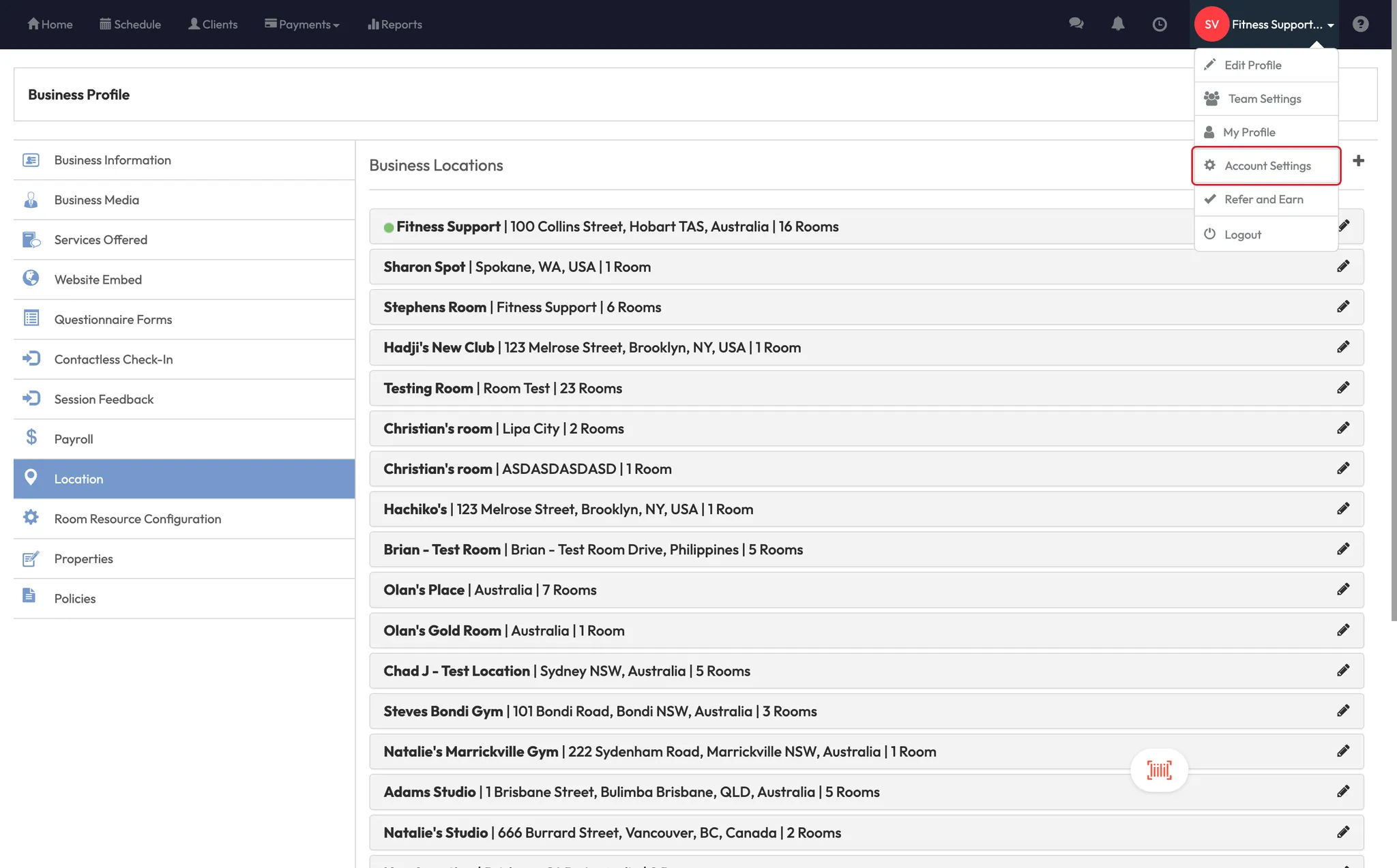
- Click on your Studio Name in the top-left corner (e.g., “Big Box”)
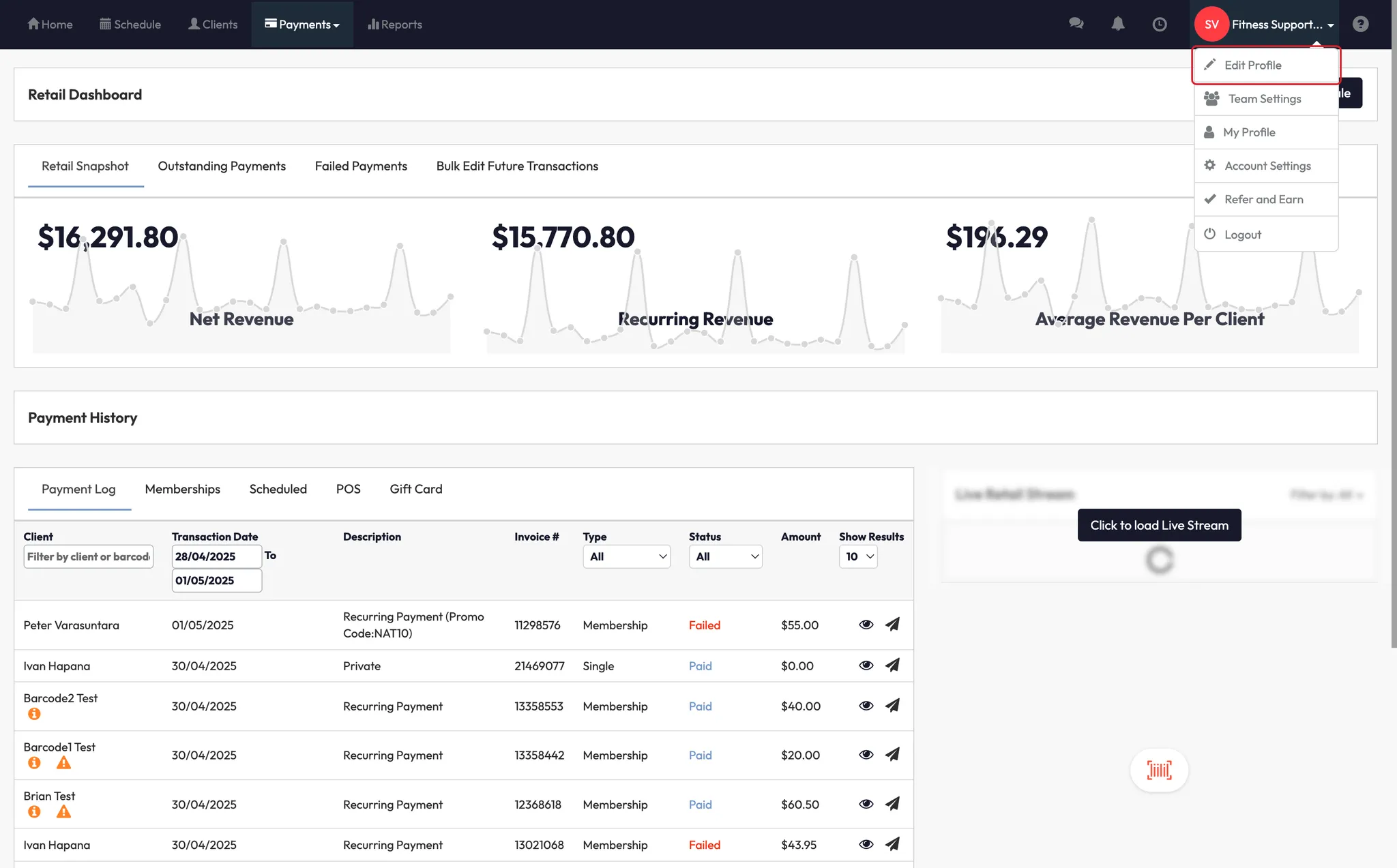
- Select Edit Profile
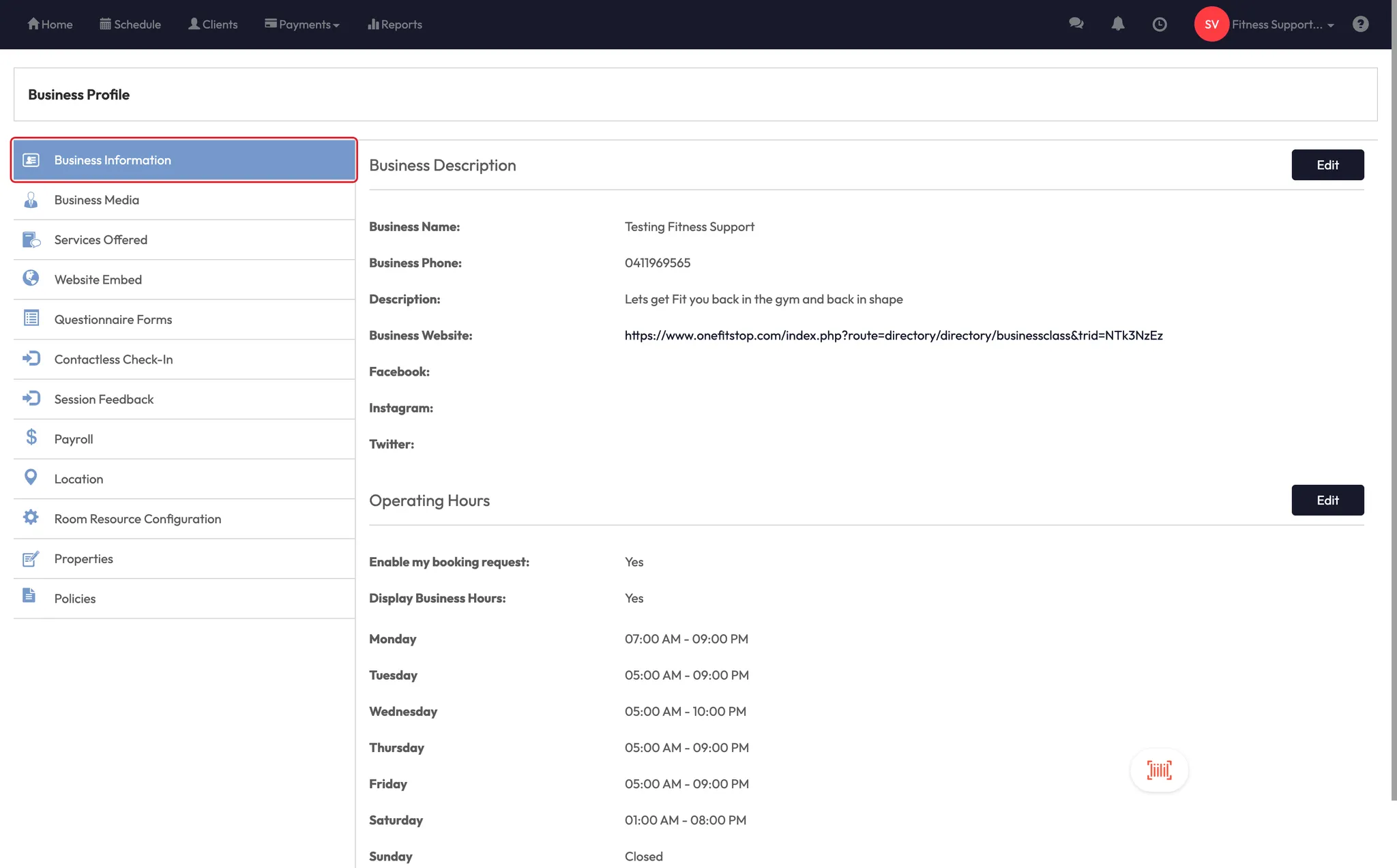
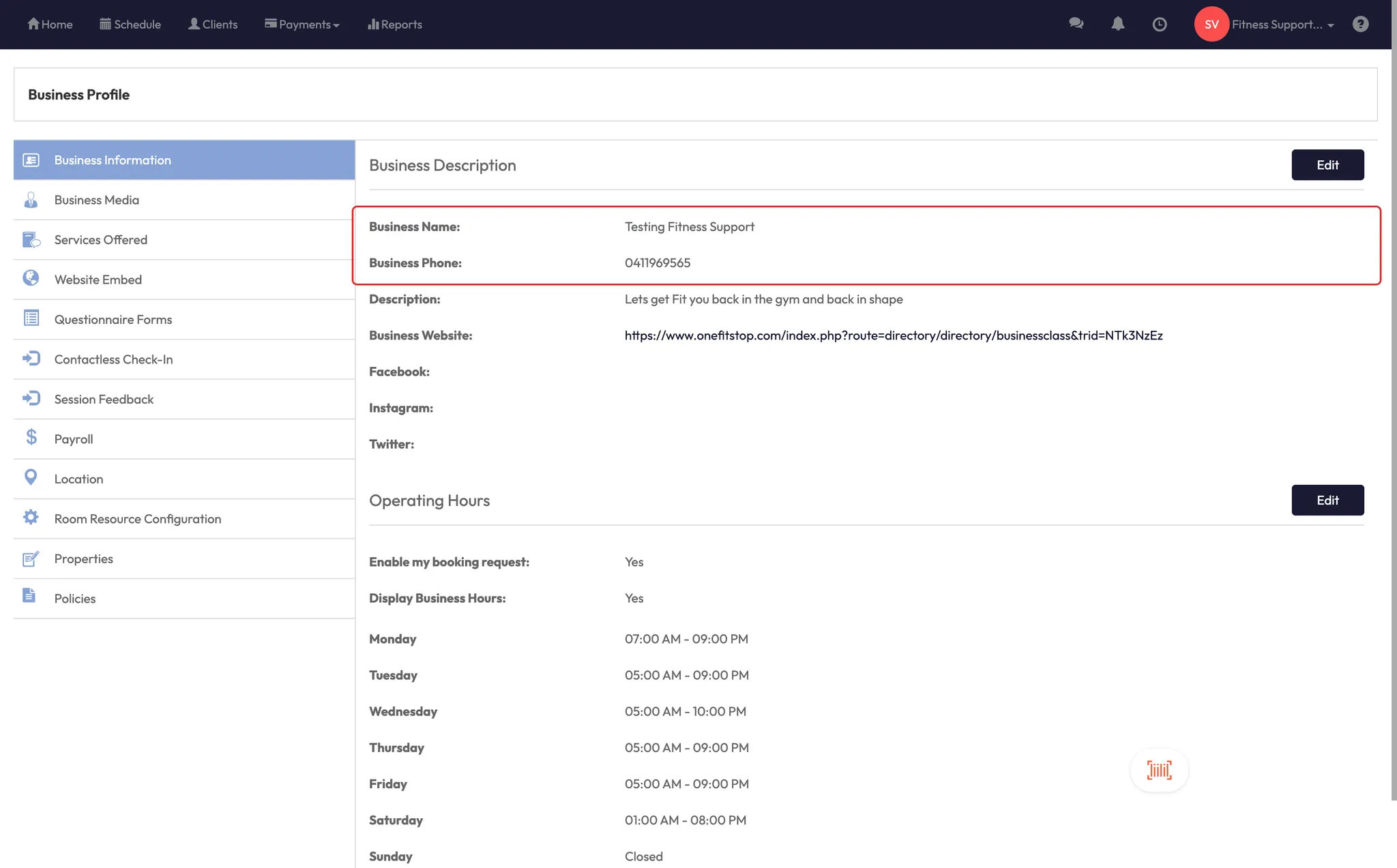
- In this section, you can update:
- Business name
- Business phone number
Step 2: Update your studio address
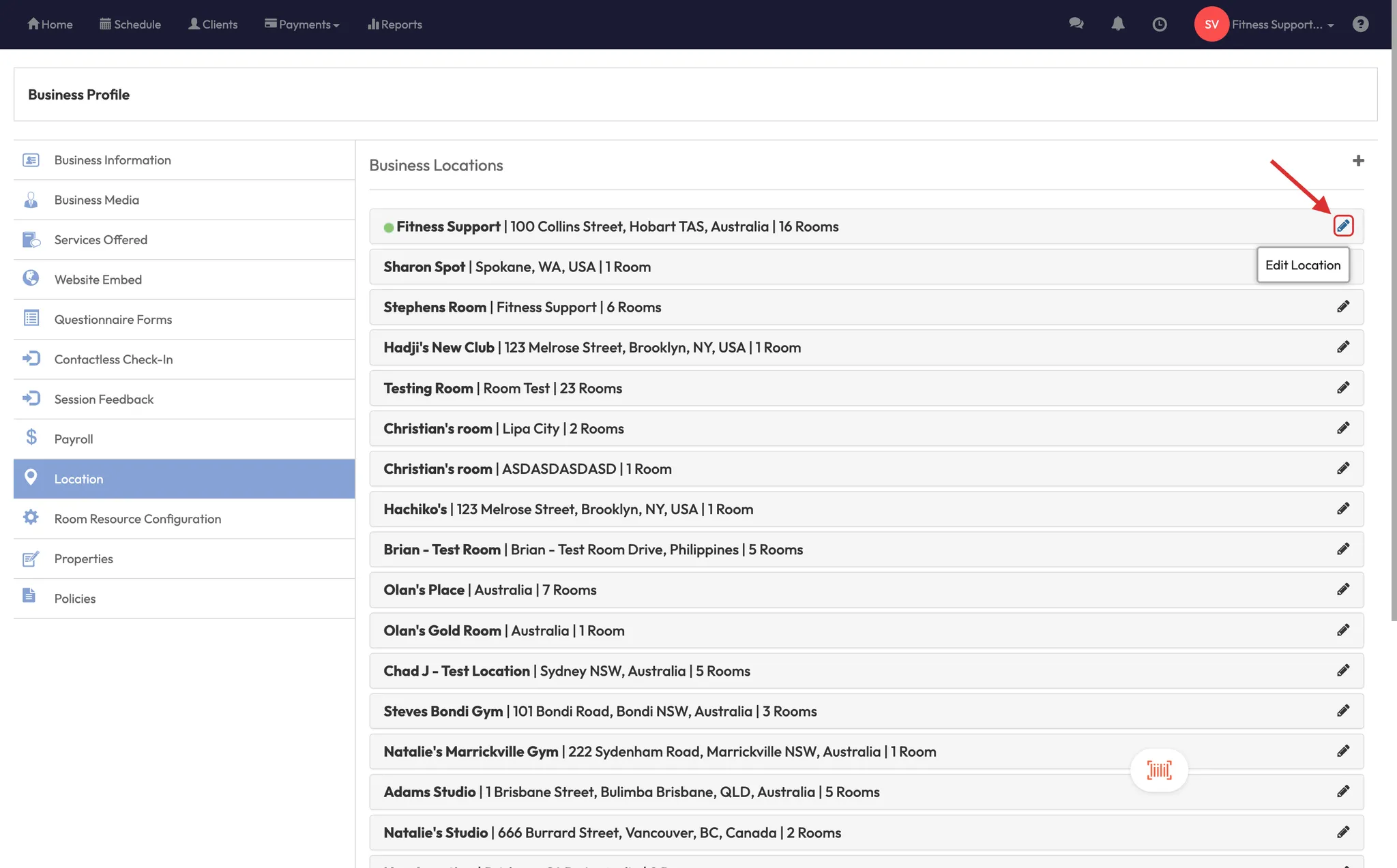
- Still in the Edit Profile area, scroll to the Location section
- Click the pencil icon ✏️ next to your address
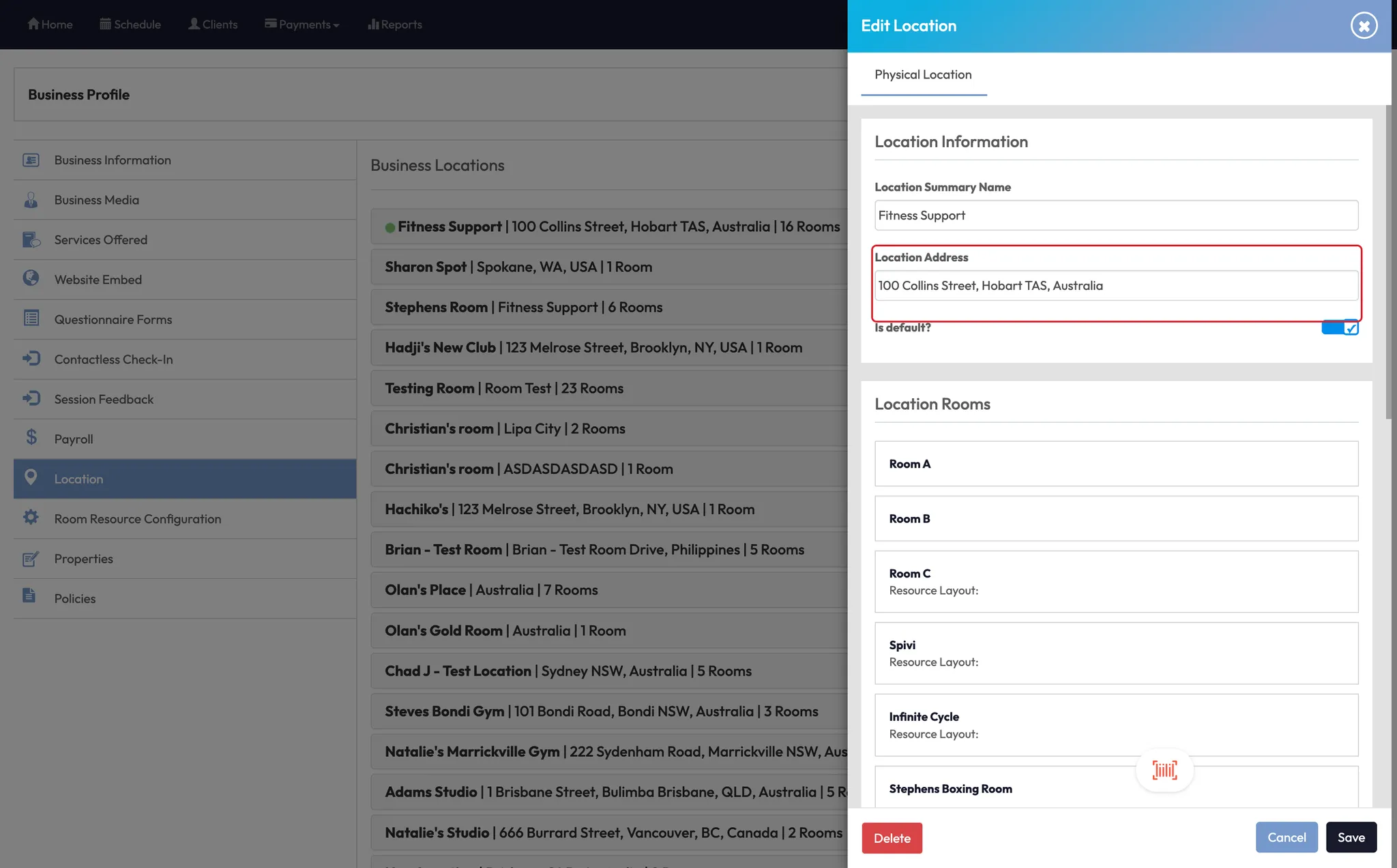
- Type in the new address and use the search to match the correct format
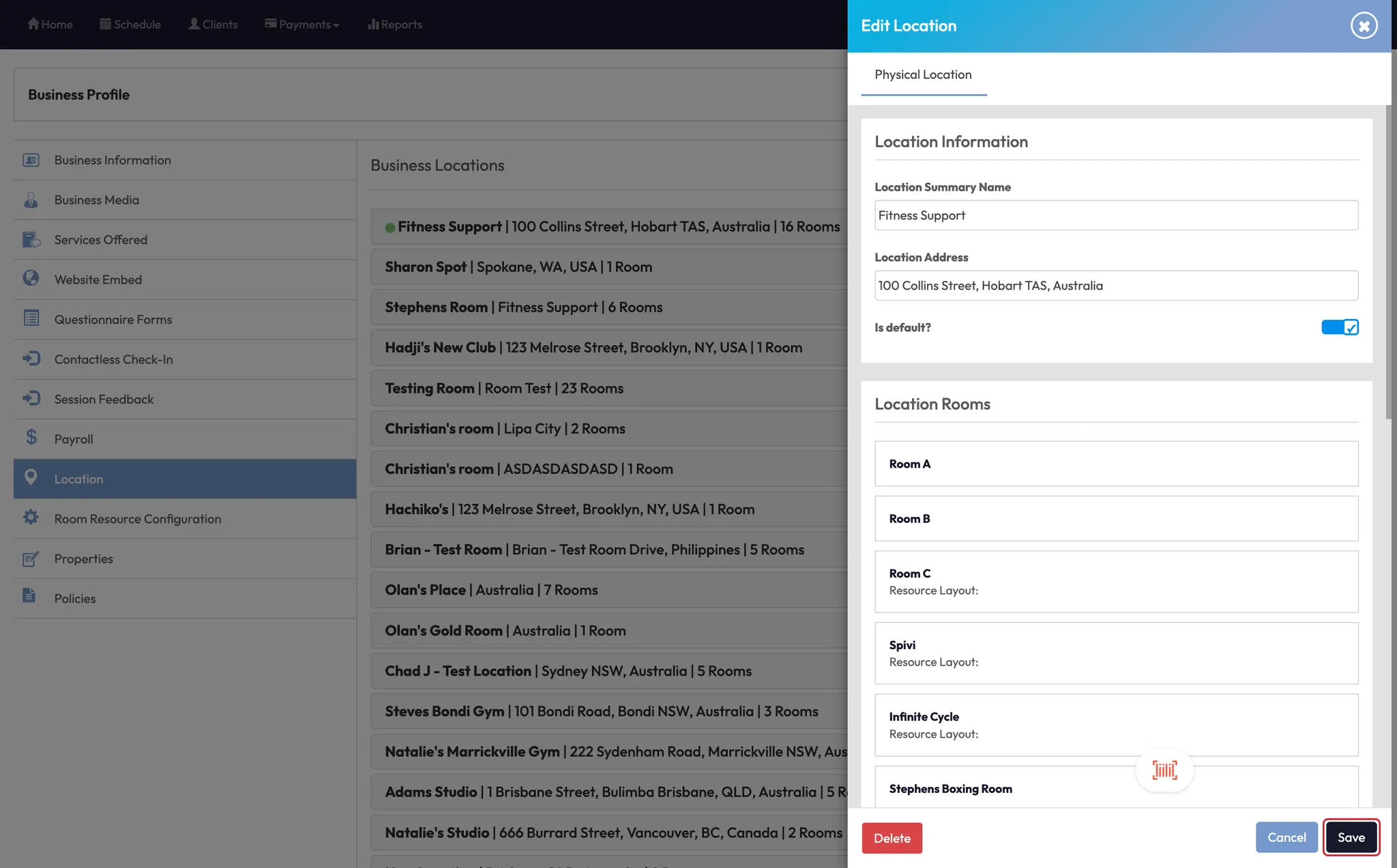
- Click Save
✅ This ensures your location appears correctly across your app, schedule, and contact areas.
Step 3: Add contact info in Account Settings (optional)
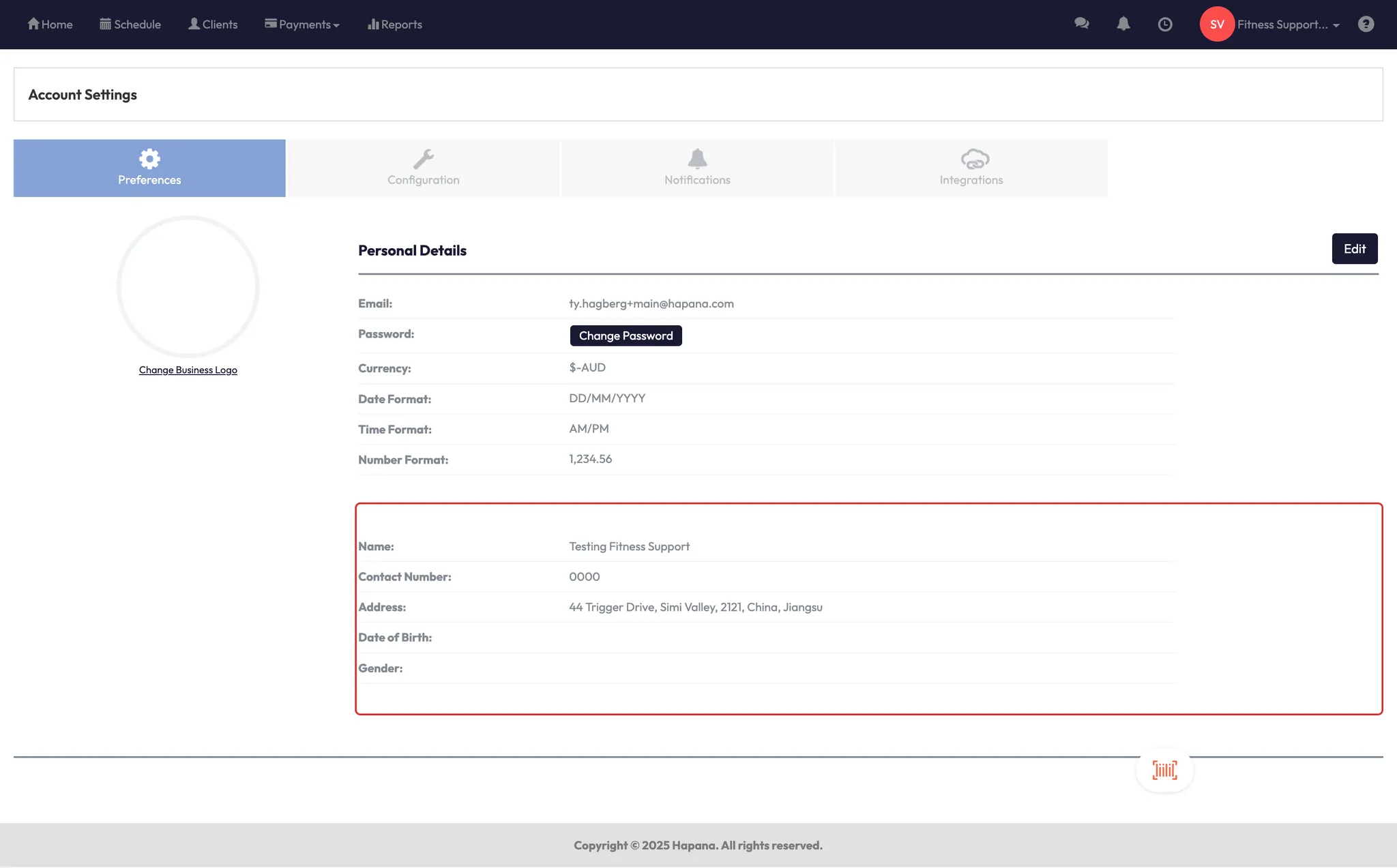
- Go to Account Settings
- Only update the Contact Number and Address fields if needed
- Do not adjust any other settings on this page unless instructed by support
⚠️ Leave all other account fields unchanged to avoid system errors.
Expected outcome
Your updated studio name, address, or phone number will now be reflected throughout the system — including your business profile, schedule widgets, and app display.
FAQs
Q: Will clients be notified when I change our studio info?
A: No — this update is internal. You may want to send a message if the change is significant (e.g., a new address).
Q: Can I update the email address from here too?
A: No — business email changes require assistance from Hapana support. Contact us for help.
Q: What happens if I enter the wrong address?
A: Simply return to the Edit Profile area, click the pencil icon, and correct it.
Still need help?
Reach out to our support team via support@hapana.com