
Overview
This guide explains which membership or package settings in CORE are retroactive — meaning updates will affect existing clients who already have that package — and which ones are only applied to new sales going forward.
🎥 Watch the walkthrough:
Or preview it below:
Prerequisites
- Admin access to CORE
- Understanding of how packages and memberships are sold and edited
Step-by-step overview
Most fields are NOT retroactive
If you edit a package or membership to change things like:
- Price
- Credit amount
Those changes will not impact any existing clients. They will only apply to new purchases going forward.
Tip: Always double-check if you're updating a live membership that has existing active users.
Retroactive field #1: Session Types
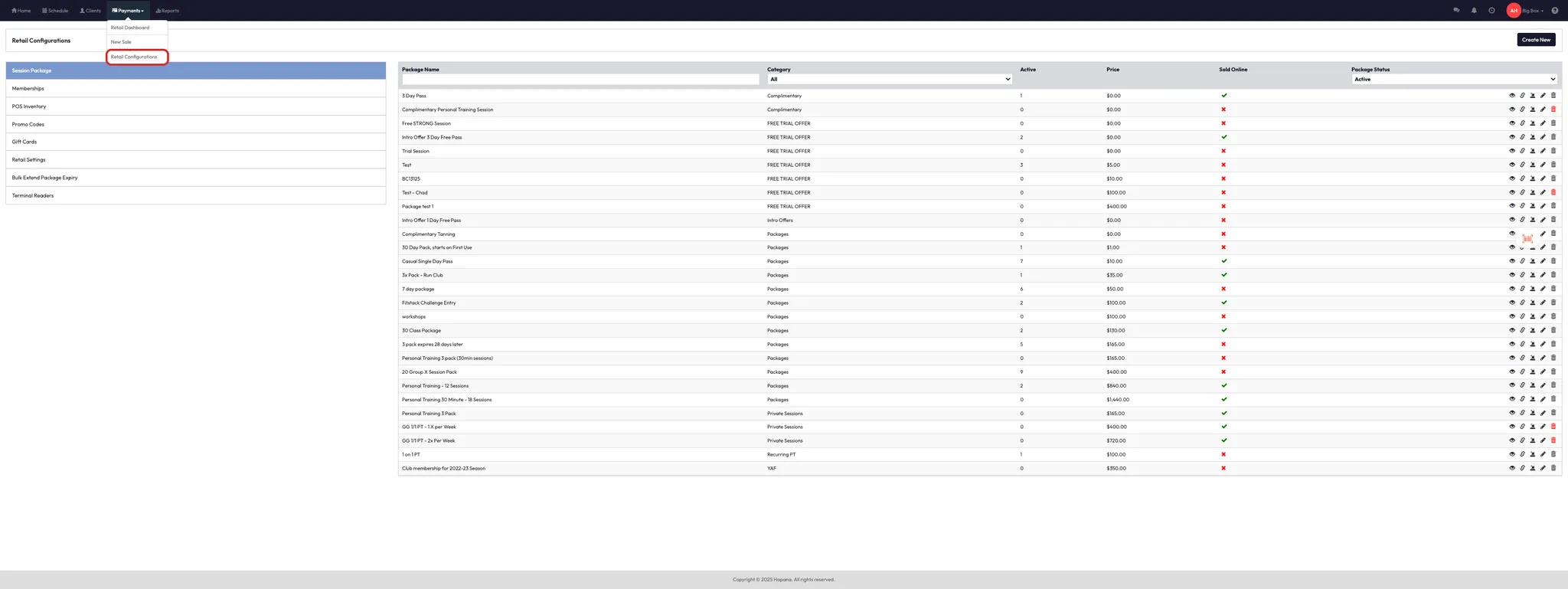
- Go to Payments > Retail Configurations
- Select Session Package or Membership
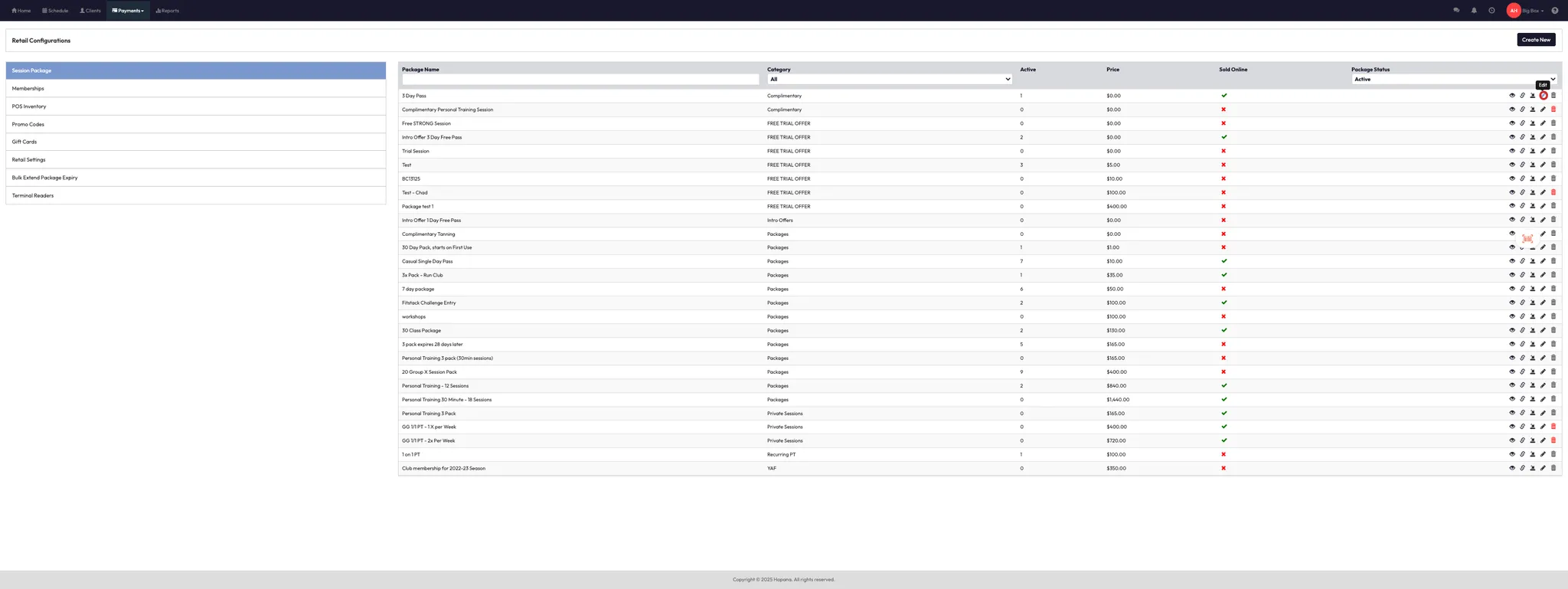
- Select a package name to edit the package or membership.
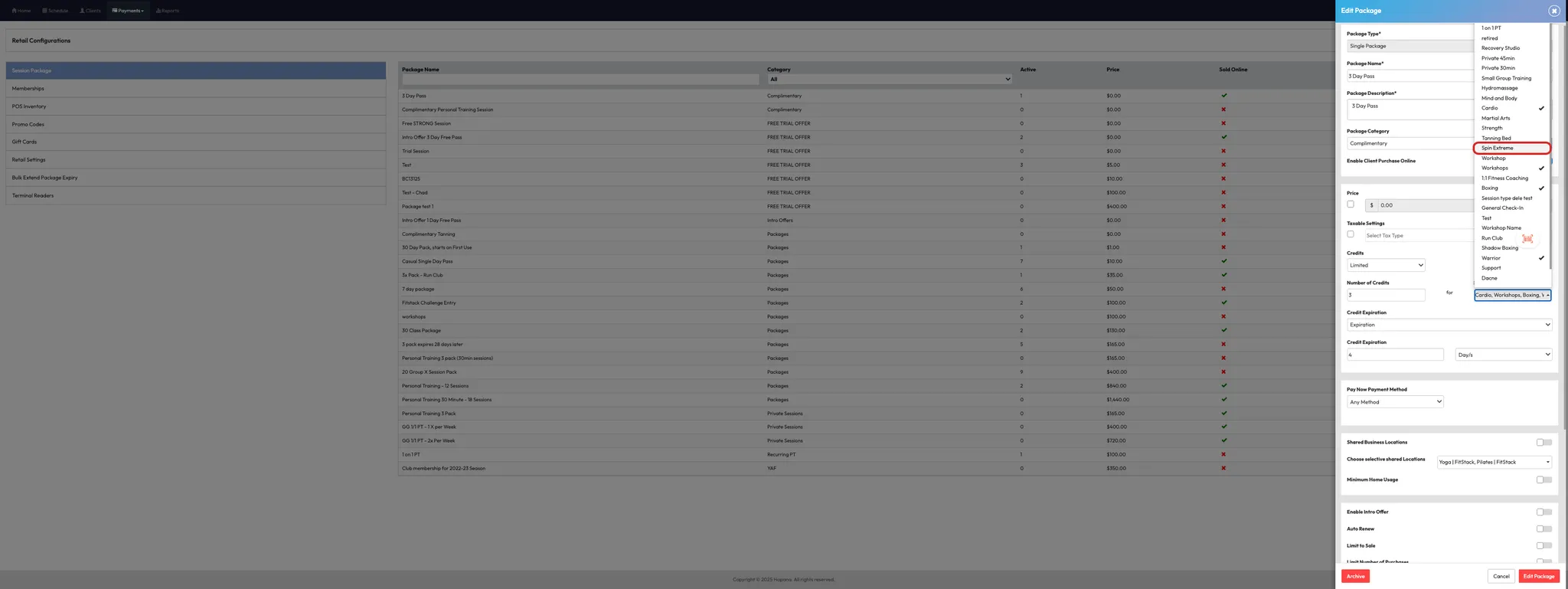
- Under Session Types, add or remove session types.
- Click Edit Package to save.
✅ This update will apply to all clients currently using this membership or package — existing and new.
Example: If you add "Martial Arts" to a membership, clients who already hold it will now see those credits available.

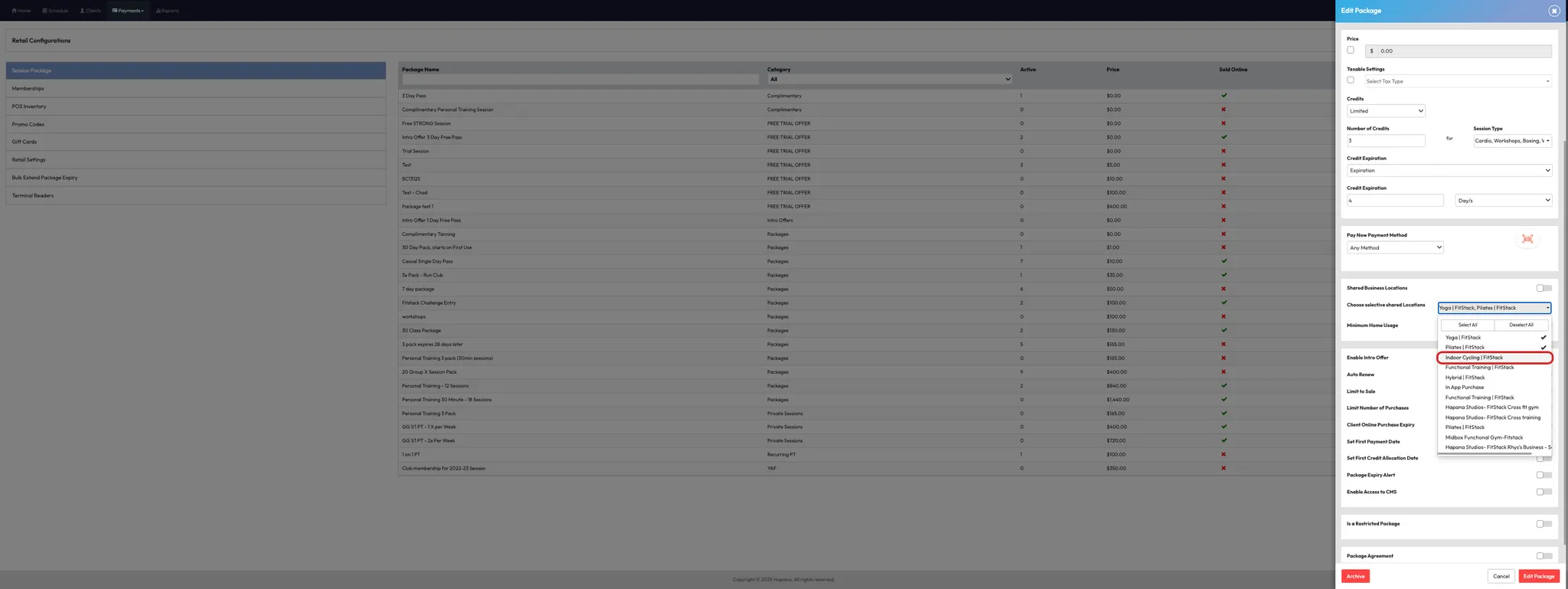
Retroactive field #2: Shared Locations
- Edit the relevant package or membership by repeating steps 1-3 above.
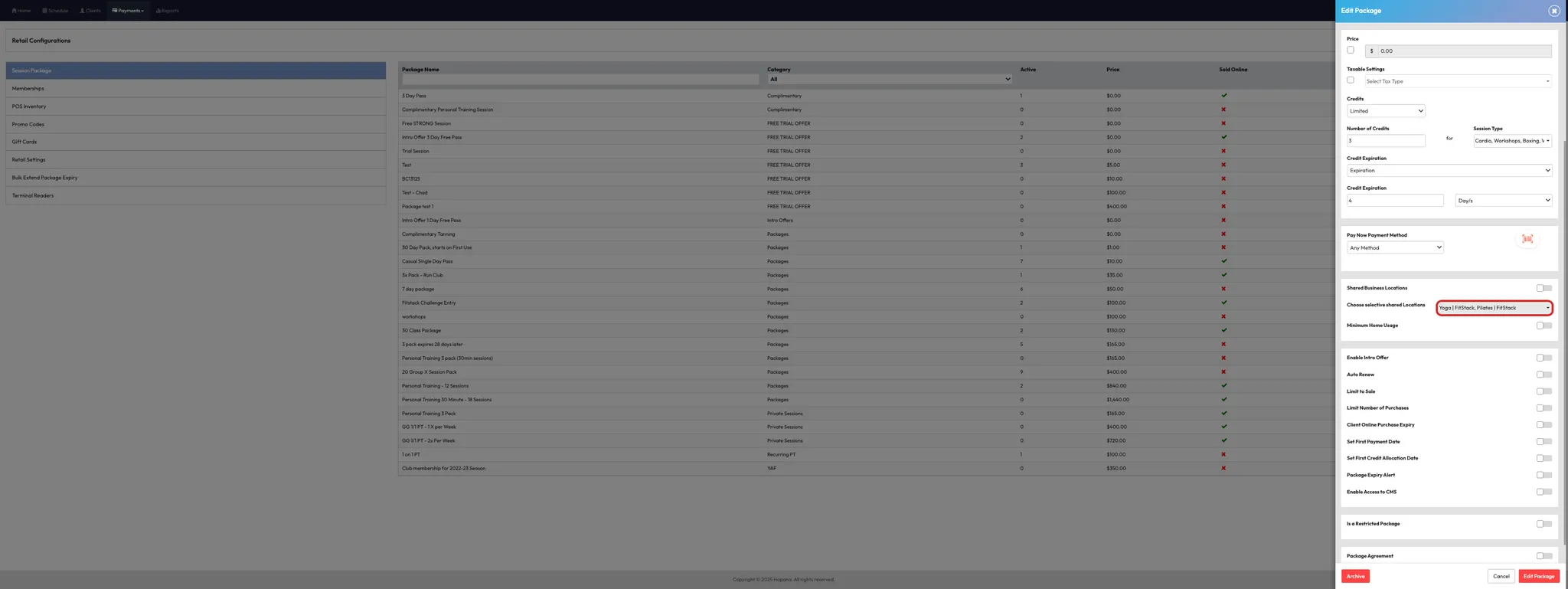
- Scroll to Shared Locations.
- Add new shared studios (either select all or specific ones).
- Click Edit Package to save.
✅ All current clients with that membership will now be able to use it at the newly shared locations.
Tip: Great for when you're opening new locations or linking sister sites.
Expected outcome
Only specific fields — like Session Types and Shared Locations — will apply to both current and future members. Other changes like pricing or billing frequency will only apply going forward.
FAQs
Q: Will changing a membership name update it for current members?
A: No. Most visual elements are only changed for new purchases.
Q: Can I force a credit amount change for existing members?
A: No. You would need to manually adjust individual member credits.
Q: Are shared location changes instant?
A: Yes — as soon as you save the update, it’s applied to all relevant members.
Still need help?
Reach out to our support team via support@hapana.com