
Overview
This article explains how to configure the automatic retry settings for failed payments in CORE. Adjusting these settings ensures the system will attempt to reprocess payments on your schedule, helping reduce manual work and missed revenue.
🎥 Watch the walkthrough:
Or preview it below:
Prerequisites
- Admin access to CORE
- Familiarity with your current payment processing settings
Step-by-step instructions
Step 1: Access retail settings
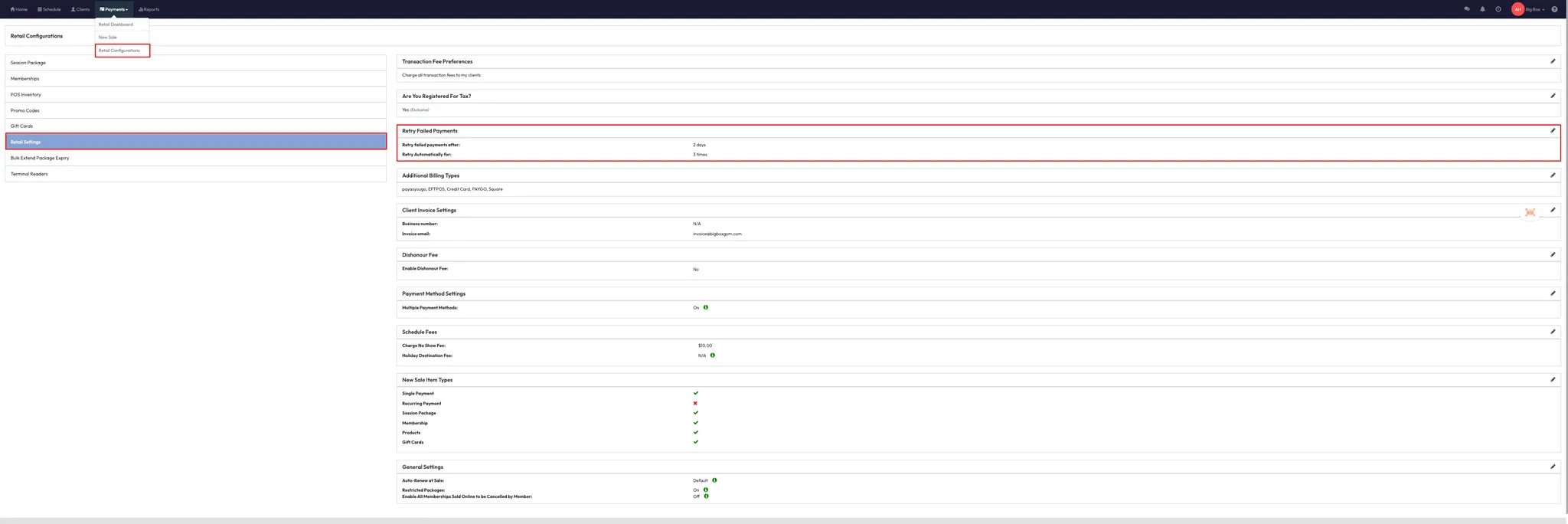
- Go to Payments > Retail Configurations.
- Click on Retail Settings from the left-hand menu.
Step 2: Edit failed payment retry settings
- Locate the setting called Retry Failed Payments.
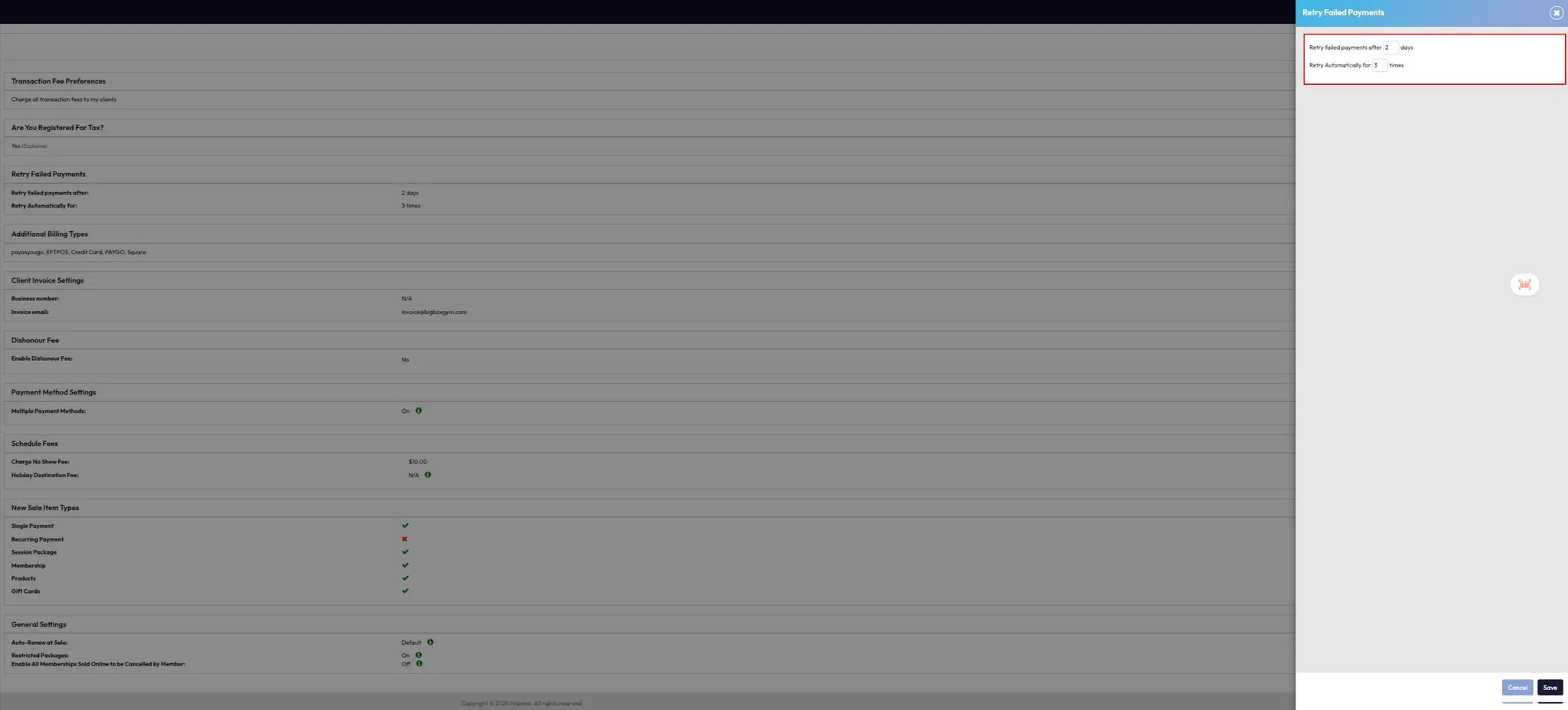
- Click the Pencil Icon next to it.
- Set the number of days between retries (e.g. 4 days).
- Set the number of retry attempts (e.g. retry 3 times).
- Set the days and retry attempts to 0 days and times if you wish for no automatic retry attempts made after payment failure.
- Click Save to confirm your changes.
Step 3: How it works
- Once updated, CORE will automatically retry any failed payments based on your new configuration.
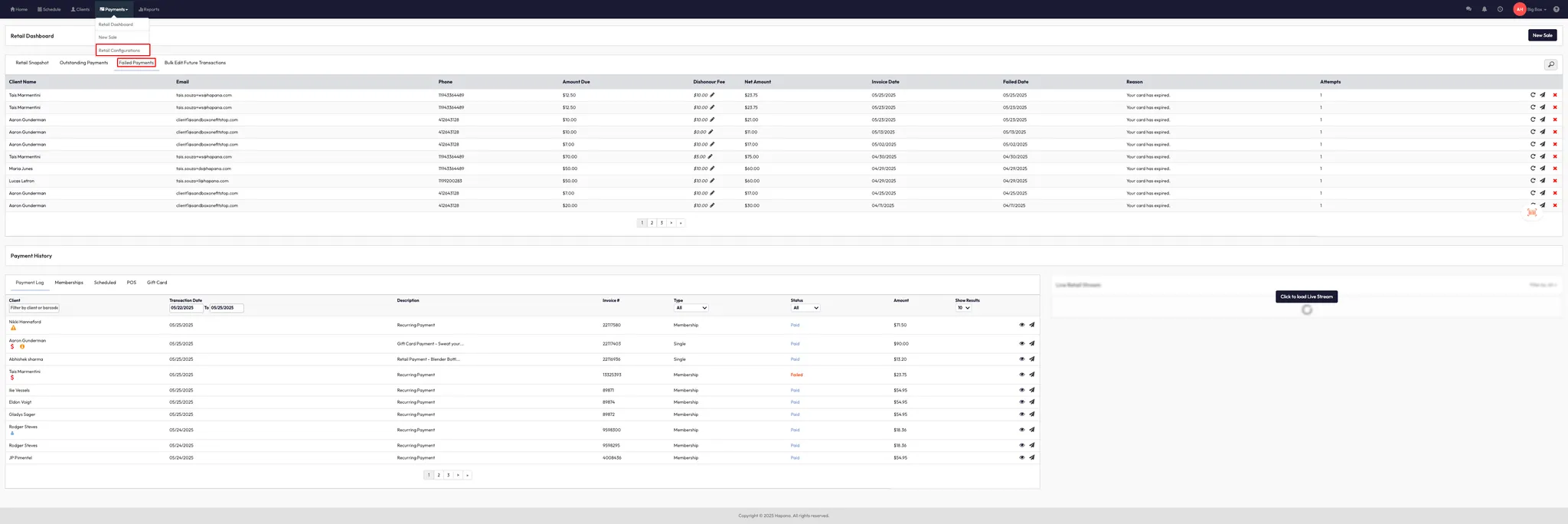
- This applies to transactions that appear under Payments > Retail Dashboard > Failed Payments.
Tip: Review this setting regularly, especially if you change payment gateways or retry policies.
Expected outcome
Failed payments will automatically retry according to your set number of days and retry attempts — reducing the need for manual follow-ups.
FAQs
Q: Does this affect all failed payments?
A: Yes — all applicable failed payments will follow the new retry schedule.
Q: Can I turn off automatic retries entirely?
A: No, but you can reduce the retry count to 0 if needed.
Q: Where can I see failed payment attempts?
A: Go to Payments > Retail Dashboard > Failed Payments.
Still need help?
Reach out to our support team via support@hapana.com