
Overview
This article explains how to set up Restricted Packages in CORE. This feature limits the ability to edit certain packages to only qualified admin users — useful for high-value offers, limited promos, or corporate membership types that should not be changed by general staff.
🎥 Watch the walkthrough:
Or preview it below:
Prerequisites
- Admin access to CORE
- Team access groups already created
- At least one user with admin-level privileges
Step-by-step instructions
Step 1: Enable restricted packages
- Go to Payments > Retail Configurations > Retail Settings.
- Click the Pencil Icon beside Restricted Packages.
- Toggle the feature ON and click Save.
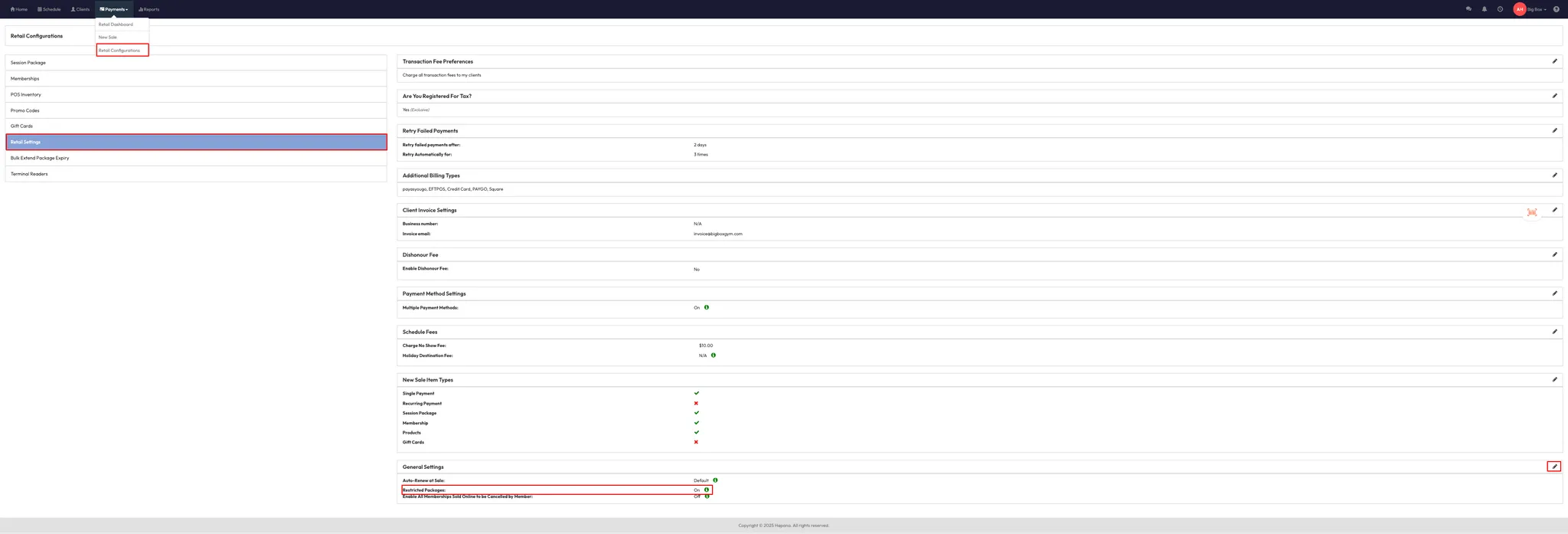
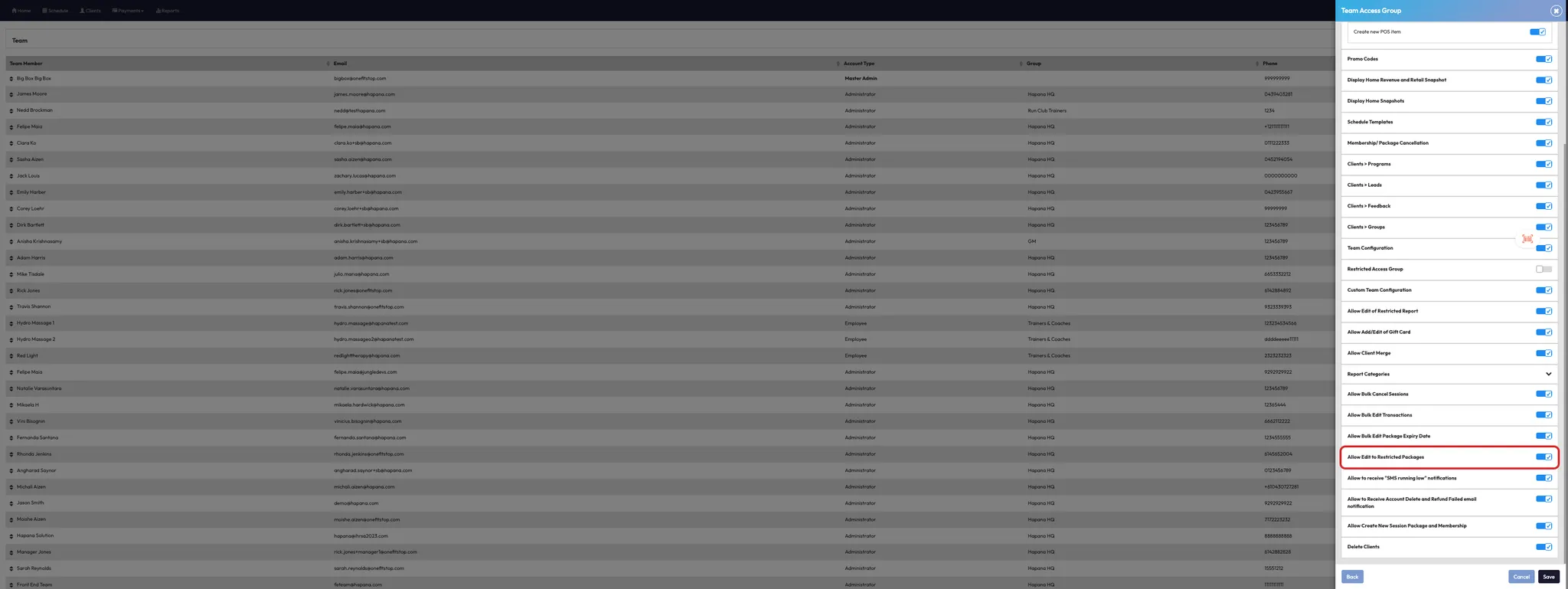
Step 2: Allow access via access groups
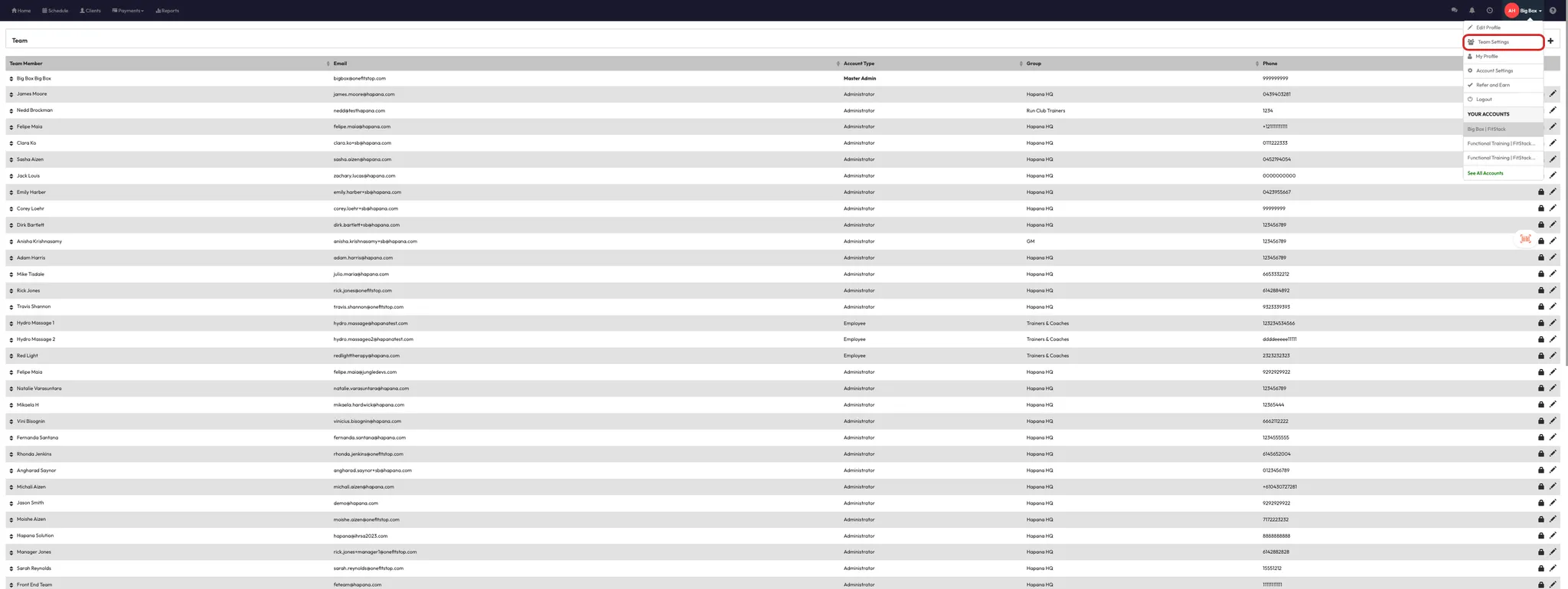
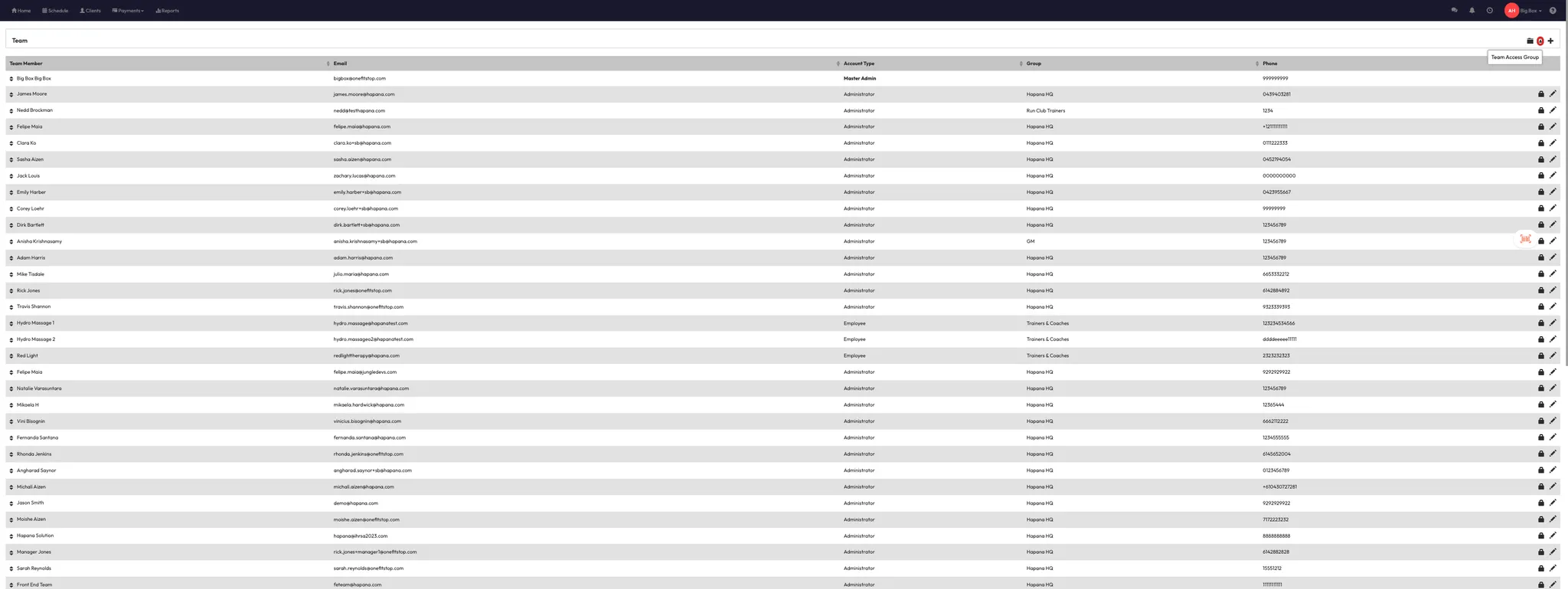
- Go to Settings > Team Settings > Access Groups.
- Select or create an admin-level group (e.g. “Master Admin”).
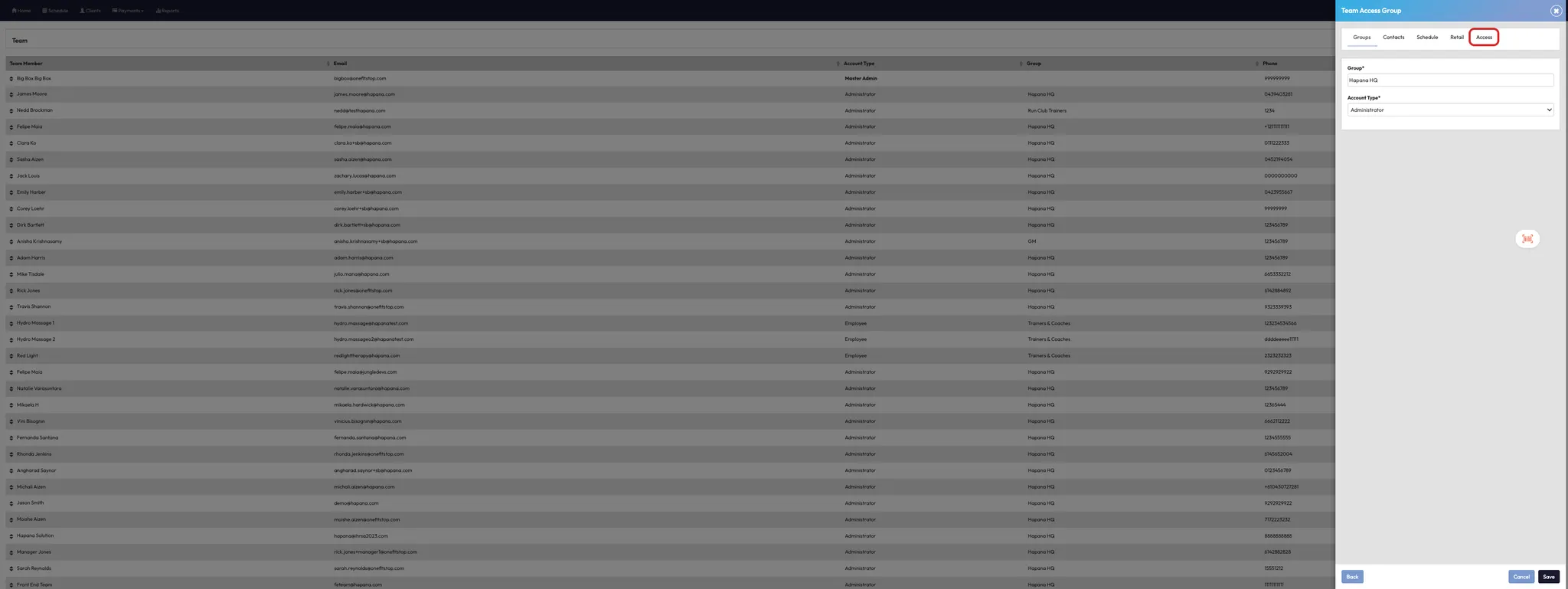
- Click Edit on the group.
- Scroll to Allow Edit to Restricted Packages and toggle it ON.
- Click Save.
Tip: Only users within access groups that have this permission enabled will be able to edit restricted packages.
Step 3: Apply restriction when creating or editing packages
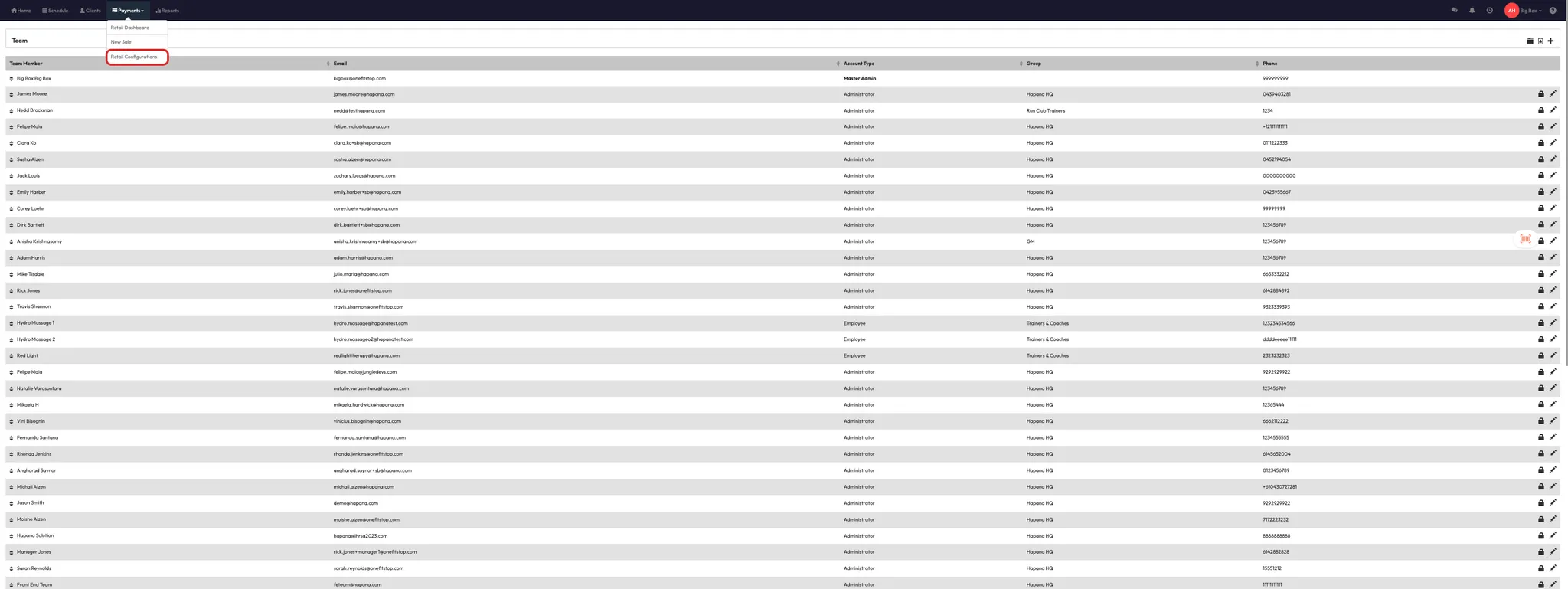
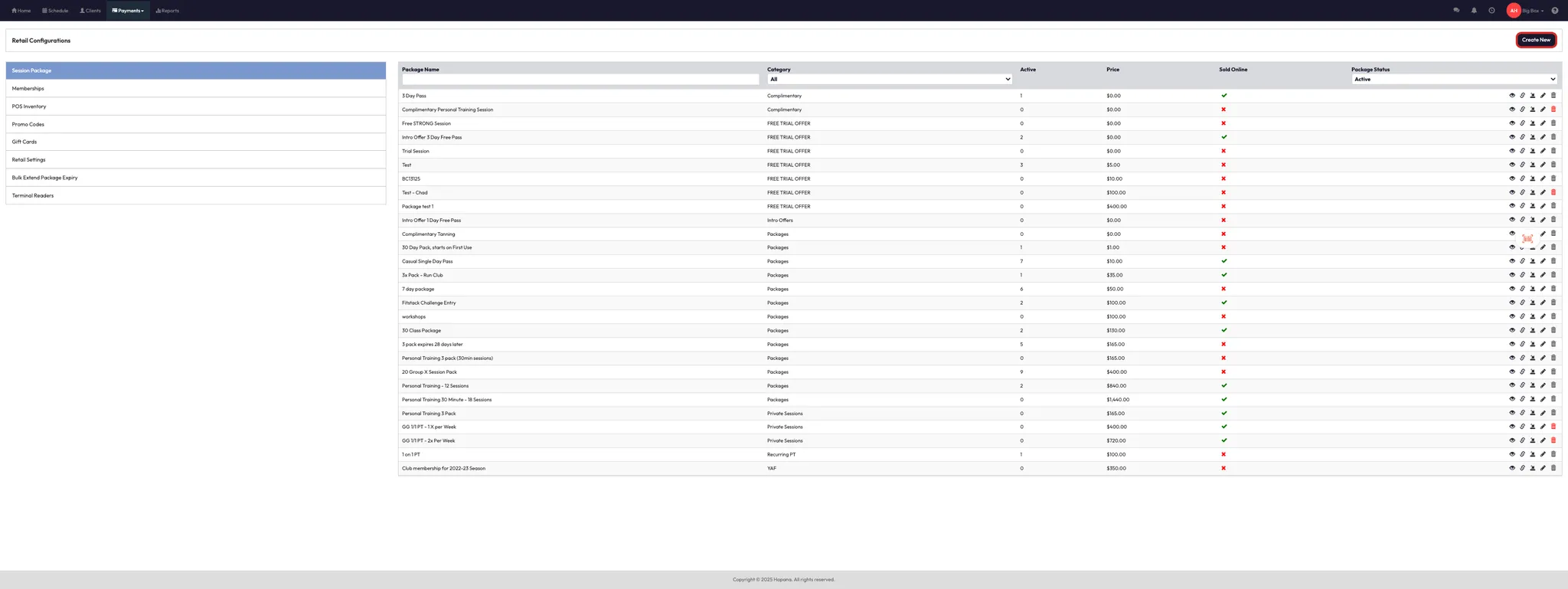
- Go to Payments > Retail Configurations.
- Choose to Create or Edit a package or membership.
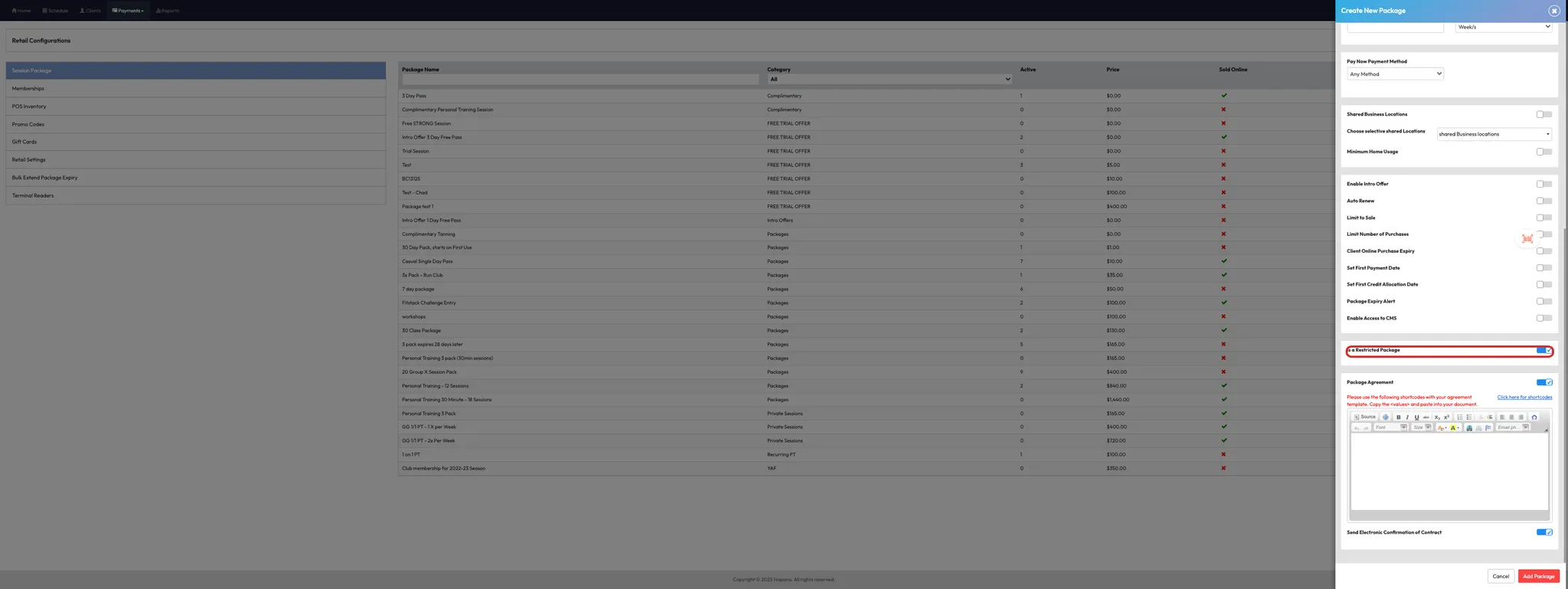
- Scroll to the bottom of the package configuration screen.
- Toggle Restricted Package ON.
- Save your changes.
Tip: Once enabled, only qualified users with the right access group permissions can edit this package.
Expected outcome
Restricted packages will be locked from general users and editable only by staff in approved access groups — giving you more control over sensitive or high-importance offerings.
FAQs
Q: Can staff still view restricted packages?
A: Yes — they can view the package but cannot edit it unless they’re in an access group with permission.
Q: Can I make an existing package restricted?
A: Yes — just edit the package and toggle the Restricted Package option ON.
Q: How do I remove restrictions later?
A: Edit the package and turn the toggle OFF, then save the change.
Still need help?
Reach out to our support team via support@hapana.com